Piludi – PDF Converter
Official Windows App 100% Free v1.1.0.0 Windows 10 / 11 (x64)

Piludi – PDF Converter

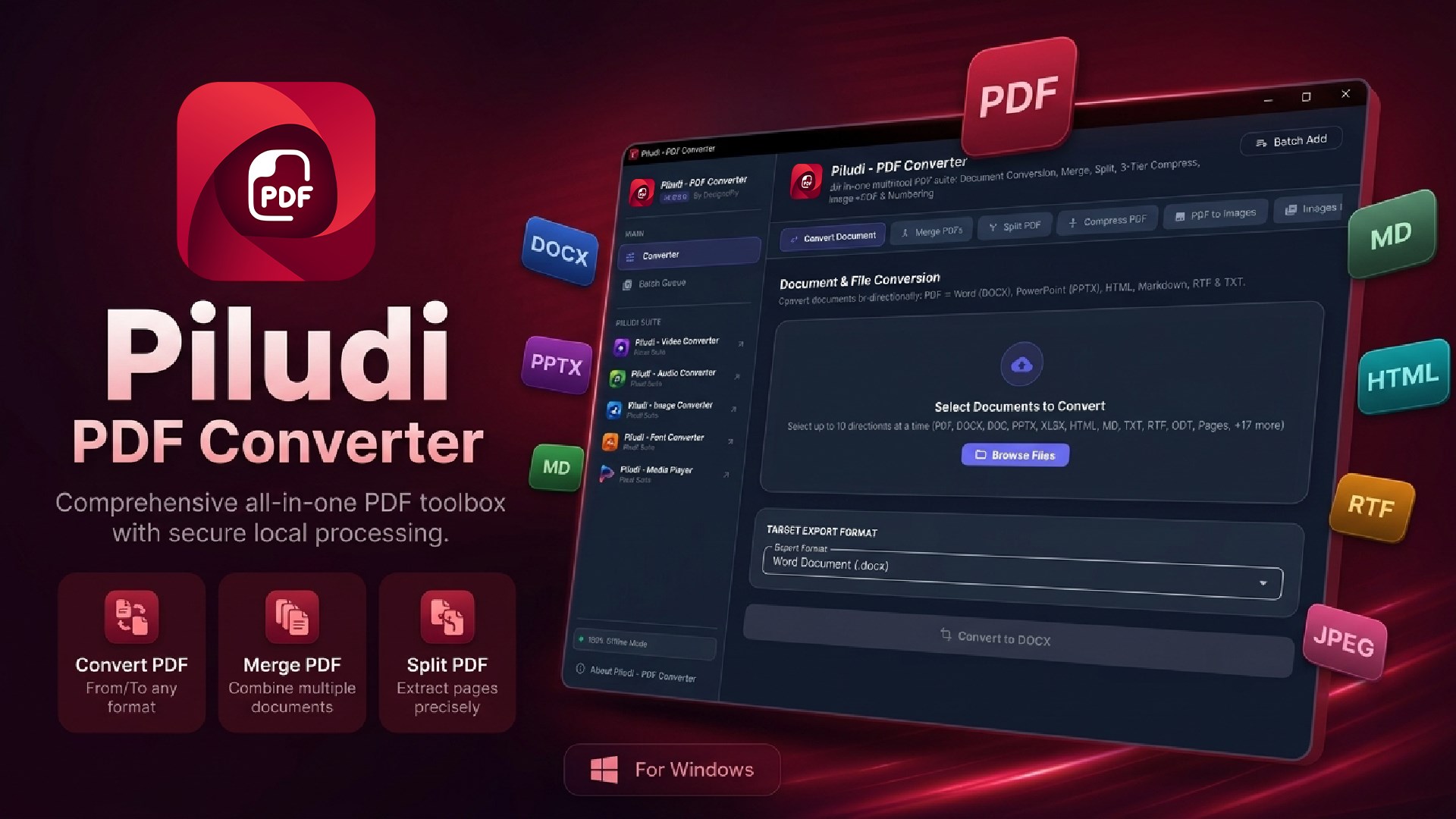
Comprehensive desktop PDF workstation for Windows 10 & 11 (v1.0.1.0). Convert between PDF and editable Word (DOCX), PowerPoint (PPTX), Markdown, RTF, HTML, and TXT. Merge, split by ranges, compress up to 98% with visual clarity, dual-engine image conversions, and dynamic page numbering with 100% offline privacy.

100% PRIVATE & OFFLINE
Zero Cloud Uploads
Executes 100% locally on your Windows PC. Full HIPAA, GDPR & NDA document confidentiality with zero data transmission.
98% SMART COMPRESSION
Smart Size Shrinkage
Up to 98% reduction in file size across Print (300 DPI), Email (150 DPI), and Web (72 DPI) profiles while visual resolution remains crisp.
DOCUMENT FIDELITY
Word & PowerPoint Export
Bi-directional conversion between PDF, Word (DOCX), Slides (PPTX), Markdown (MD), RTF, HTML, and TXT with layout preservation.
COMPLETE 7-IN-1 SUITE
Merge, Split & Numbering
Drag-and-drop merging, precision range splitting, dual-engine image conversions, and custom page numbering.

App Interface & Workflow

Features & Processing Modes

Mode 1

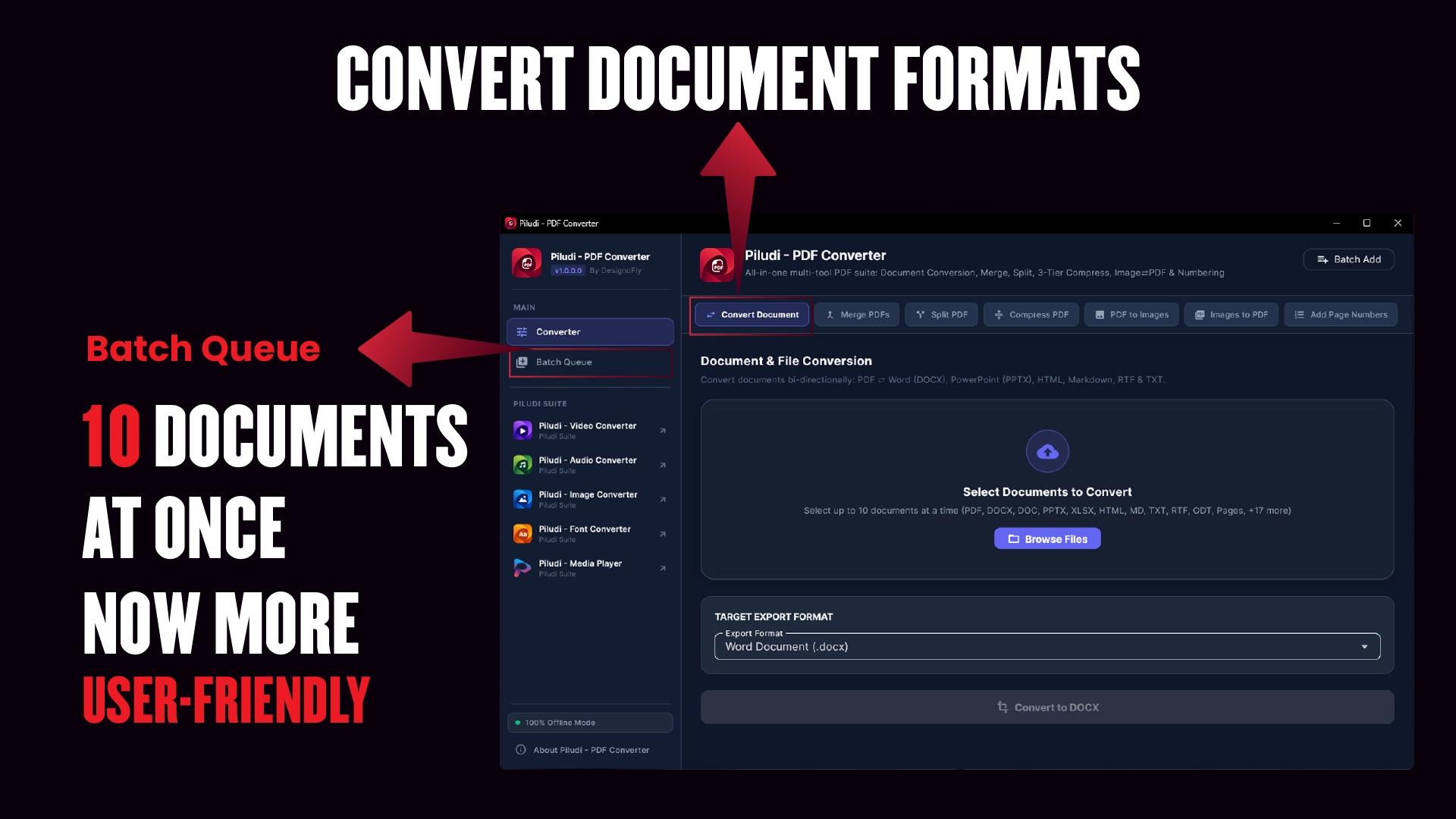
Bi-Directional Document & Presentation Conversion

Transform PDFs into editable Microsoft Office formats and back with high typographic and layout fidelity.

  • PDF to Editable Word (DOCX): Reconstructs paragraphs, tables, headings, and embedded illustrations
  • PDF to PowerPoint (PPTX): Converts slides and multi-page presentations into fully editable slide decks
  • Rich Text & Markdown: Export to RTF, HTML5, Markdown (.md), and Plain Text (.txt)
  • Office to PDF: Convert Word documents, PowerPoint decks, and text files directly into clean, standardized PDFs.
Mode 2

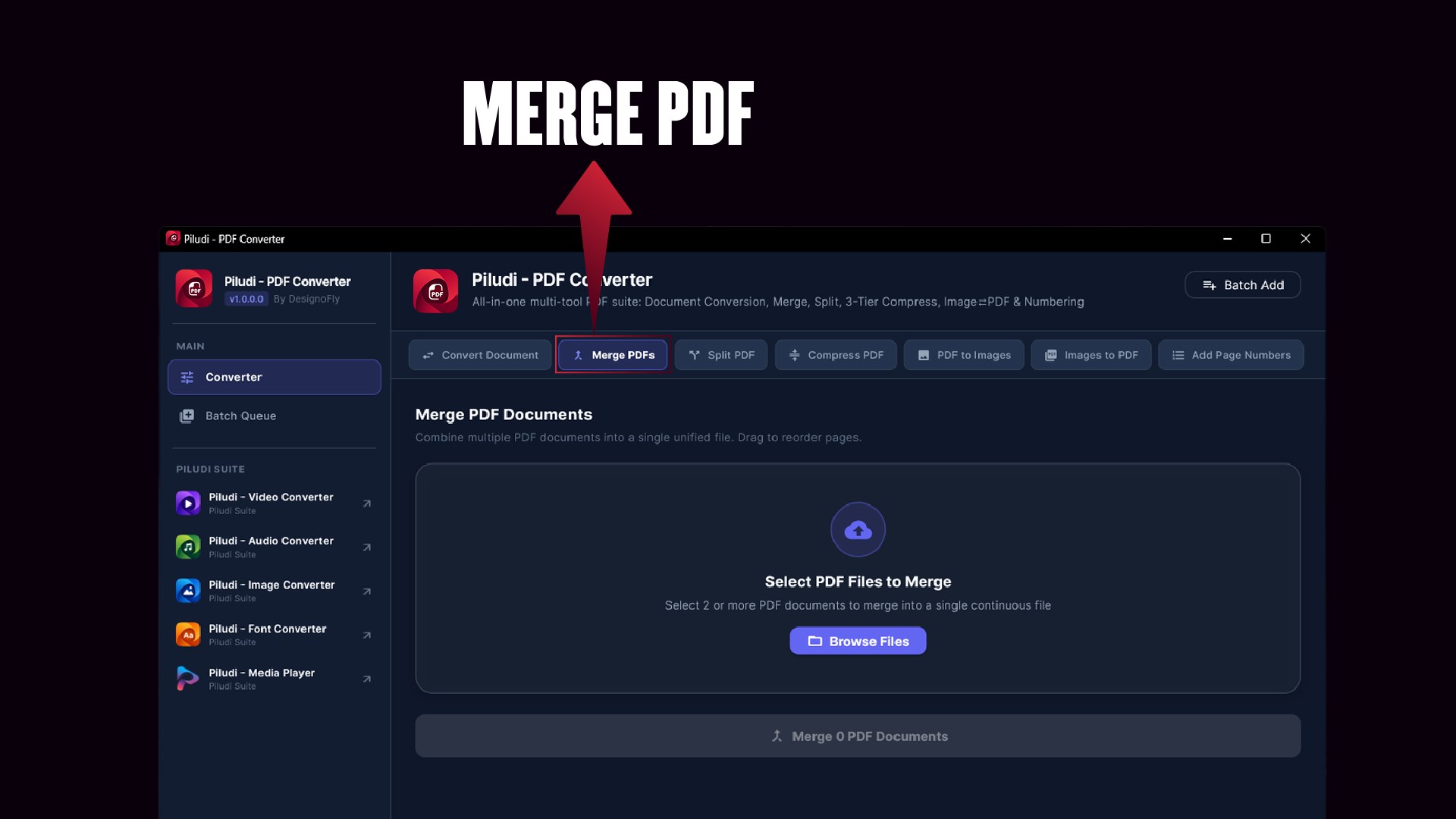
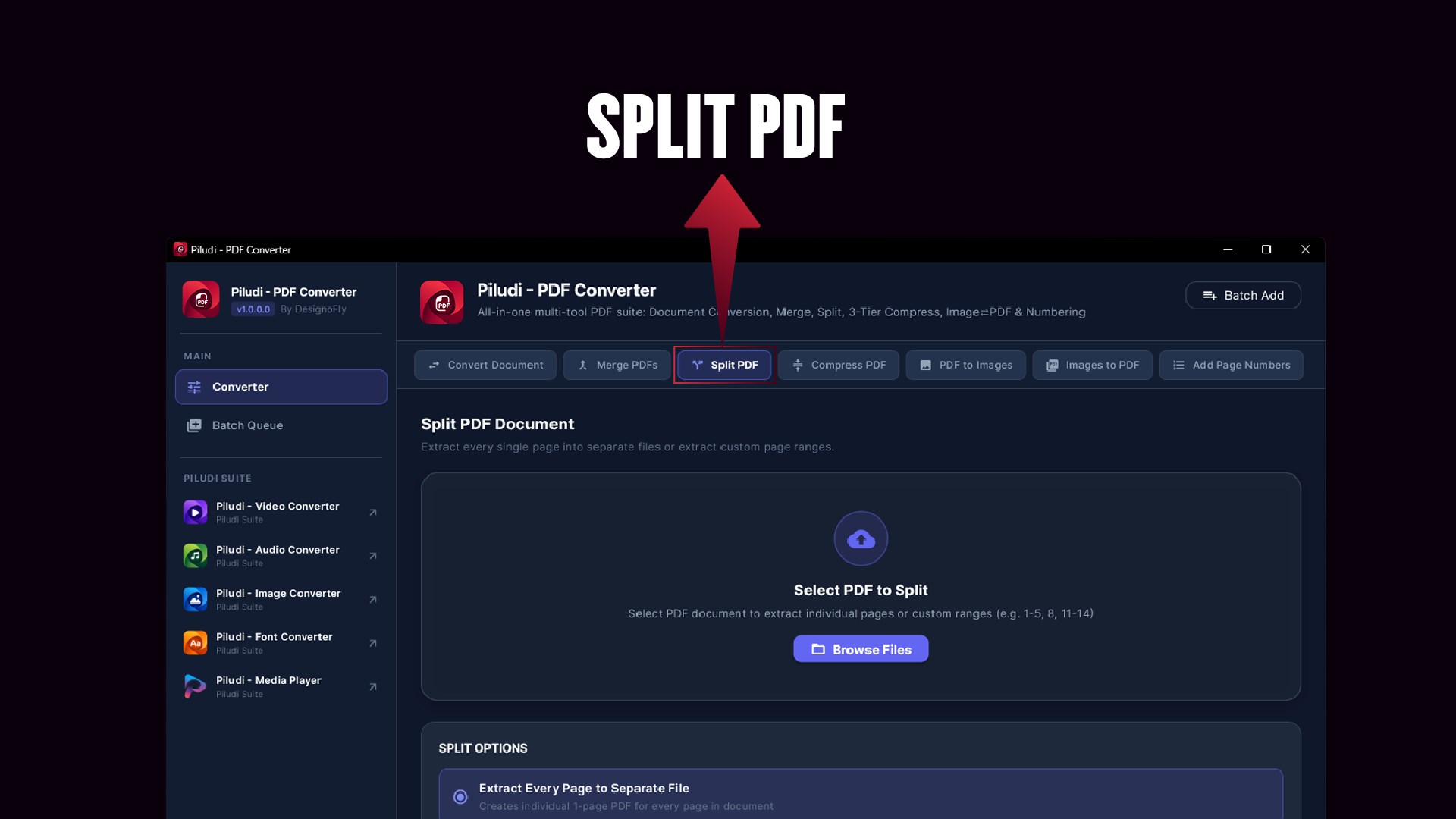
Multi-Report PDF Merge & Precision Range Splitter

Reorganize, assemble, and dissect complex documentation sets with intuitive drag-and-drop controls.

  • Interactive Document Merger: Combine multiple invoices, quarterly reviews, or contracts into a single cohesive document
  • Custom Page Range Splitter: Extract exact page selections (e.g., 1-5, 8, 12-20) or burst entire files into single-page documents
  • Zero Quality Degradation: Preserves original vector lines, embedded fonts, and vector artwork.
Mode 3

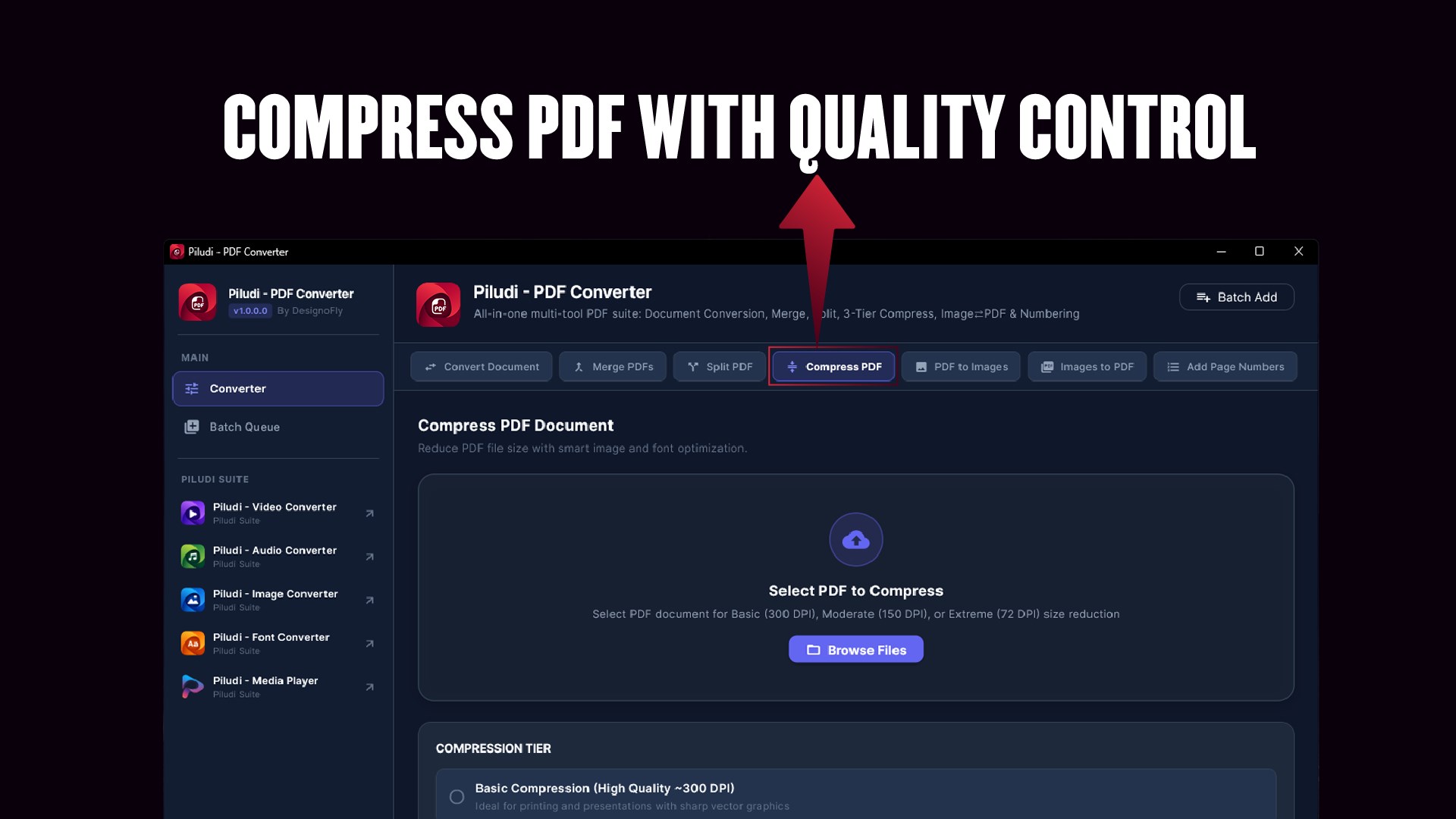
Advanced 3-Tier PDF Compression (Up to 98% Size Reduction)

Drastically reduce PDF file sizes to meet email attachment thresholds and portal upload caps without rendering text unreadable.

  • Up to 98% Size Reduction: Drastically slashes multi-gigabyte PDF archives while preserving sharp vector text and clean charts
  • Basic Compression (300 DPI): Gentle reduction maintaining commercial print quality for proofs and formal portfolios
  • Moderate Compression (150 DPI): Balanced shrinkage ideal for routine business email attachments and internal office distribution
  • Extreme Compression (72 DPI): Maximum file reduction optimized for web publishing, cloud archiving, and mobile viewing.
Mode 4

Dual-Engine Image Conversion Matrix

Bridge the gap between graphic media, receipts, scans, and formal documents with batch processing.

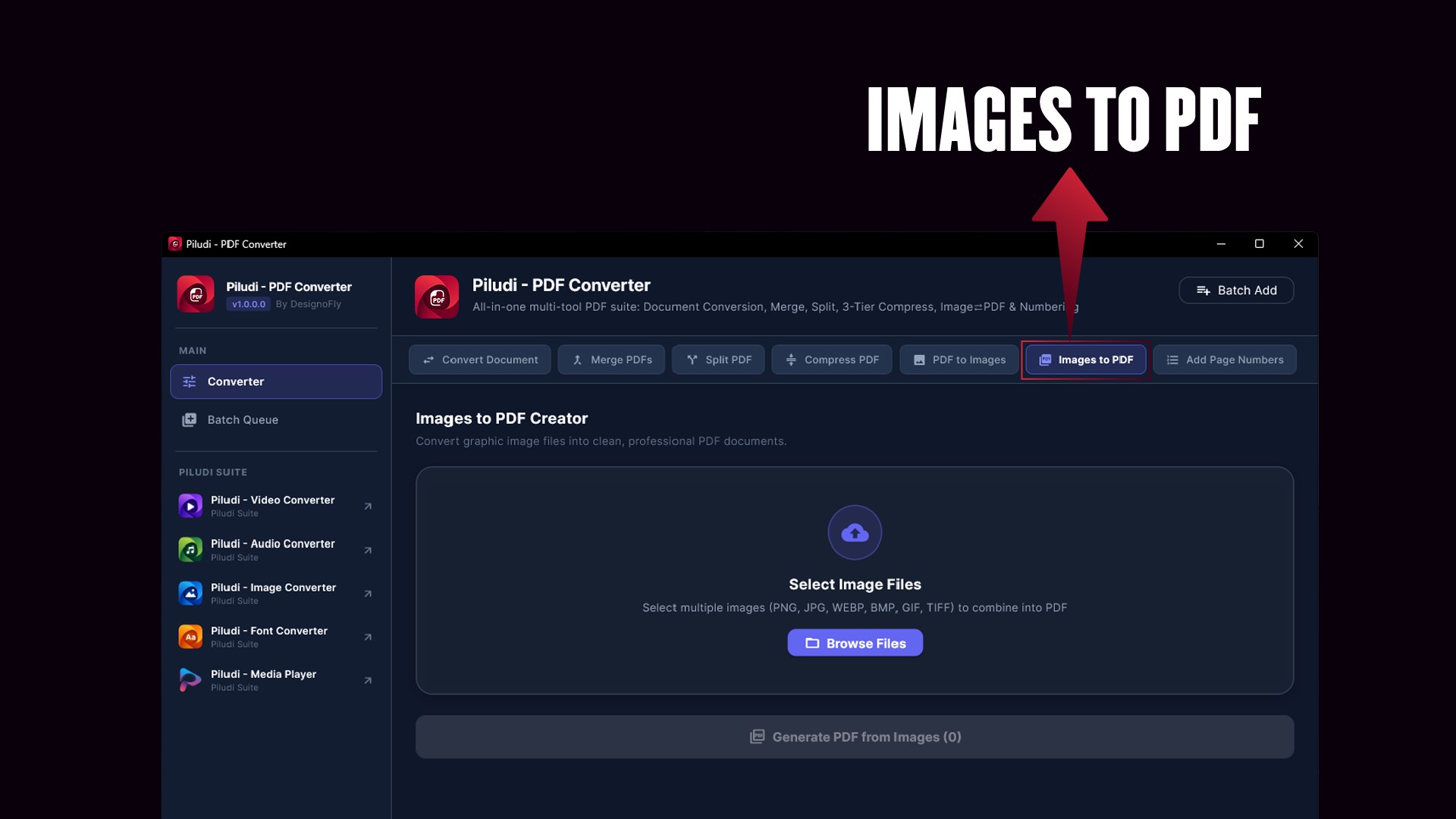
  • Images to PDF: Convert JPG, PNG, BMP, WebP, TIFF, and GIF into a unified Multi-Page PDF or separate individual PDFs
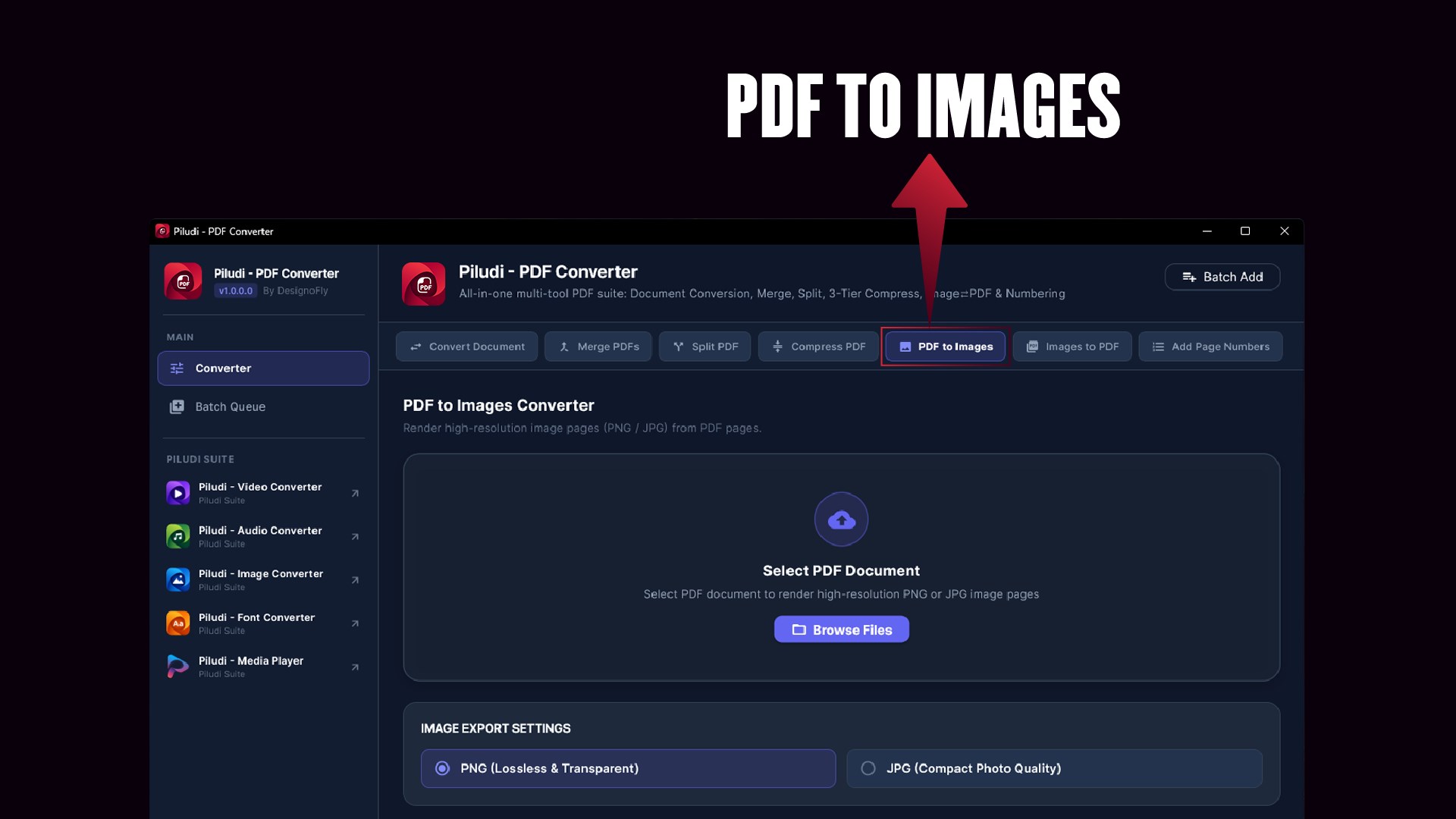
  • PDF to High-Res Images: Extract document pages into crystal-clear 150 DPI or 300 DPI high-resolution PNG or JPG graphics
  • Zero Compression Artifacts: Preserves high-density graphic details and scanned legibility.
Mode 5

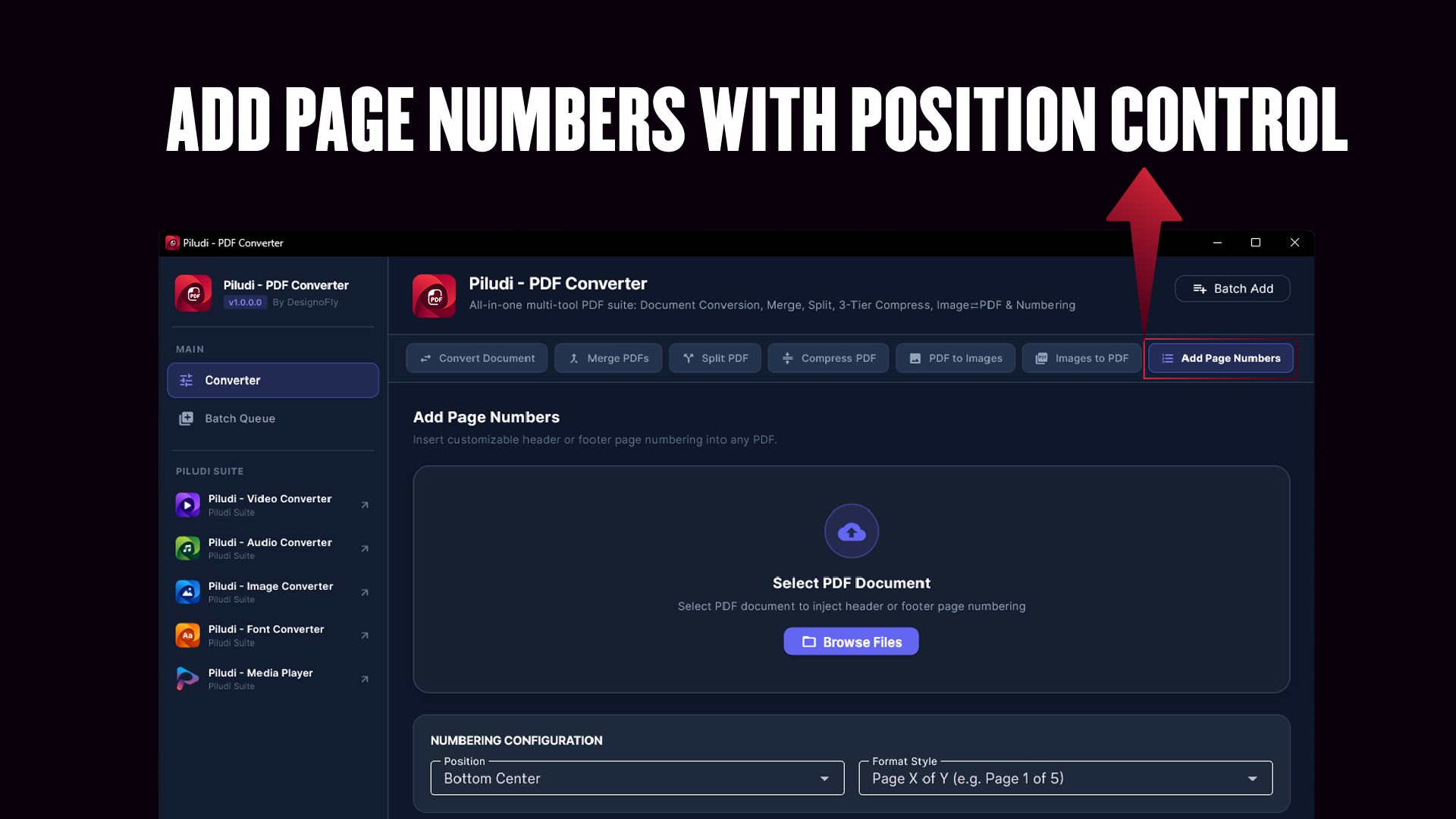
Dynamic Header & Footer Page Numbering Engine

Brand legal briefs, academic packets, or technical manuscripts with custom page numbering stamped at your desired position.

  • Desired Placement: Position numbers in Top Header or Bottom Footer with Left, Center, or Right alignment
  • Flexible Formats: Format as standard numbers (1, 2, 3), Page X of Y (Page 1 of 24), or custom organizational prefixes
  • Typography & Margin Control: Adjust font size, margin offsets, and page inclusion ranges with complete precision.
Ecosystem

Deep Piludi Creative Suite Ecosystem Integration

Designed as part of the interconnected Piludi software family for Windows 10 and 11.

  • Unified Suite Interoperability: Direct protocol handoff and deep links to Piludi Media Player, Video Converter, Audio Converter, Image Converter, Font Converter, and Ebook Converter
  • Consistent Fluent Dark UI: Familiar ergonomics, drag-and-drop workspace, and dark mode styling across the entire suite.n100% Offline PC Standard: Zero subscriptions, no tracking telemetry, and complete privacy across every Piludi app.

Supported Formats & Conversion Capabilities

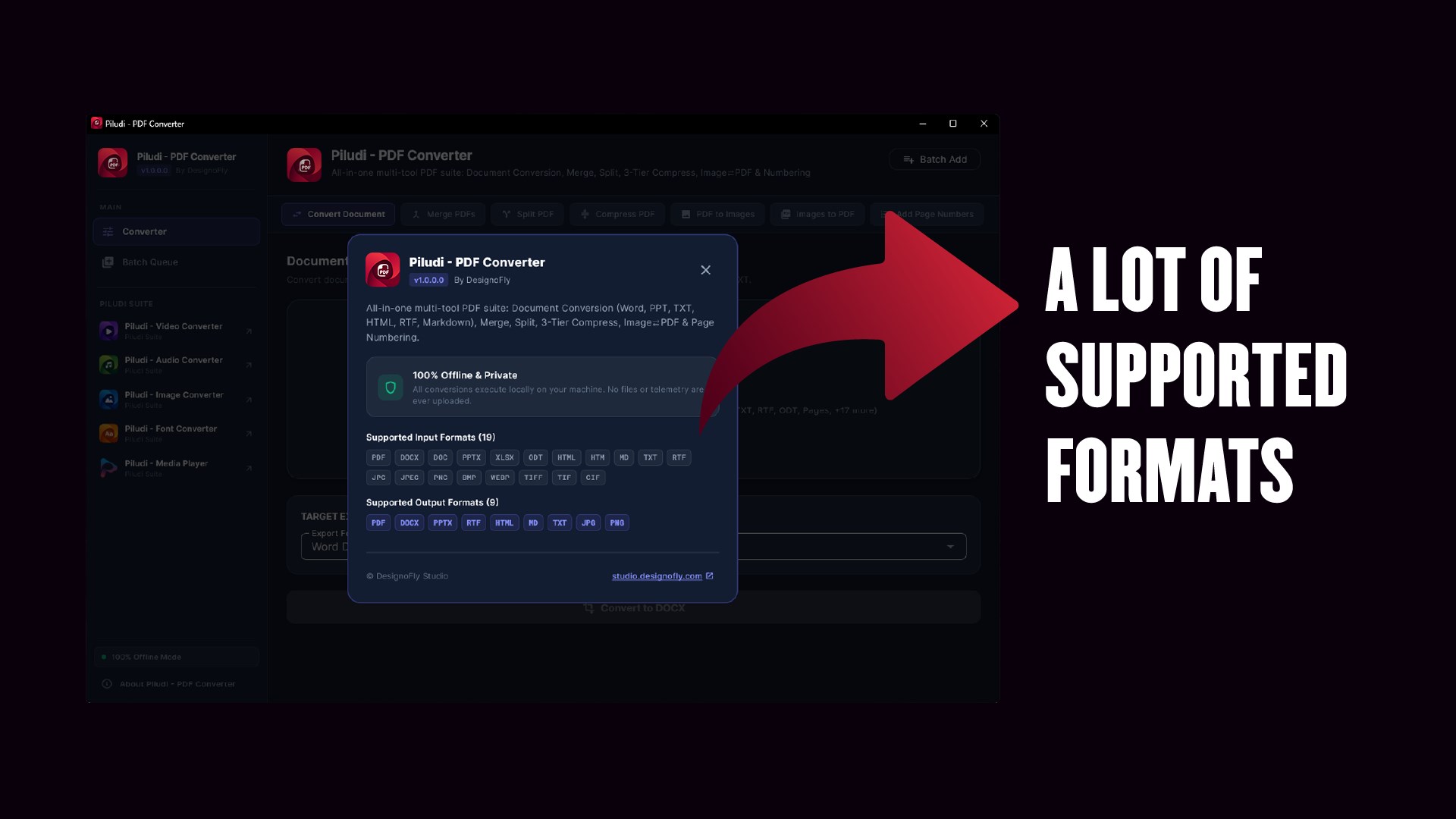
16 Supported Input Formats:

PDF DOCX PPTX RTF HTML HTM TXT MD JPG JPEG PNG BMP WEBP TIFF TIF GIF

10 Supported Output Formats & Targets:

PDF DOCX (Editable Word) PPTX (PowerPoint) RTF HTML5 TXT MD (Markdown) PNG (300 DPI) JPG (300 DPI) Compressed PDF (Up to 98% Reduced)
📢

What's New in Version 1.1.0.0

Latest Release Update
  • Critical Update (Mandatory for All Users): Major engine overhaul ensuring rock-solid stability and compliance across all Windows 10 & 11 systems.
  • Brand-New Custom App Icon: Replaced all legacy icon assets with a 100% custom-designed 4500x4500 folded document icon, ensuring complete compliance with Microsoft Store store-brand standards and a crisp, modern Windows 11 Fluent aesthetic.
  • Real-Time Progress Tracking (Major Fix): Overhauled progress handling across all 7 core tools (Convert Document, Merge, Split, Compress, PDF to Images, Images to PDF, Add Page Numbers). Every task now strictly begins at 1% and advances in real time without freezing at 96%.
  • Multi-Language Unicode Text Engine (NFC): Critical fix for text corruption during PDF to Word (DOCX) conversion. Canonical Composition (NFC) now preserves Indic matras (Bangla, Hindi, Tamil), Arabic RTL harakat, and accented European diacritics without decomposing characters.
  • File Handling & Memory Stability: Fixed memory leaks during multi-page high-resolution PDF rendering and added strict output file integrity checks to prevent 0-byte output generation.
  • Suite Ecosystem Integration: Added direct cross-app navigation to Video, Audio, Image, Font, Ebook, and Media Player apps via Windows protocol schemes and Microsoft Store deep links.

Ready to use Piludi – PDF Converter locally on your PC?

Download directly from the official Microsoft Store — safe, verified, and 100% free.

Install from Microsoft Store
Comprehensive desktop PDF workstation for Windows 10 & 11 (v1.0.1.0). Convert between PDF and editable Word (DOCX), PowerPoint (PPTX), Markdown, RTF, HTML, and TXT. Merge, split by ranges, compress up to 98% with visual clarity, dual-engine image conversions, and dynamic page numbering with 100% offline privacy.
Target Indexing Keywords:
MetaoFly Piludi Piludi Windows App free offline piludi microsoft store piludi download piludi free windows 11 piludi lightweight desktop piludi
Official Product Overview

Piludi – PDF Converter Overview & Release Notes

Piludi – PDF Converter is part of the professional Piludi Software Suite by MetaoFly (a product of DesignoFly), engineered for high-performance Windows desktop workflows.

This software operates 100% offline with zero cloud telemetry. Official Microsoft Store download and package links will be available shortly upon store certification.


View Official Privacy Policy →

Enterprise Document Transformation & OCR Manual

Complete Guide to Desktop PDF Document Transformation, Word/Excel Export & OCR Extraction

Discover how Piludi PDF Converter transforms read-only PDF documents into fully editable Microsoft Word (DOCX), Excel (XLSX), and PowerPoint (PPTX) presentations with multi-language OCR on Windows.

1. Optical Character Recognition (OCR) & Document Reconstruction

Scanned paper contracts and legacy image PDFs are notoriously difficult to edit because their text exists only as flat pixels. Piludi PDF Converter features a neural OCR text extraction engine that analyzes pixel patterns, reconstructs font typography, recreates tabular columns, and outputs fully editable Word DOCX and Excel spreadsheets without disrupting page layouts or margins.

PDF to Microsoft Word (DOCX)

Converts read-only documents into fully formatted Word files with paragraph headers, bullet lists, and tables intact.

PDF to Microsoft Excel (XLSX)

Extract financial tables, balance sheets, and invoice line items directly into structured editable spreadsheet cells.

High-Resolution Rasterization

Batch convert multi-page documents into 300 DPI PNG, JPG, or TIFF image sequences for print proofs.

100% Offline Confidentiality

Confidential corporate contracts and tax filings never touch third-party cloud servers. Complete legal compliance.

2. Supported Desktop Conversion Workflows

Source Document Target Output Layout Retention Precision OCR Multi-Language Support
PDF (Scanned or Native) Microsoft Word (.DOCX) 99% Paragraph & Heading Alignment Over 100 Languages Recognized
PDF Financial Reports Microsoft Excel (.XLSX) Auto-detects cell grid borders Numerical & currency symbols preserved
PDF Presentation Slides PowerPoint (.PPTX) Individual slides as editable shape vectors Slide notes & text boxes preserved
Images (JPG/PNG/TIFF) Searchable PDF/A Embeds invisible text layer behind image Archival ISO 19005 compliant

3. Frequently Asked Questions (FAQ)

Can Piludi PDF Converter convert scanned documents with handwriting?

The integrated OCR engine is optimized for printed typography (typeset text, books, contracts, receipts). Neat print-style handwriting is often recognized, but cursive handwriting is best preserved as high-resolution embedded images.

Is there a limit on how many PDF pages Piludi can process in one session?

No. As a native Windows desktop executable, Piludi uses your physical RAM and disk paging. You can convert 1,000+ page technical manuals or whole book archives in one continuous batch.

Does Piludi PDF Converter support password-protected PDF files?

Yes. You can supply the document password once when adding files to the batch queue. Piludi decrypts the stream locally in memory and outputs an unrestricted Word DOCX or searchable PDF file.

How does Piludi reconstruct complex multi-column tables in Microsoft Excel?

Piludi uses a coordinate vector clustering algorithm that detects horizontal and vertical ruling lines, cell gutter spacing, and decimal point alignments. It places each number in its proper Excel spreadsheet cell rather than jamming entire rows into a single text block.

4. Enterprise PDF Batch Processing, Form Flattening & PDF/A Archival Workflows

For corporate legal departments, accounting firms, and government contractors, handling document compliance requires precision. Piludi PDF Converter automates mission-critical document hygiene tasks:<br>• Interactive Form Flattening: Permanently rasterizes fillable form fields and digital signatures into un-editable background vector streams, preventing post-signing tampering on contract agreements.<br>• Long-Term PDF/A Archival: Validates and converts documents against ISO 19005-1 (PDF/A-1b) and ISO 19005-2 (PDF/A-2b) standards, embedding all missing font subsets and device-independent color ICC profiles.<br>• High-Volume Directory Watch: Monitor an incoming scan folder and automatically OCR, convert, and route searchable DOCX/PDF deliverables to designated network drives.

MetaoFly
Privacy Overview

This website uses cookies so that we can provide you with the best user experience possible. Cookie information is stored in your browser and performs functions such as recognising you when you return to our website and helping our team to understand which sections of the website you find most interesting and useful.