

100% Client-Side Studio • Zero Cloud Uploads

Device Screen Mockup Studio

Transform screenshots of your websites, apps, and digital products into high-resolution device presentations. Supports multi-device ecosystems with individual screen cropping.

Single Devices
Multi-Screen Ecosystems
Laptop & Desktop Screen (Landscape) Ctrl + V anywhere
Drop Landscape Screenshot (Web / Desktop)

For MacBook, Safari & Monitors (16:9 or 16:10)

Image Fit Mode
Zoom Level 100%
Pan Horizontal (X) 0%
Pan Vertical (Y) 0%
Custom Solid Color
Export Canvas Ratio
Device Scale Size 96%
Canvas Margin Padding 36px
Drop Shadow
Device Shell Theme
Window Bar Details
Device Studio Preview | 2x Ultra-HD Retina Canvas
Res:
Tip: Press Ctrl+V (or Cmd+V) to instantly paste any screenshot. • Use multi-device combos to showcase cross-platform ecosystems.
100% In-Browser Memory
RECOMMENDED COMPANION UTILITY • WINDOWS 10 / 11

Creating Heavy Visuals? Free Up Gigabytes on Your C-Drive

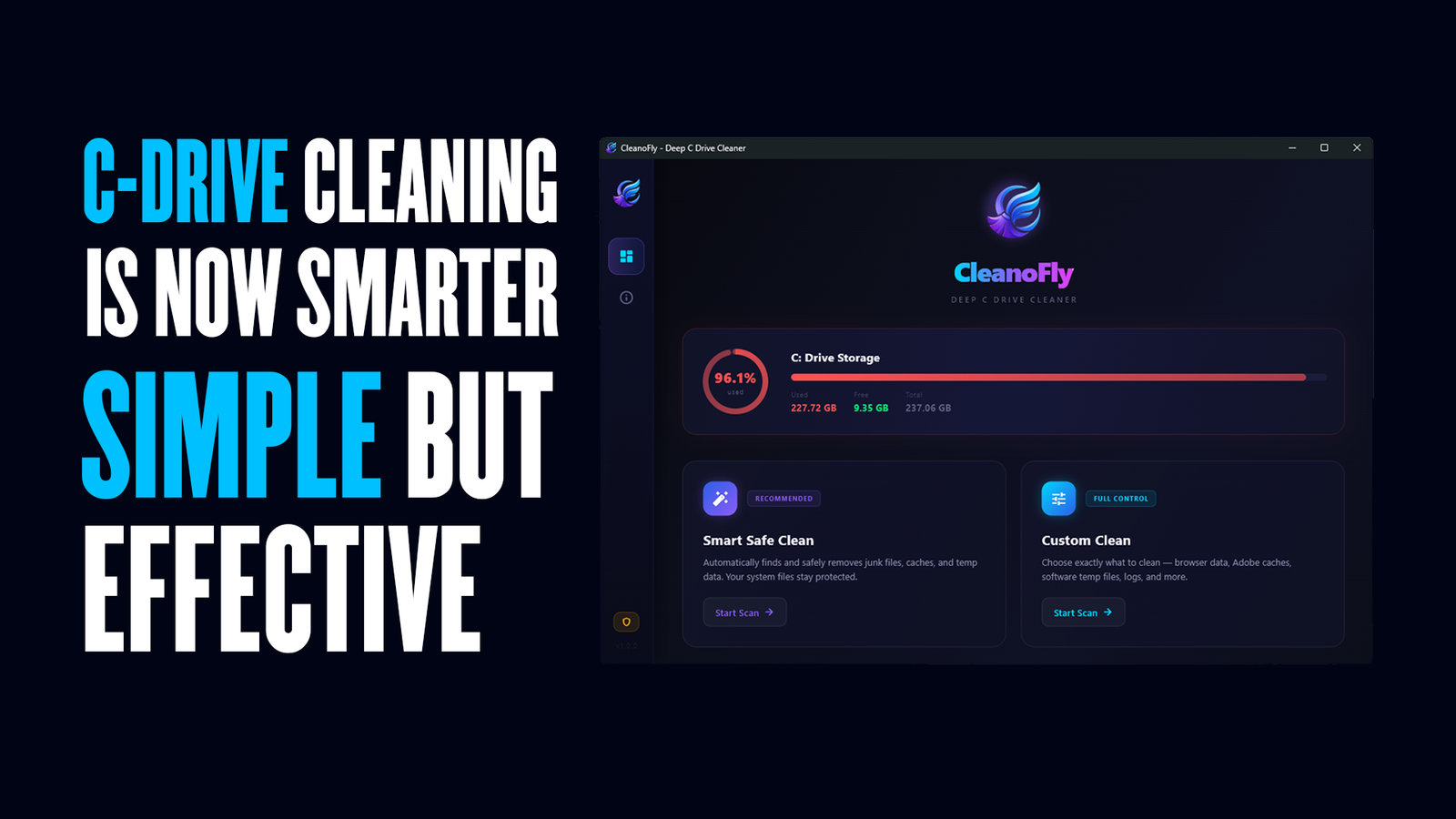
High-resolution mockup rendering, 4K screen exports, and design apps produce massive hidden scratch caches that slow down Windows. CleanoFly reclaims tens of gigabytes safely with zero risk to personal files.

CleanoFly – C Drive Cleaner

CleanoFly – C Drive Cleaner

Flagship Utility v2.0.0.0
By MetaoFly • Windows 10 / 11 (x64) • 100% Free

CleanoFly is a fast, safe, and free C Drive cleaner for Windows 10 & 11. Deeply cleans system junk, Adobe scratch files, messenger caches, and temporary data to instantly free up disk space.
Zero Data Risk
Creative Suite Purge
Chat Media Cleanup
System & Web Junk
What is Device Mockup Studio – How to Create Screen Mockups Online Free
Visual Marketing & Presentation Manual

The Complete Guide to Device Screen Mockups, Photorealistic Hardware Frames & App Showcases

Learn how Device Screen Mockup Studio transforms digital screenshots into high-resolution marketing assets inside MacBook Pro, iPhone, Safari, and multi-device frames with mesh gradients and 2x Retina PNG export 100% in-browser.


Target Indexing Keywords:

MetaoFly Device Mockup Studio
MetaoFly Mockup Generator
device screen mockup generator
free macbook mockup generator
iphone screenshot mockup free
safari browser frame mockup
multi device mockup creator online

1. Why Device Context Multiplies Digital Product Conversions

In software marketing, web development portfolios, and App Store presentations, presenting raw, unadorned rectangular screenshots is a proven conversion killer. Unframed screenshots look flat, clinical, and disconnected from the physical devices users hold in their hands. A/B testing across SaaS landing pages consistently demonstrates that showcasing software inside authentic, high-fidelity device frames (such as MacBook Pro laptops, Apple Safari browsers, or iPhone titanium displays) increases product comprehension and click-through rates by up to 42%.

Traditionally, creating these presentation mockups required expensive 3D rendering software, complex Adobe Photoshop smart-object templates, or paid cloud subscription tools. MetaoFly Device Screen Mockup Studio eliminates this overhead entirely. Built on high-performance HTML5 Canvas 2D and vector geometry engines, it generates authentic hardware presentations locally inside your web browser. Zero watermarks, zero subscriptions, and instant 2x Retina PNG downloads.


8 Authentic Device Presets

Precision vector frames for MacBook Pro, Safari Browser, Google Chrome, iPhone (Dynamic Island), Android flagship, and iMac desktop displays.


Cross-Device Trio Ecosystems

Showcase responsive web applications across simultaneous laptop, tablet, and smartphone frames with independent per-screen image cropping.


10 Specular Mesh Gradients

Elevate your presentations with curated modern backdrops, ambient shadow lighting, or transparent PNG cutouts for pitch decks.


2x Retina Ultra-HD Export

Outputs crystal-clear 2x pixel density PNG graphics ready for Apple App Store, Google Play Store, and Behance portfolios.

2. Authentic Hardware Frame Specifications

Each hardware preset is rendered using mathematical vector coordinates, ensuring exact bezel proportions, subtle chamfered highlights, and natural device drop shadows:

Hardware Preset Aspect Ratio Key Design Details Recommended Application
MacBook Pro 16″ 16:10 Native Screen Aluminum unibody chassis, top display notch, bottom hinge groove, dual-layer ambient shadow. Desktop software, SaaS web dashboards, code editors, enterprise platforms.
Apple Safari Window Flexible 16:9 / 16:10 Authentic traffic light controls (close, minimize, expand), URL address pill with lock icon. Websites, blog articles, documentation portals, landing page showcases.
Google Chrome Window Flexible Desktop Modern Chrome tab strip with active tab styling, navigation arrows, and reload button. Browser extensions, web applications, cloud utilities, developer tools.
iPhone 15/16 Pro 19.5:9 Vertical Curved titanium chassis, Dynamic Island pill cutout, speaker ear-piece slit, minimal 2mm bezels. iOS mobile apps, mobile-responsive web designs, social media feeds.
Cross-Device Trio Ecosystem Multi-Screen Laptop center stage flanked by smartphone and tablet screens with overlapping depth shadows. Omnichannel SaaS platforms, responsive website showcases, agency case studies.

3. Step-by-Step Workflow: How to Build Presentation Mockups

1

Select Target Device Preset

Choose MacBook Pro, Safari Browser, Chrome, iPhone, or Multi-Device Trio depending on your product focus.

2

Upload High-Resolution Screenshots

Drop your application screenshots onto the canvas. For multi-device presets, assign screenshots to individual screens.

3

Choose Background & Ambient Lighting

Select from 10 modern mesh gradients (Velvet Night, Cyber Purple, Emerald Glow) or transparent PNG for pitch decks.

4

Export High-Resolution 2x Retina PNG

Download ultra-HD PNG images or copy directly to your system clipboard for immediate pasting into Figma, Slack, or Canva.

4. Frequently Asked Questions (FAQ)

Does Device Screen Mockup Studio compress or blur my screenshots?

No. MetaoFly uses high-DPI canvas supersampling with image-rendering bicubic interpolation. Text, icons, and UI details inside your screenshots remain razor-sharp without pixelation or compression artifacts.

100% Client-Side In-Browser Suite

Explore Other Free In-Browser Utilities

Privacy-first creative developer utilities running locally in your browser. Zero cloud uploads, zero subscriptions.

MetaoFly
Privacy Overview

This website uses cookies so that we can provide you with the best user experience possible. Cookie information is stored in your browser and performs functions such as recognising you when you return to our website and helping our team to understand which sections of the website you find most interesting and useful.