

100% Client-Side Studio • Zero Cloud Uploads

MetaoFly PDF Suite

Merge, split, convert to high-res images, images-to-PDF, and rotate pages locally in your browser memory. Private, secure, and lightning fast.

100% Private & In-Memory Processing

Your documents never leave your computer. All parsing, rendering, merging, and compression execute entirely in local RAM.

Zero Server Storage
Processing PDF document... 0%

PDF Merger

Upload and combine multiple PDF files into a single continuous document. Drag or click arrows to reorder pages.

Drop Multiple PDF Files Here or Browse

Select 2 or more .pdf files (up to 300 MB each) to combine into one document

PDF Splitter & Page Extractor

Extract specific pages or page ranges from a PDF document with visual thumbnails.

Drop a PDF Here or Click to Browse

Visual thumbnails generated locally in RAM • Max file size: 300 MB

PDF to High-Res Image Converter

Rasterize PDF pages into crisp 2x retina JPG or PNG images. Multi-page exports are packaged into a clean ZIP archive.

Drop PDF Document Here or Browse

Convert all or selected pages into JPG or PNG with 2x retina scaling • Max 300 MB

Images to PDF Converter

Convert JPG, PNG, and WebP images into a standardized, beautifully margined PDF document.

Drop Multiple Images Here or Browse

Supports PNG, JPG, JPEG, WebP, AVIF • Instant local conversion • Max 300 MB total

Page Organizer & Rotator

Rearrange pages, rotate individual pages by 90°, or delete unwanted pages before exporting.

Drop a PDF Document Here to Organize

Rotate pages 90° clockwise, reorder, or remove pages • Max file size: 300 MB

OFFLINE DESKTOP POWER • WINDOWS 10 / 11

Need to Convert in Bulk or Do Limitless PDF Tasks?

While this browser tool is built for fast individual tasks up to 300MB, our free Windows desktop app processes massive multi-gigabyte documents, converts to editable Word (DOCX) and PowerPoint, compresses up to 98%, and runs 100% offline with zero file size limits.
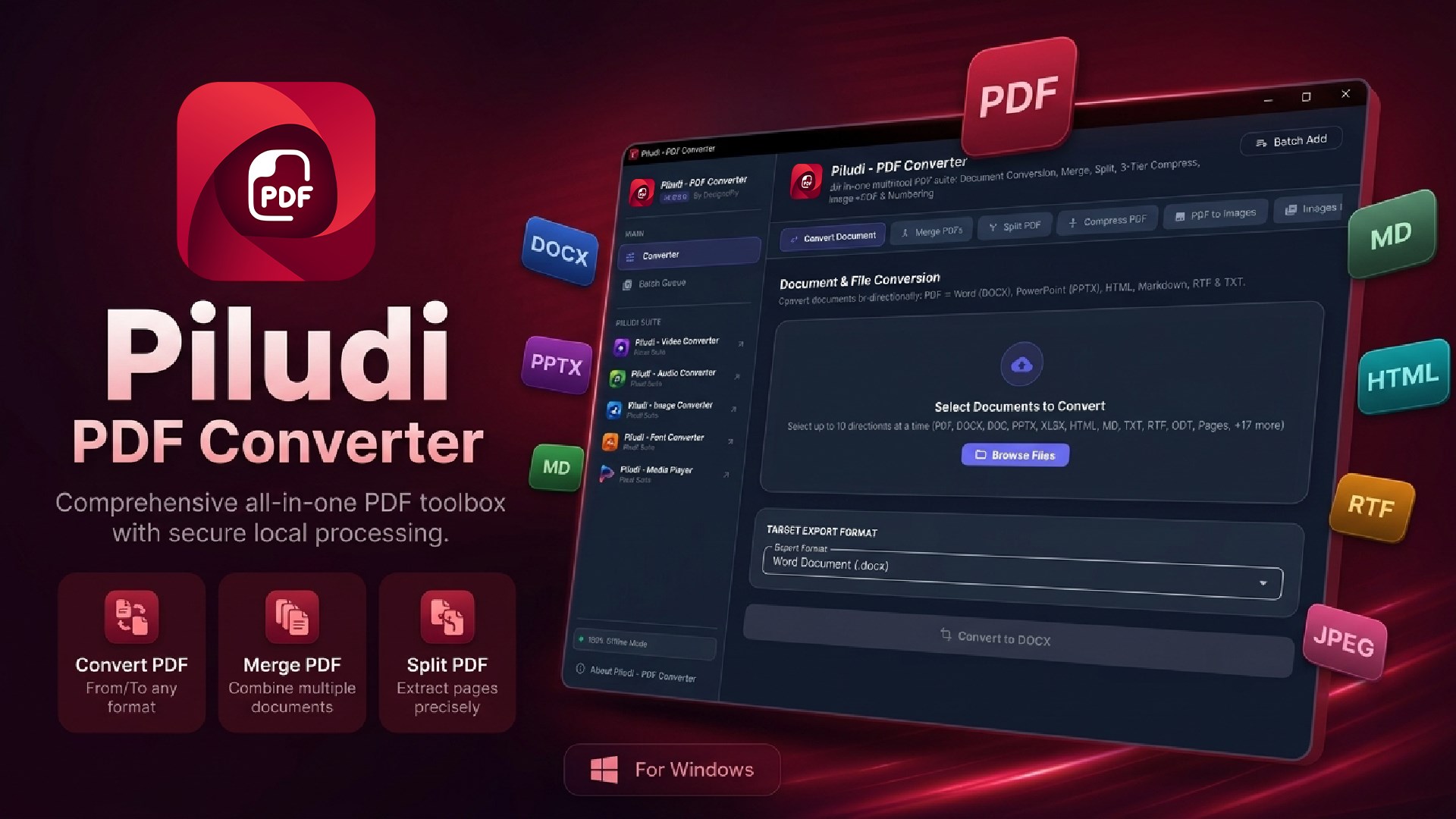
Piludi – PDF Converter

Piludi – PDF Converter

Featured Suite App v1.1.0.0
By MetaoFly • Windows 10 / 11 (x64) • 100% Free

Comprehensive desktop PDF workstation for Windows 10 & 11 (v1.0.1.0). Convert between PDF and editable Word (DOCX), PowerPoint (PPTX), Markdown, RTF, HTML, and TXT. Merge, split by ranges, compress up to 98% with visual clarity, dual-engine image conversions, and dynamic page numbering with 100% offline privacy.
Zero Cloud Uploads
Smart Size Shrinkage
Word & PowerPoint Export
Merge, Split & Numbering
What is PDF Suite – How to Merge, Split & Convert PDF Files Online Free
Enterprise Privacy & Technical Manual

The Complete Guide to In-Browser Client-Side PDF Architecture & Zero-Knowledge Security

Learn how MetaoFly PDF Suite manipulates, merges, splits, rasterizes, and organizes Portable Document Format (PDF) files 100% locally within your device RAM using WebAssembly and client-side canvas routines with zero cloud server exposure.


Target Indexing Keywords:

MetaoFly PDF Suite
MetaoFly Private PDF Tools
free pdf merge and split
pdf to image converter online free
convert jpg to pdf in browser
private pdf editor no upload
client side pdf tools free

1. The Enterprise Privacy Dilemma: Cloud Uploads vs. Client-Side PDF Engines

The Portable Document Format (ISO 32000-2) is the undisputed global benchmark for exchanging legal contracts, financial audits, medical records, and corporate intellectual property. Yet, the overwhelming majority of online “free” PDF tools require users to upload these confidential documents directly to remote cloud servers. Once transmitted, your sensitive files are cached on remote storage buckets, processed by shared backend worker daemons, and frequently subjected to automated data scraping or AI model ingestion—creating catastrophic vulnerabilities under GDPR, HIPAA, FERPA, and CCPA regulatory frameworks.

MetaoFly PDF Suite was engineered specifically to eradicate this security risk. By compiling modern WebAssembly (Wasm) cryptographic routines, Mozilla’s PDF.js rendering pipeline, and the pdf-lib binary object serialization engine directly into client-side JavaScript, all PDF parsing, page extraction, byte-stream manipulation, and canvas rasterization take place locally inside your browser’s private memory sandbox. Your sensitive files never travel across the internet, zero bytes touch our servers, and no third party can ever view, intercept, or retain your confidential documents.


100% Local Device Privacy

Binary streams process in your device RAM. Even if you disconnect your Wi-Fi, the entire PDF toolset operates flawlessly offline.


Instant Hardware Transcoding

Zero network upload/download lag. Operations that take minutes over cellular connections execute in milliseconds locally.


Lossless Vector Preservation

Splitting and merging reconstructs Cross-Reference (XRef) tables directly without recompressing or degrading vector typography.


Ultra-HD 2x Canvas Engine

Renders PDF pages to crystal-clear 300 DPI equivalent PNG/JPG graphics via high-density sub-pixel anti-aliasing.

2. Internal Document Object Architecture & PDF Specifications

Underneath its visual presentation, a valid PDF file is a structured hierarchical database composed of eight basic object types: Booleans, Numbers, Strings, Names, Arrays, Dictionaries, Streams, and the Null object. The document’s visual skeleton is coordinated by the Document Catalog dictionary (/Root), which references the Page Tree (/Pages).

Understanding how MetaoFly executes core document operations reveals why client-side binary manipulation is vastly superior to lossy server transcoding:

PDF Operation Internal Binary Mechanism Quality Preservation Memory Complexity
PDF Merge Copies page dictionaries and resource streams into a unified catalog; regenerates XRef offsets. 100% Lossless (Zero recompression) O(N) linear stream concatenation
Split & Extract Isolates targeted page dictionaries and pruning orphaned indirect object references. 100% Lossless (Preserves fonts & vectors) O(K) where K is selected page count
PDF to Image Mozilla PDF.js rasterizes vector display lists onto an HTML5 2D OffscreenCanvas at 2.0x DPI scale. High-Res Rasterization (300 DPI visual parity) Viewport resolution bounded buffer
Images to PDF Decodes raster headers, embeds raw JPEG/PNG streams into /XObject /Image dictionaries, builds A4/Letter mediabox. Lossless / Direct stream packaging O(M) proportional to combined image payload
Page Rotation Non-destructively modifies the /Rotate integer key (0, 90, 180, 270) inside the page dictionary. 100% Lossless (Zero pixel re-encoding) O(1) instant dictionary attribute update

3. Deep-Dive Guide to MetaoFly PDF Utility Modules

A. Lossless Multi-Document PDF Merge

When merging multiple PDF contracts, reports, or invoices, traditional desktop utilities frequently crash or corrupt embedded TrueType/OpenType font descriptors. MetaoFly’s merge engine parses the binary header and cross-reference table of each individual file, extracts the /Pages array, resolves naming collisions between font resource dictionaries, and serializes a clean, optimized output stream. All original bookmarks, vector paths, and metadata tags are preserved without any raster degradation.

B. Surgical Page Splitting & Selective Extraction

Need to pull out pages 3, 7, and 12-15 from a 200-page corporate manual? Our visual page thumbnail selector generates live canvas previews for every individual page. You can select specific pages, click extract, and instantaneously download a new, lightweight PDF containing only the required records. Orphaned resources are automatically purged from the output stream to ensure minimal file weight.

C. High-Resolution PDF to JPG / PNG Rasterization

Many web portals, content management systems, and slide presentations do not natively support inline multi-page PDF viewing. Our PDF-to-Image engine renders each page at an amplified 2.0x display scale ratio, converting complex PostScript vectors and typographic glyphs into ultra-crisp, high-definition PNG or JPEG image sequences packaged in a single convenient ZIP archive.

D. Multi-Image to PDF Document Packaging

Compile photos, scanned receipts, passport photocopies, or design portfolio mockups into a standardized, single-file PDF. The tool automatically evaluates each image’s native pixel dimensions, fits them proportionally within international standard paper boundaries (A4, US Letter), and enables custom page reordering via drag-and-drop before final assembly.

E. Non-Destructive Page Rotation

Scanned documents frequently end up upside down or sideways. Unlike inferior tools that rasterize the entire document into compressed JPEGs just to rotate them (which destroys searchable text layers), MetaoFly adjusts the page dictionary’s /Rotate attribute directly. The rotation is instantaneous, permanent, and 100% lossless.

4. Regulatory Compliance: Why Client-Side Processing is Mandatory

For attorneys, accountants, healthcare administrators, and government contractors, uploading unredacted documents to cloud converters represents an impermissible regulatory breach:

  • HIPAA (Health Insurance Portability & Accountability Act):
    Protected Health Information (PHI) cannot be shared with cloud third parties without a signed Business Associate Agreement (BAA). MetaoFly keeps patient records inside local RAM, ensuring 100% HIPAA compliance.
  • GDPR (General Data Protection Regulation):
    Under GDPR Article 5, personal data processing must ensure appropriate security against unauthorized disclosure. Zero-server processing guarantees that no EU citizen data ever leaves their host workstation.
  • Attorney-Client Privilege & NDA Obligations:
    Non-disclosure agreements prohibit transmitting proprietary source code, M&A transaction memos, or patent drafts through unvetted third-party web scrapers.

5. Step-by-Step Workflow: How to Manage PDFs Securely

1

Choose Your Desired PDF Utility Mode

Select Merge PDF, Split & Extract, PDF to Image, Images to PDF, or Rotate Pages from the top workflow switcher.

2

Drop Files into the Client-Side Memory Buffer

Drag and drop your PDF documents or images into the dropzone. Files are read locally via FileReader into typed ArrayBuffers.

3

Reorder, Select Pages or Adjust Orientation

Use visual page thumbnails to reorder documents, click pages to include/exclude, or rotate individual pages 90 degrees.

4

Process & Save Directly to Local Disk

Click the export action. The processed PDF or bulk ZIP archive downloads instantly from local device memory with zero server lag.

6. Frequently Asked Questions (FAQ)

How can MetaoFly process PDFs without uploading them to a server?

Modern web browsers are equipped with high-performance JavaScript engines (such as V8 in Chrome/Edge and SpiderMonkey in Firefox) and WebAssembly runtimes capable of performing intensive binary stream operations. MetaoFly bundles lightweight, optimized binary libraries (pdf-lib and PDF.js) directly into the web page. When you select a file, your browser reads its binary data directly into local RAM and executes all algorithms on your own CPU, completely bypassing the need for cloud servers.

100% Client-Side In-Browser Suite

Explore Other Free In-Browser Utilities

Privacy-first creative developer utilities running locally in your browser. Zero cloud uploads, zero subscriptions.

MetaoFly
Privacy Overview

This website uses cookies so that we can provide you with the best user experience possible. Cookie information is stored in your browser and performs functions such as recognising you when you return to our website and helping our team to understand which sections of the website you find most interesting and useful.