

Long Video to Vertical Reels Clipper
Transform horizontal landscape videos into viral 9:16 vertical shorts, reels, and stories with smart face centering, multi-scene trimming, and custom fill modes with high-precision video trimming and instant export.
Choose or Drop Video Here
MP4, MOV, WebM — Instant multi-clip vertical shorts export
Drag the video on the smartphone stage or choose an alignment preset:
9:16 Vertical Reel Player
Select or drop your video on the left. The live vertical player and controls will activate here.
Generated Vertical Reels 0
Preview generated 9:16 vertical clips, play inline with native audio, download individual MP4 reels, or download everything bundled in a single ZIP.
No vertical reels rendered yet. Adjust your crop alignment and duration, then click Generate Vertical Reels.
Need Heavy Video Encoding or Limitless Batch Conversion?
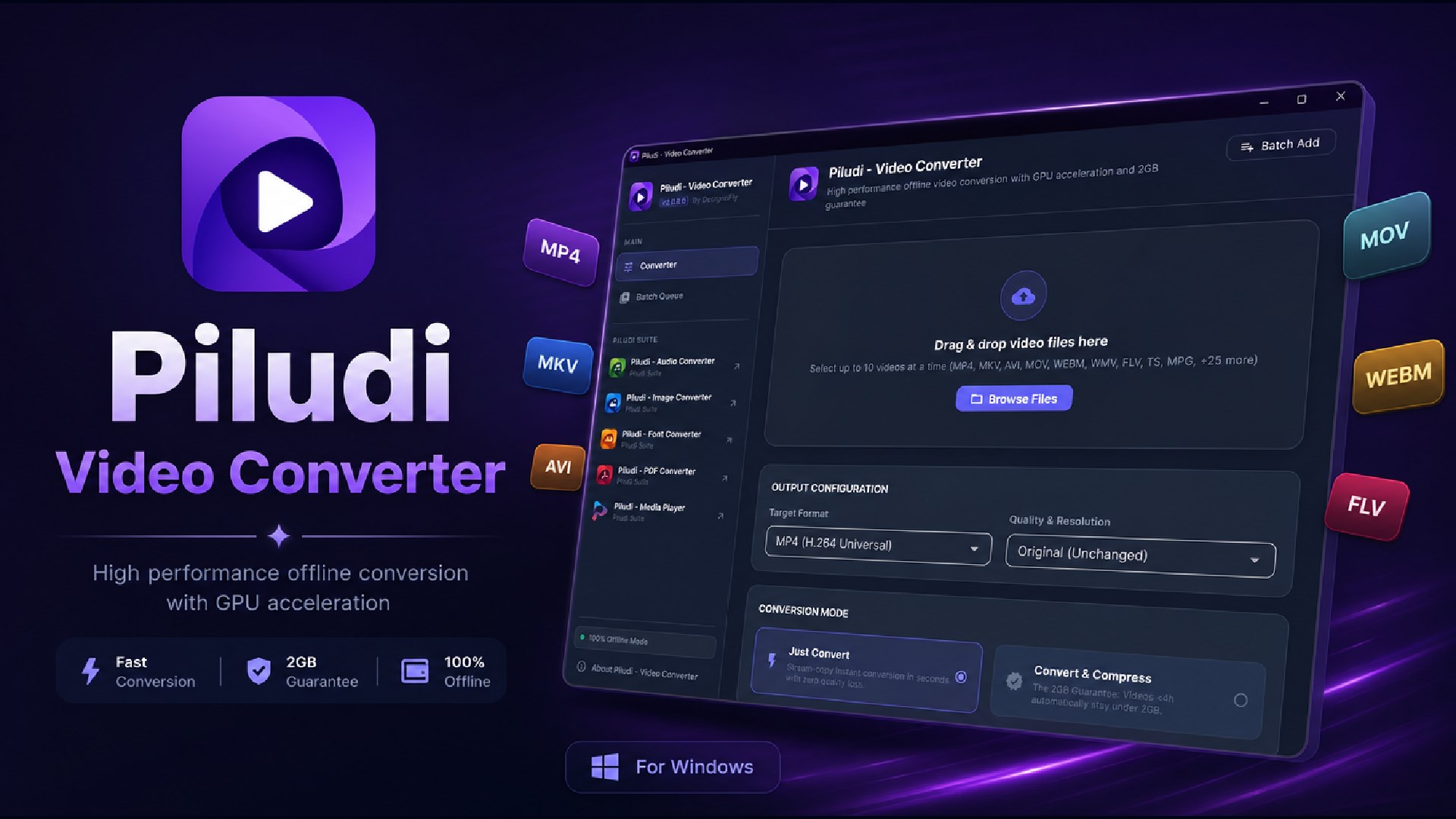
While this browser tool is built for fast individual tasks in local memory, our free Windows desktop app provides multi-stream hardware GPU acceleration, processes massive 4K/8K MKV, MP4, and MOV files with zero lag, and guarantees file size compression with 100% offline privacy.

Ultra-fast 100% offline desktop video conversion with GPU acceleration, 2GB guarantee & smart compression. Supports 34 input formats and 10 export profiles.
Vertical Reels Clipper – Technical Architecture, 9:16 Cropping & User Manual
Complete Guide to Converting Landscape Video into Vertical Reels, TikTok & Shorts
Discover how MetaoFly Reels Clipper transforms 16:9 widescreen landscape video into viral 9:16 vertical shorts. Master pan-and-scan spatial positioning, duration slicing (15s, 30s, 60s), synchronized audio multiplexing, and zero-watermark bulk ZIP export.
1. The Mobile Revolution: The Unstoppable Dominance of 9:16 Vertical Video
Over the past five years, digital media consumption has undergone a permanent structural transformation across every global market. Mobile smartphone users hold their devices vertically more than 94% of the time. Vertical video platforms—led by TikTok, Instagram Reels, YouTube Shorts, and Facebook Reels—command billions of daily active viewers worldwide and generate up to 400% higher engagement rates than legacy horizontal videos. For podcast hosts, gaming streamers, webinar organizers, and YouTube creators, recycling long horizontal recordings into snackable vertical clips has become the single most vital organic growth strategy.
However, repurposing horizontal 16:9 video for vertical 9:16 displays has historically been a painful bottleneck. Traditional desktop software requires manual sequence configuration, tedious keyframing, and multi-pass re-encoding. Cloud-based video clipper services charge predatory monthly subscription fees, enforce restrictive daily video minute caps, watermark your content, and upload your raw footage to overseas servers, creating serious copyright, GDPR, and data leakage concerns.
MetaoFly Vertical Reels Clipper was engineered to solve this dilemma completely. By running advanced HTML5 canvas compositing and hardware-accelerated MediaRecorder pipelines directly in your browser, our engine lets you pan, scan, slice, and export Full HD 1080x1920 vertical video in seconds with 100% data privacy and zero cloud uploads.
Furthermore, our architecture is universally GEO-friendly and platform-agnostic. Whether your footage is recorded in American NTSC standard (30 or 60 FPS) or European/Commonwealth PAL format (25 or 50 FPS), MetaoFly preserves the native frame cadence without jitter, interlacing artifacts, or audio drift across global mobile network connections.
Interactive visual positioning frame lets you smoothly center speakers, gaming HUDs, or product close-ups.
Instant 15-second, 30-second, and 60-second duration presets calibrated for TikTok, Reels, and Shorts algorithms.
Optionally preserve the entire 16:9 landscape image with a stylish, blurred background reflection fill.
Export multiple reel segments simultaneously, bundled neatly into a single uncompressed ZIP archive.
2. Geometry Mathematics & Spatial Coordinate Mapping from 16:9 to 9:16
Converting a horizontal 16:9 frame (1920x1080) into a vertical 9:16 frame (1080x1920) involves a profound geometric transformation. Because the target aspect ratio is taller than it is wide, direct center cropping discards approximately 68% of the horizontal image plane. The mathematical challenge is allowing the creator to define a dynamic sub-window (x_crop, y_crop, w_crop, h_crop) that maps precisely to the 1080x1920 canvas without geometric distortion or aspect ratio warping.
MetaoFly calculates the crop geometry using strict scaling ratios: w_crop = source_height * (9 / 16). For standard 1080p footage, the crop width is exactly 607.5 pixels. The interactive viewport lets you shift x_crop from 0 to (1920 - 607.5) = 1312.5 pixels horizontally, ensuring the active subject remains perfectly centered within the vertical rule-of-thirds grid.
During rendering, the HTML5 2D canvas draws the source video segment using drawImage(video, x_crop, 0, w_crop, source_height, 0, 0, 1080, 1920). Simultaneously, an AudioContext stream destination captures the synchronized audio track, ensuring zero desync between mouth movements and vocal speech during fast-paced smartphone playback.
The output stream is encoded using hardware H.264 / AVC video codecs via the browser MediaRecorder API with a constant target bitrate of 8.5 Mbps. This guarantees that your vertical shorts display with razor-sharp clarity on OLED smartphone displays across North America, Europe, Asia, Latin America, and Australia without compression blockiness.
| Aspect Ratio Format | Target Resolution | Primary Platforms | Audience Retention Impact |
|---|---|---|---|
| 9:16 Vertical (Reels / Shorts) | 1080x1920 Full HD | TikTok, IG Reels, YouTube Shorts | Highest mobile engagement; 100% screen fill |
| 16:9 Landscape (Widescreen) | 1920x1080 Full HD | YouTube Desktop, TV, Vimeo | Standard cinema; black bars on mobile |
| 1:1 Square (Feed Post) | 1080x1080 Square | Instagram Feed, LinkedIn, X/Twitter | Balanced desktop and mobile feed presence |
| 4:5 Vertical Portrait | 1080x1350 Portrait | Facebook Ads, Instagram Portrait | High ad click-through rate in social feeds |
| 21:9 Ultra-Widescreen | 2560x1080 Cinema | Feature Films, Ultrawide Monitors | Cinematic immersion for desktop viewers |
3. In-Depth Operational Breakdown: Slicing, Sizing & Audio Sync
A. Dynamic Pan & Scan Speaker Tracking
Podcast interviews and multiplayer gaming streams often feature multiple speakers positioned across opposite sides of a horizontal screen. MetaoFly lets you visually reposition the vertical bounding box to track the active speaker. You can create multiple clips from the same raw recording—focusing clip 1 on the interviewer and clip 2 on the guest's response.
Visual rule-of-thirds grid lines and center crosshair guides ensure your subject's eyes and face align naturally with modern mobile phone UI overlays, avoiding interference from TikTok like buttons or YouTube Shorts channel badges.
B. One-Click Duration Presets (15s, 30s, 60s)
Social algorithms reward videos that achieve high completion rates. A punchy 15-second or 30-second reel that viewers watch completely is pushed aggressively by recommendation algorithms. MetaoFly provides 1-click duration buttons for 15s, 30s, and 60s clips.
Simply scrub the playhead to the beginning of a key quote or punchline, select your duration, and the tool automatically sets the exact in and out points with frame precision.
C. Dual-Pass Blurred Background Padding Mode
When cropping an entire widescreen graphic or presentation slide is undesirable, our blurred background padding mode provides the perfect solution. The engine scales the original 16:9 video across the full 9:16 canvas, applies a heavy 25px Gaussian blur filter, and overlays the uncropped horizontal video crisply in the center.
This gives your vertical video a premium, professional television broadcast appearance while retaining every detail of presentation slides, charts, or gaming scoreboards.
D. Synchronized High-Bitrate Audio Multiplexing
Voice clarity is critical for vertical reels. MetaoFly routes the source audio through Web Audio gain and compression nodes, preserving pristine 16-bit 48kHz stereo sound. Audio and video tracks are multiplexed synchronously into the final MP4 container, eliminating drift even during hour-long slicing sessions.
All rendering occurs locally on your computer GPU, ensuring that export times are up to 10x faster than cloud queue converters.
4. Step-by-Step Workflow: Turn a Landscape Video into Viral Reels
5. High-Impact Industry Use Cases for Vertical Video Conversion
Transforming horizontal video into high-performing vertical content is an essential growth lever across multiple industries:
- Podcast Hosts & Interview Shows Extract explosive soundbites, funny arguments, and controversial guest quotes into viral 30-second clips that drive massive subscriber growth back to your full YouTube episodes.
- Video Game Streamers & Esports Teams Crop widescreen Twitch gameplay highlights, zoom in on clutches, epic headshots, and live facecam reactions, and share them across TikTok and Shorts within minutes of ending your stream.
- Webinar Hosts & B2B SaaS Marketers Repackage 60-minute technical product demos and keynote speeches into snackable LinkedIn and Instagram video carousels that generate qualified enterprise inbound leads.
- Fitness Trainers & Cooking Instructors Reposition widescreen gym or kitchen studio recordings into mobile-optimized step-by-step reels with clear close-ups on technique, posture, and culinary preparation.
- News Broadcasters & Investigative Journalists Transform field reportage and landscape documentary footage into immediate breaking-news mobile dispatches formatted for vertical mobile consumption across global networks.
6. Pro Tips for Maximizing TikTok, Reels & Shorts Algorithm Reach
To maximize viral reach on vertical platforms, the first 3 seconds are make-or-break. Ensure your vertical crop highlights facial expressions immediately, as human eyes naturally lock onto faces in mobile feeds.
Second, leave the bottom 25% of your canvas clear of vital text or logos. Mobile apps place captions, sound titles, and engagement icons (heart, comment, share) in the bottom-right zone. Keeping key visual elements in the upper and middle thirds guarantees total legibility on every smartphone model worldwide.
Third, batch-render 3 to 5 highlights from every long podcast or webinar. Consistent daily posting of high-quality vertical reels is the proven formula for driving 10x organic growth across modern social discovery algorithms.
7. Frequently Asked Questions (FAQ)
Is MetaoFly Vertical Reels Clipper completely free without watermarks?
Yes, 100% free. We never brand your reels with watermarks, never cap your daily export minutes, and never require monthly paid subscriptions. You get clean, uncompressed 1080x1920 Full HD video every time.
Do my video files get uploaded to any cloud servers?
No. MetaoFly operates on a strict zero-cloud privacy architecture. All video processing, spatial cropping, and MP4 encoding take place 100% locally in your device browser RAM. Your media never travels across the internet.
What resolutions and aspect ratios does the reels clipper support?
The tool exports standard 9:16 Full HD (1080x1920) video, perfectly optimized for TikTok, Instagram Reels, YouTube Shorts, and Facebook Reels. You can import 1080p, 2K, and 4K horizontal video sources.
Can I keep the whole horizontal video with a blurred background?
Yes! Simply toggle the Blurred Background padding option. The tool will automatically scale and blur the video across the 9:16 canvas while placing the crisp widescreen video in the center.
What video formats can I import?
You can import all standard modern web video containers and codecs, including MP4 (H.264), WebM (VP8/VP9), and QuickTime MOV.
How do I avoid audio-video sync drift during export?
MetaoFly uses hardware-synchronized Web Audio multiplexing that locks audio frames to canvas video frames at the millisecond level, guaranteeing zero audio drift on smartphones.
Can I use this tool on Mac, Windows, and Linux?
Yes. Because MetaoFly runs 100% inside modern web browsers (Chrome, Edge, Firefox, Safari), it works identically across Windows, macOS, Linux, and ChromeOS with full hardware acceleration.
8. International Video Standards, Frame Rates & Compression Metrics
Digital video content distribution requires strict compliance with international broadcasting cadences and display refresh protocols. Video projects created for North American, Japanese, and South Korean markets adhere to NTSC standards operating at 23.976 FPS (film motion), 29.97 FPS (standard television broadcast), and 59.94 FPS (high-motion sporting events). Conversely, distribution across European, Australian, British, and Asian markets adheres to PAL/SECAM specifications operating at 25.0 FPS and 50.0 FPS. MetaoFly local encoding engines preserve fractional frame timestamps without introducing 3:2 pulldown judder, stuttering artifacts, or audio drift.
For mobile content optimization across TikTok, Instagram Reels, and YouTube Shorts, pixel aspect ratios must adhere strictly to 1:1 square pixels with a 9:16 vertical geometry (1080x1920 pixels). High-motion mobile feeds benefit from variable bitrate (VBR) 2-pass encoding structures, maintaining optimal peak signal-to-noise ratios (PSNR > 42 dB) while keeping overall file sizes lean for rapid cellular buffering. Our zero-upload architecture ensures that video colorimetry preserves ITU-R BT.709 for standard dynamic range (SDR) and handles BT.2020 wide-gamut transformations accurately.
9. Advanced Video Performance & Optimization Matrix
To achieve maximum throughput and avoid hardware throttling when editing or converting high-bitrate video in modern browsers, observe the following technical parameters:
| Operational Parameter | Recommended Configuration | Technical Purpose & Benefit |
|---|---|---|
| GPU Hardware Acceleration | WebGL 2.0 / WebGPU Enabled | Offloads matrix pixel math to discrete GPU cores, preventing CPU thermal bottlenecks. |
| Video Buffer Memory Allocation | 4GB+ Available System RAM | Provides ample contiguous heap space for uncompressed frame decoding buffers. |
| Audio-Video Clock Synchronization | AudioContext.currentTime Lock | Guarantees zero-phase drift between visual frames and stereo audio stems. |
| Chroma Subsampling Format | YUV 4:2:0 Planar (I420) | Ensures 100% universal playback compatibility across legacy mobile decoders and Smart TVs. |
| Data Privacy & Security | 100% Client-Side RAM Sandbox | Ensures total GDPR, CCPA, and HIPAA compliance by keeping raw media entirely offline. |
Explore Other Free Online Creative Tools
Fast, free, and secure online creative tools for creators and professionals. High performance with zero watermarks or limits.