Piludi – Video Converter (Formerly Free Video Converter)
Official Windows App 100% Free v2.0.1.0 Windows 10 / 11 (x64)

Piludi – Video Converter (Formerly Free Video Converter)

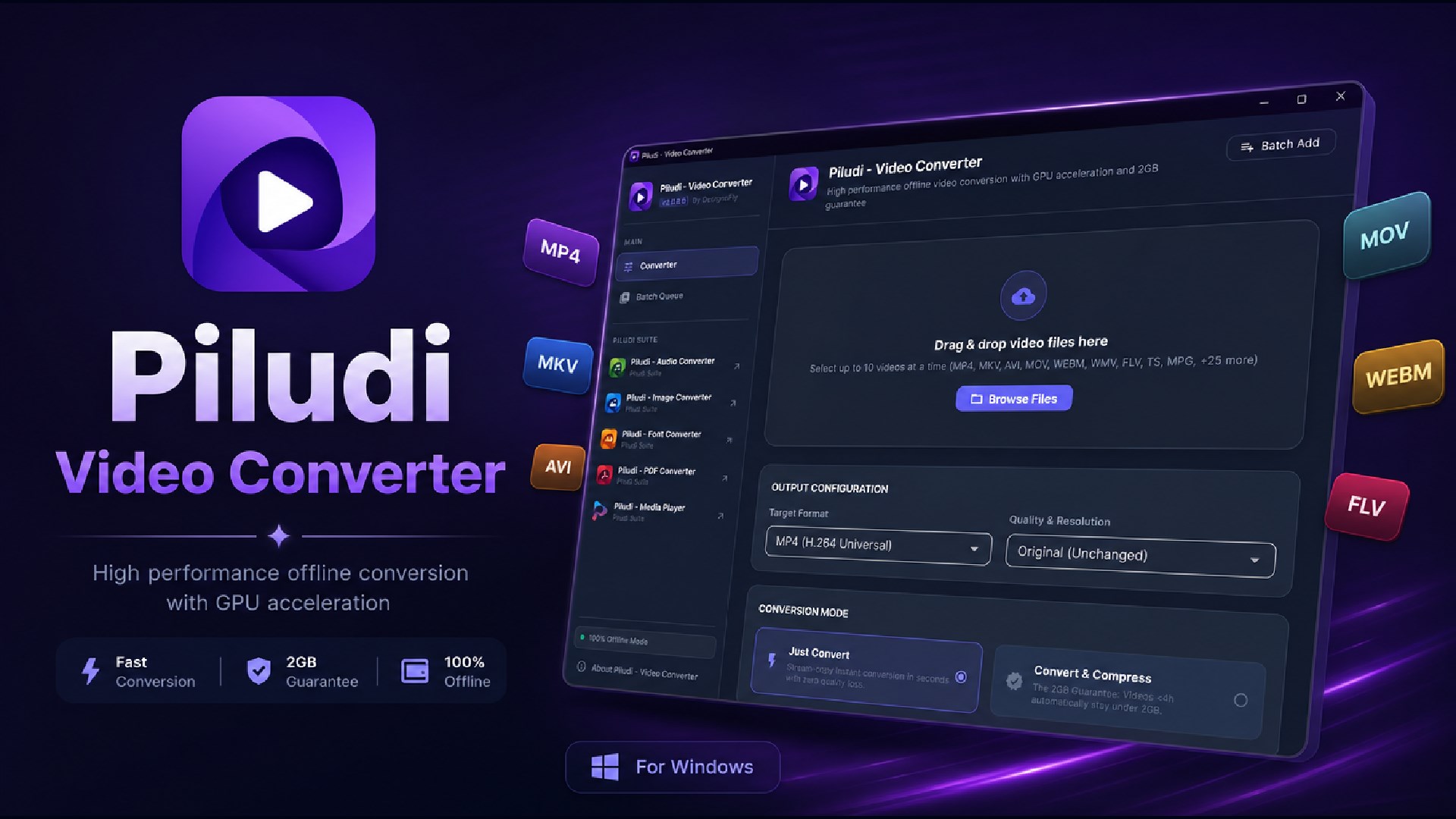
Ultra-fast 100% offline desktop video conversion with GPU acceleration, 2GB guarantee & smart compression. Supports 34 input formats and 10 export profiles.

STREAM COPY
Just Convert (Zero Loss)
Re-wrap MKV, MOV & AVI to MP4 in 3-5 seconds with 100% original quality.
SMART COMPRESSION
2GB File Guarantee
Optimal two-pass bitrate calculation for Discord, Telegram, and email caps.
GPU ACCELERATION
Up to 12x Faster
NVIDIA NVENC, Intel QSV, AMD AMF & DirectX video acceleration.
OFFLINE & PRIVATE
100% Local PC Engine
Zero telemetry, no accounts, and files never leave your computer.

App Interface & Workflow

Features & Processing Modes

Mode 1

Just Convert Format

Need to switch formats without losing any visual quality? When keeping original resolution, the engine uses Stream Copy to finish in seconds with 100% zero quality loss.

  • Instant Stream Copy: Instant container swap without re-encoding.
  • Near-Lossless Upscaling: High-bitrate encoding when upscaling.
  • Multi-Track Audio: Keeps original audio channels intact.
Mode 2

Convert & Compress

Drastically reduce file sizes for easy sharing on WhatsApp, Discord, email, or saving cloud storage space while preserving crisp clarity.

  • The 2GB Rule: Any video under 4 hours automatically compresses under 2GB.
  • Advanced Bitrate Engine: Intelligent CRF & two-pass rate control.
  • Web-Optimized: Fast start flags enabled for instant web playback.

34+ Video Formats & Precision Export Matrix

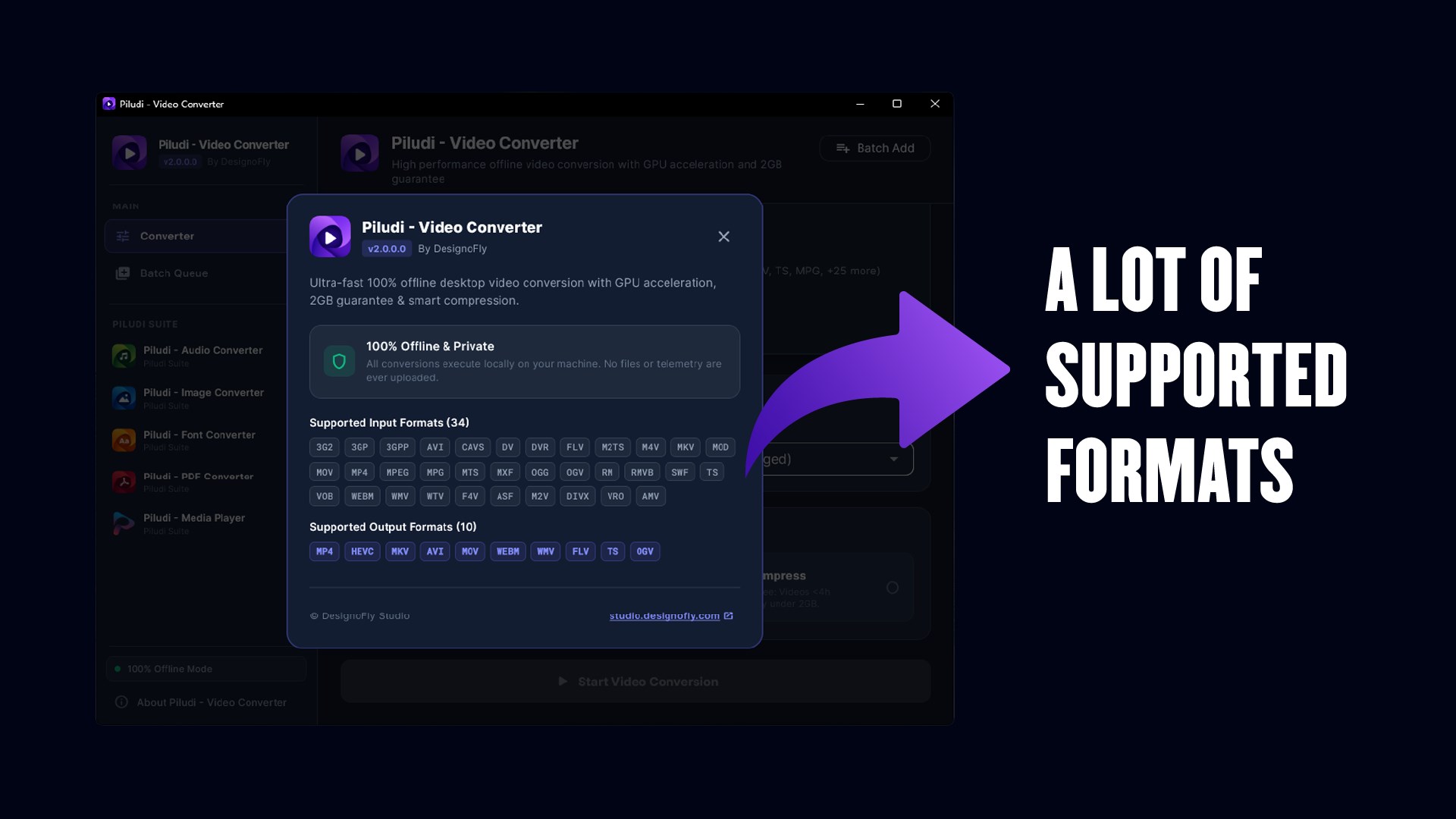
34 Supported Input Formats:

3G2 3GP 3GPP AVI CAVS DV DVR FLV M2TS M4V MKV MOD MOV MP4 MPEG MPG MTS MXF OGG OGV RM RMVB SWF TS VOB WEBM WMV WTV F4V ASF M2V DIVX VRO AMV

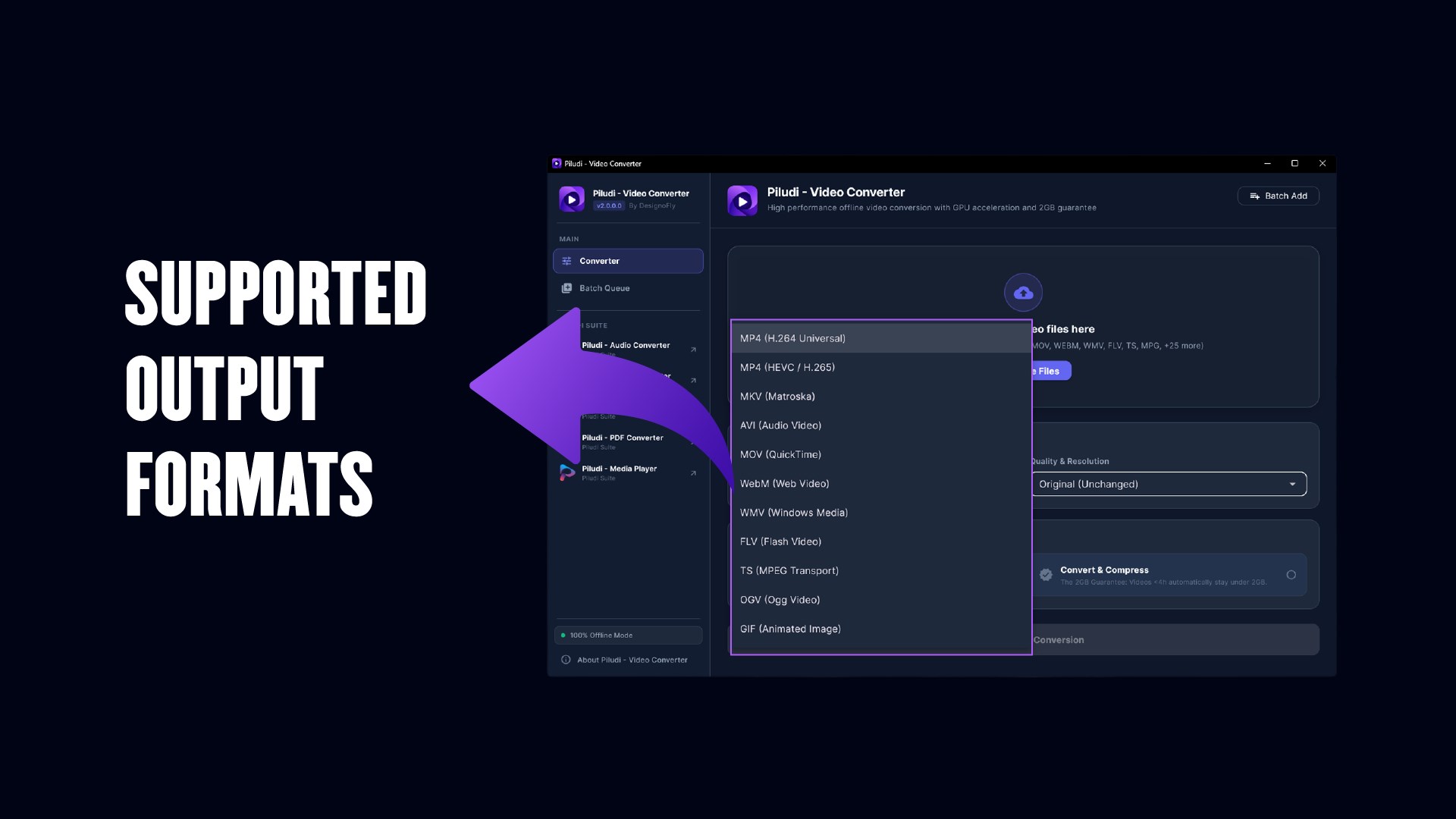
10 Supported Output Formats:

MP4 HEVC MKV AVI MOV WEBM WMV FLV TS OGV
📢

What's New in Version 2.0.1.0

Latest Release Update
  • What's New in Piludi - Video Converter (Version 2.0.1.0)
  • ⚠️ CRITICAL UPDATE — HIGHLY RECOMMENDED FOR ALL USERS
  • Real-Time Progress Tracking (Major Fix): Completely resolved the critical bug where conversion progress spiked to 95–96% within seconds and remained frozen for the duration of the encoding job. Progress now strictly initializes at 1% and tracks real-time FFmpeg encoding time (time=HH:MM:SS) linearly to 100%.
  • Prevention of Windows Pipe Deadlocks: Hardened sub-process background stream draining to eliminate potential OS pipe buffer deadlocks during long, high-bitrate 4K conversions.
  • Smooth Physics Interpolation: Added 50ms lerp smoothing for natural, responsive progress feedback that never exceeds actual work completed.
  • Suite Ecosystem Integration: Mandatory update to enable direct inter-app communication with companion Piludi software (Media Player, Audio, PDF, Image, Font, and Ebook) via registered Windows protocols and Store deep links.
  • Visual & Icon Refresh: Synchronized suite sidebar and navigation menus with the new custom folded document design for Piludi - PDF Converter.
  • 2GB Compression & Stream Copy: Enhanced stability for 2GB guaranteed file compression on long videos (<4h) and instant container re-wrapping ("Just Convert").

Ready to use Piludi – Video Converter (Formerly Free Video Converter) locally on your PC?

Download directly from the official Microsoft Store — safe, verified, and 100% free.

Install from Microsoft Store
Ultra-fast 100% offline desktop video conversion with GPU acceleration, 2GB guarantee & smart compression. Supports 34 input formats and 10 export profiles.
Target Indexing Keywords:
MetaoFly Piludi Piludi Windows App free offline piludi microsoft store piludi download piludi free windows 11 piludi lightweight desktop piludi

📢 Rebranding Notice: Free Video Converter – By DesignoFly has officially evolved and upgraded into Piludi – Video Converter v2.0.0.0. This major milestone brings upgraded GPU hardware acceleration, an expanded matrix of 34 input video formats and 10 export profiles, intelligent stream-copy remuxing, and seamless Windows 11 fluent styling—all while preserving our 100% offline, zero-telemetry privacy promise.

Professional Offline Video Conversion & Compression for Windows

Piludi – Video Converter (v2.0.0.0) is a high-performance, professional offline video conversion and compression workstation designed for content creators, video editors, educators, streamers, and everyday Windows users. Unlike web-based converters that force you to upload large, confidential footage to cloud servers with slow upload speeds, bandwidth caps, and data harvesting risks, Piludi processes everything 100% locally on your PC. Your videos never leave your machine, guaranteeing absolute privacy, zero file size ceilings, and instantaneous conversion speeds.

⚡ Lightning-Fast “Just Convert” Mode (Stream Copy)

Need to swap an MKV, MOV, or AVI container into an MP4 without losing a single pixel of quality? Piludi’s intelligent Stream Copy mode re-wraps the video container in seconds without touching or re-encoding the underlying video and audio streams. A 4GB 4K video converts in literally 3 to 5 seconds with bit-perfect 100% original quality preserved.

📦 Smart Compression with 2GB File Guarantee

Need to email, transfer, or upload video files under strict platform limits (such as Discord, Telegram, or cloud storage caps)? Piludi calculates the optimal two-pass bitrate to compress files reliably under 2GB (for videos under 4 hours) while preserving maximum visual sharpness, fine text legibility, and true color accuracy.

🚀 Full GPU Hardware Acceleration

Piludi integrates deeply with modern graphics hardware to unleash maximum encoding throughput:

  • NVIDIA NVENC (GeForce GTX / RTX series)
  • Intel Quick Sync Video (QSV) (Intel Core i3/i5/i7/i9 & Intel Arc)
  • AMD AMF (Radeon RX series)
  • DirectX Video Acceleration (DXVA2 & Direct3D 11)

Experience up to 12x faster encoding speeds with negligible CPU consumption, empowering you to game, render, or multitask without system slowdown.

🎞️ About Supported Video Formats (34 Input & 10 Export Targets)

Piludi – Video Converter provides comprehensive compatibility across both modern high-efficiency codecs and legacy broadcast containers:

  • Supported Input Formats (34): 3G2, 3GP, 3GPP, AVI, CAVS, DV, DVR, FLV, M2TS, M4V, MKV, MOD, MOV, MP4, MPEG, MPG, MTS, MXF, OGG, OGV, RM, RMVB, SWF, TS, VOB, WEBM, WMV, WTV, F4V, ASF, M2V, DIVX, VRO, AMV.
  • Supported Output Formats (10): MP4, HEVC (H.265), MKV, AVI, MOV, WEBM, WMV, FLV, TS, OGV.
  • Modern Web & Mobile Standards: MP4 (H.264 / AVC), HEVC (H.265), WebM (VP9 / AV1), MKV, and Apple MOV.
  • Professional Production & Broadcast: ProRes, Apple QuickTime MOV, MPEG Transport Stream (TS / M2TS / MTS), and Sony/Panasonic MXF.
  • Classic, DVD & Archival Media: AVI, WMV, FLV, MPEG, MPG, VOB (DVD-Video), 3GP, 3G2, DivX, ASF, OGV, SWF, F4V, RealMedia (RM / RMVB), Windows Media Center WTV, and AMV.
  • Animated GIFs: Export crisp, looped animated GIF animations from any video segment.

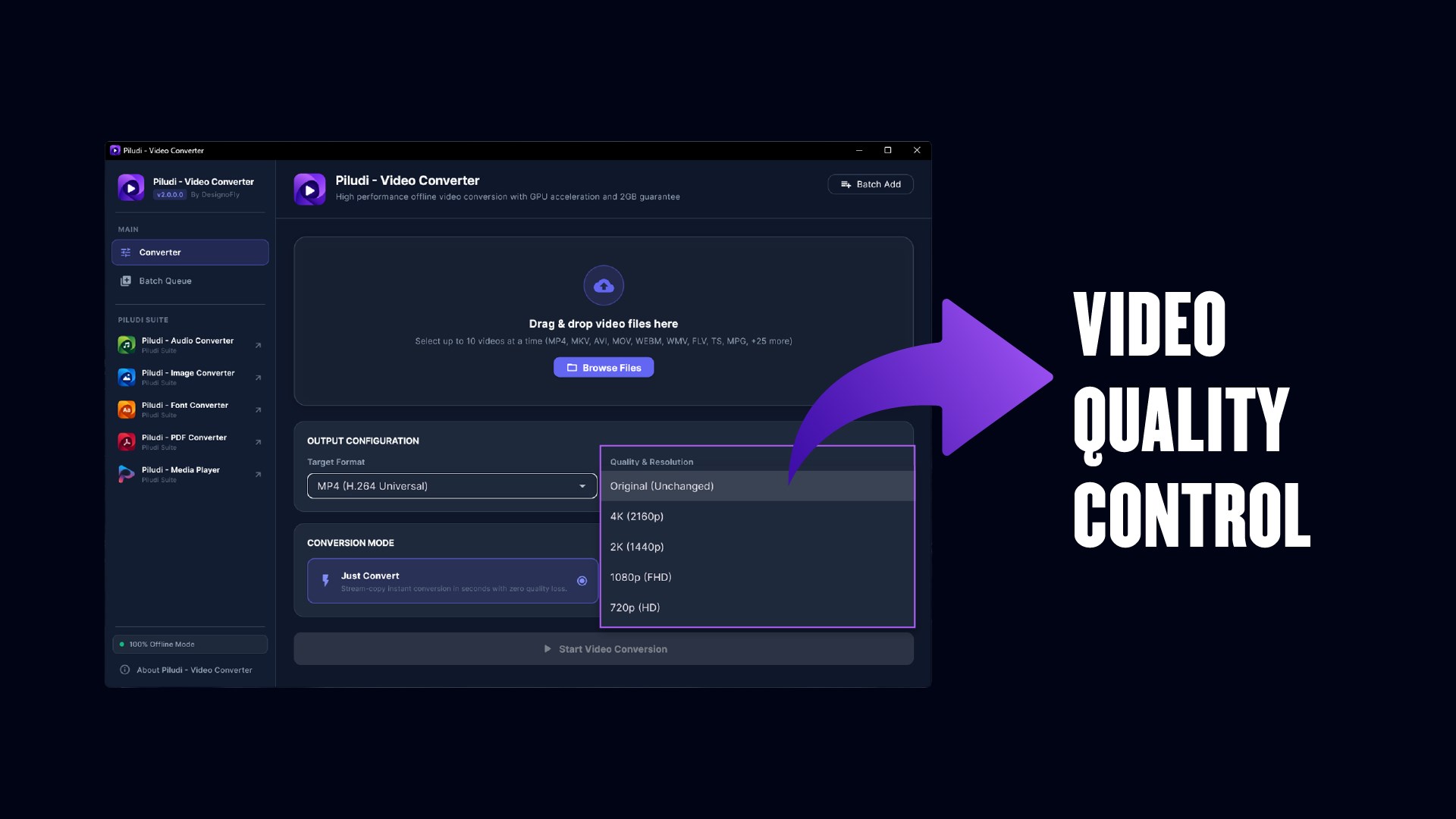
📐 Professional Resolution Presets

  • Original Resolution: Maintain identical source dimensions with zero scaling artifacts.
  • 4K Ultra HD: 3840 × 2160 pixels for breathtaking clarity on modern displays.
  • 2K Quad HD: 2560 × 1440 pixels for sharp desktop and gaming monitor playback.
  • Full HD 1080p: 1920 × 1080 pixels for universal web and social streaming standard.
  • HD 720p: 1280 × 720 pixels for fast streaming and compact file size.
  • SD 480p & 360p: 854 × 480 & 640 × 360 for ultra-compact mobile transfers.

🛡️ 100% Private, Secure & Offline

  • Zero account sign-ups, zero subscriptions, 100% free forever.
  • Zero telemetry, zero user tracking, and no cloud uploads.
  • Operates completely air-gapped without an internet connection.
MetaoFly
Privacy Overview

This website uses cookies so that we can provide you with the best user experience possible. Cookie information is stored in your browser and performs functions such as recognising you when you return to our website and helping our team to understand which sections of the website you find most interesting and useful.