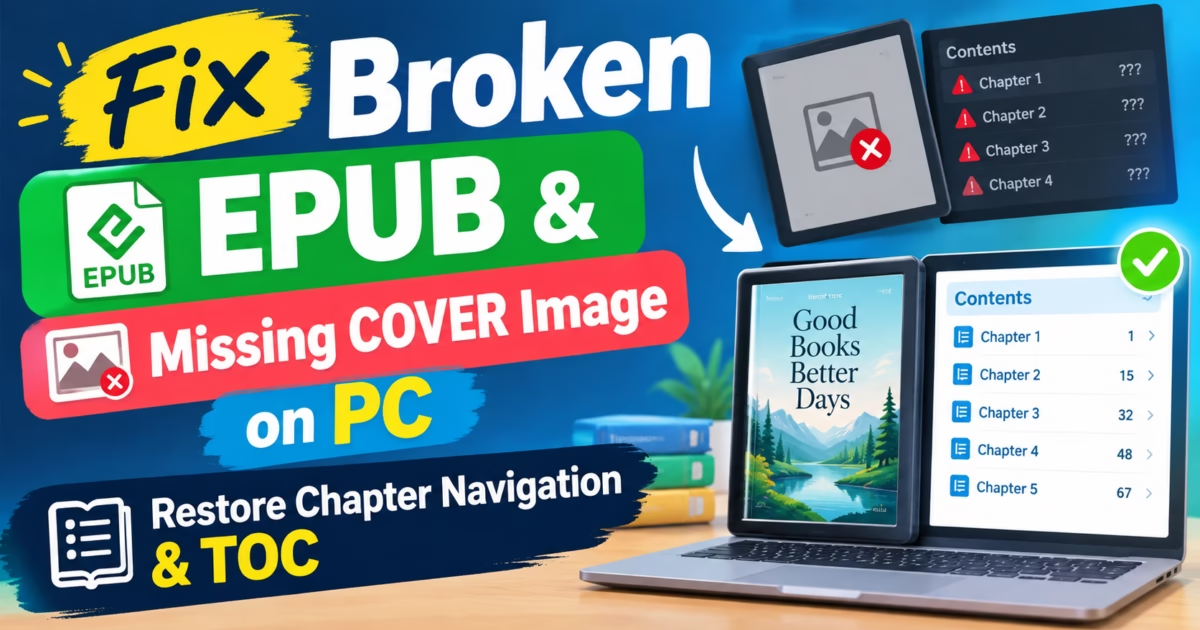
When indie authors, digital publishers, and avid e-readers encounter displaced margins, inverted chapter hierarchies, or missing book covers across Kindle and Kobo devices, their primary objective is to Fix Broken EPUB Layout structures at the underlying code level. Modern electronic publications are packaged ZIP archives containing XHTML documents, CSS stylesheets, XML package manifests, and navigation control files. If inline CSS styles conflict or internal manifest declarations fall out of synchronization, e-reading hardware defaults to erratic rendering or refuses to open the book entirely.
Figure 1: Automated structural rebuilding restores clean reflowable chapter layouts, high-resolution covers, and validated navigation tables.
Fix Broken EPUB Layout: Deconstructing the Open Container Format
An EPUB file is not a monolithic binary document; it is a standardized ZIP container adhering to the IDPF (International Digital Publishing Forum) Open Container Format (OCF) specifications. When you change an `.epub` file extension to `.zip` and extract its contents, you uncover a structured directory containing an `mimetype` file, a `META-INF` folder housing `container.xml`, and an `OEBPS` (Open Ebook Publication Structure) payload directory.
Consequently, when readers attempt to Fix Broken EPUB Layout issues, they are fundamentally solving XML structural desynchronizations. The central nervous system of any EPUB is the Open Packaging Format (OPF) file, typically named `content.opf`. This XML document contains three vital declarations: the Manifest (which lists every image, chapter file, and font included in the book), the Spine (which dictates the exact chronological reading order of the pages), and the Guide / Landmarks (which designates special landmarks like the cover, title page, and table of contents).
If an author deletes an unused image or renames a chapter file without updating the corresponding manifest `itemref` IDs in `content.opf`, e-reading software like Apple Books, Calibre, or Amazon Kindle Previewer will throw critical schema validation errors. The e-reader may skip entire chapters or crash back to the home screen because an expected file resource cannot be resolved on disc.
The Curse of Malformed CSS: Fixed Widths vs. Fluid Reflowable Text
The most frequent cause of broken ebook formatting originates in poorly configured CSS stylesheets exported from word processing software like Microsoft Word, Google Docs, or desktop publishing suites. When authors export manuscripts without clean preprocessing, word processors inject hard-coded pixel widths, fixed line heights, and absolute margins into every paragraph tag (e.g., `
`).
While an 800-pixel fixed width displays legibly on a 27-inch desktop PC monitor, it wreaks havoc on a 6-inch e-ink e-reader screen. Words overflow beyond the physical display bezel, line breaks split sentences unnaturally, and pinch-to-zoom gestures become unresponsive. True digital publishing requires fluid, reflowable layouts governed by relative typography units (such as `em`, `rem`, and percentage widths) so that text adapts gracefully whether read on an iPhone, an iPad mini, or an Amazon Kindle Oasis.
Furthermore, authors often struggle with orphan headings—where a chapter title appears trapped at the very bottom of an e-reader screen, with the introductory paragraph pushed to the following page. Correcting this requires purging messy inline styling and enforcing standardized CSS page-break rules (such as `page-break-before: always;` and `break-inside: avoid;`).
Architectural Matrix: Broken EPUB Artifacts vs. Cleaned Code Solutions
Formatting Artifact
Underlying Code Pathology
Reader Behavior
Automated Repair Solution
Horizontal Text Overflow
Fixed pixel width declarations (`width: 600px`)
Text cuts off off-screen on e-ink readers
Strip fixed widths; apply responsive `max-width: 100%`
Missing Cover Image
Missing `properties=”cover-image”` attribute in OPF
Generic blank book silhouette in e-reader library
Inject proper EPUB3 metadata & landmark cover node
Unresponsive TOC Index
Broken NCX navigation IDs & malformed Nav HTML
Chapter jumping disabled; reader cannot navigate
Rebuild dual NCX and EPUB3 `
` hierarchy from H1/H2 tags
Orphan Chapter Headings
Missing CSS page-break directives on heading tags
Headings sit stranded at bottom of pages
Insert `break-before: page;` on all primary chapter anchors
Corrupted Special Symbols
Non-UTF-8 character encoding in XHTML heads
Em-dashes and quotes show up as garbled symbols
Normalize all documents to strict UTF-8 with HTML5 entities
EPUB3 Semantic Markup, Dark Mode Reading & Accessibility
Modern digital publishing demands strict adherence to accessibility standards. The W3C EPUB 3.3 recommendation establishes rigorous requirements for document semantics, ensuring that screen readers for visually impaired users can seamlessly parse footnotes, glossaries, and chapter structures. When an ebook relies solely on generic `
` tags, assistive technology cannot differentiate between primary narrative text and side notes.
By implementing semantic EPUB3 structural tags—such as `
` and `
`—publishers enable e-readers to display interactive pop-up footnote modals rather than forcing readers to jump across separate document pages. Furthermore, improper CSS color rules often break e-reader Dark Mode features. If a stylesheet explicitly sets `color: #000000;` on paragraph text failing to synchronize background tones, switching an e-reader to Night Mode causes black text to render invisibly on a pitch-black background.
Piludi Ebook Converter neutralizes rigid body color declarations, allowing e-reader hardware to dynamically invert text and background tones while preserving high-contrast typography in both day and night reading environments.
Mathematical Formulas & MathML Integration in Technical Ebooks
Technical manuscripts, scientific textbooks, and engineering documentation present unique typesetting obstacles for digital publications. Historically, publishers rasterized mathematical equations into small GIF or PNG images and embedded them inline with body paragraphs. However, inline equation graphics do not scale when readers increase e-reader font sizes, causing blurred formulas or distorted baselines that ruin the reading experience.
The W3C EPUB 3.3 standard solves this through native support for Mathematical Markup Language (MathML) . MathML describes both the typographical notation and structural semantics of mathematical expressions using clean XML trees. Modern e-readers parse MathML equations as scalable vector glyphs, allowing superscripts, fractions, square roots, and integrals to resize dynamically alongside text while remaining fully accessible to screen readers. Piludi Ebook Converter parses LaTeX and MathType syntax, converting legacy raster equations into accessible MathML structures.
Multi-Language Typography & Vertical Writing Modes
Global publishing requires robust handling of non-Latin writing systems. In East Asian literature (including Japanese, traditional Chinese, and Korean), books are frequently published using vertical-rl writing modes , where text reads vertically from top to bottom, with columns progressing from right to left. Implementing this requires specialized CSS writing-mode declarations (`writing-mode: vertical-rl;`) and Ruby character annotations (``) that provide phonetic pronunciation guides above complex Kanji characters.
When non-specialized conversion tools process East Asian manuscripts, vertical layout directives are often stripped or misapplied, forcing vertical novels into awkward horizontal layouts with misaligned punctuation. Piludi Ebook Converter preserves vertical-rl page progression properties (`page-progression-direction=”rtl”` in the OPF spine) and maintains phonetic Ruby markup, ensuring that international literature renders with authentic cultural typography across global e-readers.
Rebuilding the Navigation Tree: Dual NCX and EPUB3 Nav Architecture
E-reading platforms span multiple hardware generations. Legacy devices (such as early Kindle Keyboards, Sony Readers, and Barnes & Noble Nooks) navigate books exclusively via the legacy Navigation Control file for XML (toc.ncx) . Conversely, modern Apple Books, Kobo e-readers, and current Kindle firmware adhere to the modern EPUB3 specification, which mandates an HTML5-based Navigation Document (`nav.xhtml`) utilizing `
` semantic lists.
When converting or repairing an ebook, publishing tools must generate both navigation systems simultaneously. If a book contains only an EPUB3 navigation file, legacy e-readers will claim the book has no table of contents. If it contains only a legacy `toc.ncx` file, modern reading applications may flag the publication as non-compliant with accessibility standards.
Piludi Ebook Converter automatically parses the heading hierarchy (`
`, `
`, and `
`) across all XHTML chapter files. It synthesizes a synchronized dual-navigation architecture: building a validated `toc.ncx` for backward compatibility while assembling an accessible, semantic `nav.xhtml` tree for modern e-readers.
Image Quantization & Lossless WebP Compression for Ebooks
Illustrated digital ebooks, graphic manuals, and culinary recipe publications frequently suffer from bloated file sizes due to uncompressed photographic media. Large media assets slow down e-reader page turns, drain battery life, and trigger prohibitive delivery surcharges on major retail platforms such as Amazon KDP, where authors are assessed bandwidth fees per megabyte downloaded.
Piludi Ebook Converter incorporates smart batch image optimization. When repairing an ebook container, the engine audits every internal raster image in the `OEBPS/images` directory. It downsamples overly high-resolution camera scans to optimal 300 DPI e-ink targets and converts bloated PNG illustrations into modern lossless or near-lossless formats while updating corresponding XML image tags. This cuts overall publication package weight by up to 65% without any perceptible loss in photographic sharpness.
Automated Pre-Flight Testing with EPUBCheck & Schematron Validation
Commercial digital book distributors enforce strict validation gates before any publication can be published to retail storefronts. The official W3C EPUBCheck testing suite applies rigorous RelaxNG and Schematron schema validations to detect missing manifest declarations, broken hyperlink fragments, unescaped XML ampersands, and invalid MIME types. A single missing `id` attribute on an image tag can trigger immediate submission rejection.
Rather than requiring authors to install Java runtimes and run complicated command-line validation scripts, Piludi Ebook Converter integrates automated pre-flight testing routines. Prior to finalizing any EPUB export, the engine parses every XHTML node, repairs unclosed tags, synchronizes the OPF spine order, and validates namespace declarations, guaranteeing 100% compliance with international distribution standards.
Managing Multi-Level Nested Ordered Lists & Legal Outlines
Complex technical manuals, academic syllabi, and legal publications rely extensively on multi-tiered nested outlines (e.g., Section 1.1, Subsection 1.1.2). When documents are carelessly exported from word processors into EPUB formats, these structured lists often collapse into un-styled paragraph strings with manually typed indentation spaces.
Piludi Ebook Converter parses semantic list hierarchies, rebuilding clean nested `
` and `
` markup with responsive CSS margin spacing (`margin-left: 1.5em; list-style-type: decimal;`). This ensures that indentations scale gracefully whether viewed on a compact 6-inch e-ink reader or an expansive desktop monitor.
Handling Mathematical Notation: MathML vs. High-Resolution SVG Fallbacks
Publishing academic, scientific, or engineering textbooks in EPUB formats introduces unique typographical challenges when rendering mathematical formulas and chemical equations. The modern EPUB3 specification supports native Mathematical Markup Language (MathML) , allowing algebraic fractions, square roots, and differential equations to scale dynamically alongside body text.
However, many consumer e-readers (including certain Kindle firmware models and older hardware readers) lack native MathML rendering engines. On these devices, raw MathML formulas either render as garbled XML tags or vanish entirely. To bridge this gap, Piludi Ebook Converter implements automated dual-layer math processing: compiling complex equations into crisp, scalable vector SVG graphics paired with embedded MathML semantic alternate text. This guarantees that formulas remain razor-sharp and fully accessible across every reading platform.
Font Subsetting and OpenType Variable Font Embedding in Modern EPUB3
Custom typography can elevate an ebook from a generic text document into a beautifully branded reading experience. However, embedding full desktop OpenType font files (which often contain thousands of international glyphs and weigh 5MB to 10MB per font weight) can dramatically bloat ebook file sizes and degrade loading speeds on low-powered e-readers.
Piludi Ebook Converter includes an automated font subsetting engine. When custom display fonts are selected for chapter headers or drop caps, the software audits the entire publication manuscript, stripping out unused glyphs and embedding only the exact characters present in the text. This reduces font payload sizes by over 80% while retaining full OpenType typographical fidelity, ligatures, and proportional numeral spacing.
Step-by-Step Guide: Repairing Broken EPUBs with Piludi Ebook Converter
Follow these straightforward steps to repair formatting, restore covers, and clean up messy styles in your digital books:
Step 1: Open Piludi Ebook Converter & Load File
Launch Piludi Ebook Converter on Windows 11. Drag your damaged EPUB, MOBI, or editable digital PDF into the application interface.
Step 2: Enable Automated CSS Sanitation & Layout Repair
Under Formatting Options, check Clean Conflicting CSS and Normalize to Fluid Reflowable Layout . This removes hard-coded pixel widths and synchronizes typography to responsive em units.
Step 3: Inject High-Resolution Cover Image
If your ebook displays a blank silhouette in your library, click Assign Cover Image and select a high-resolution JPEG or PNG graphic. Piludi sets the `cover-image` manifest property and embeds a standardized cover page.
Step 4: Re-Index Table of Contents & Export Validated Ebook
Click Rebuild Navigation Table to audit chapter anchors. Finally, click Convert & Save to output a pristine, validated EPUB or clean PDF document.
Important Technical Note: Editable Digital Documents vs. Scanned Bitmap PDFs
In version 1.0.0.0, Piludi Ebook Converter is precision-engineered to repair and convert reflowable ebooks and editable digital documents (such as EPUB, MOBI, DOCX manuscripts, and digital PDFs containing selectable vector text). It processes XML, CSS, and TrueType font resources with exceptional speed and structural accuracy.
However, please note that version 1.0 is not an optical character recognition (OCR) engine for legacy scanned bitmap PDFs or photographed paper pages. If a PDF document consists entirely of flat photographic scans without an underlying digital text stream, text cannot be reflowed into an editable EPUB format. Piludi incorporates intelligent heuristic detection: if an un-searchable scanned document is detected, the software notifies the user, preserving document fidelity while advanced machine-learning OCR modules are prepared for future product iterations.
E-Reader Compatibility Matrix: File Formats across Devices
Reading Platform
Native Supported Formats
Direct Sideloading Format
Recommended Piludi Preset
Amazon Kindle (Send to Kindle)
KFX, AZW3, EPUB (auto-converted by Amazon)
EPUB3 Standard
Kindle KDP Reflowable Preset
Kobo e-Readers (Clara / Libra)
EPUB, EPUB3, KePub, PDF, MOBI
Direct USB Drag & Drop (EPUB)
Universal EPUB3 Reflowable
Apple Books (iPhone / iPad / Mac)
EPUB, PDF
AirDrop or iCloud Drive (EPUB)
Apple Books High-DPI Preset
Android (Moon+ Reader / ReadEra)
EPUB, MOBI, PDF, FB2, CBZ
MicroSD / Local Storage
Universal Clean EPUB
Frequently Asked Questions on Ebook Layout Repair
Why do converted ebooks fail Amazon KDP validation?
Amazon Kindle Direct Publishing (KDP) runs strict automated EPUBCheck validation on incoming files. Common rejection causes include unmanifested image files, broken hyperlink anchors in the table of contents, and unclosed XHTML tags. Piludi executes an internal validation pass during export, ensuring full KDP compliance.
Will cleaning CSS strip my intentional chapter styling?
No. Piludi selectively targets problematic inline geometry (such as absolute margins, rigid pixel table widths, and forced body color codes). Stylistic typographic elements—like drop caps, italicized blockquotes, and custom chapter header fonts—remain intact.
What is the optimal cover image resolution for modern e-readers?
The industry gold standard for ebook covers is 2560 pixels in height by 1600 pixels in width (a 1.6:1 aspect ratio) at 300 DPI, saved in standard sRGB color space. This resolution looks sharp across 300 PPI e-ink displays as well as high-DPI smartphone and tablet screens.
How does Piludi handle embedded custom fonts in EPUB files?
Piludi validates that embedded TTF/OTF fonts contain proper `@font-face` declarations in the CSS and corresponding `- ` entries with correct MIME types (`font/otf` or `font/ttf`) in the OPF manifest, preventing font loading errors on e-readers.
Official Software Hub Access & Windows Desktop Installation
Take complete control over your digital library and self-publishing catalog today. Discover powerful desktop formatting and conversion tools on the DesignoFly Studio Software Hub , and download Piludi Ebook Converter today for permanent unrestricted access to ebook conversion and repair utilities on Windows 11.
Published by: DesignoFly Studio Team • Verified on Windows 11 • Technical Reference: W3C EPUB 3.3 Digital Publishing Standard