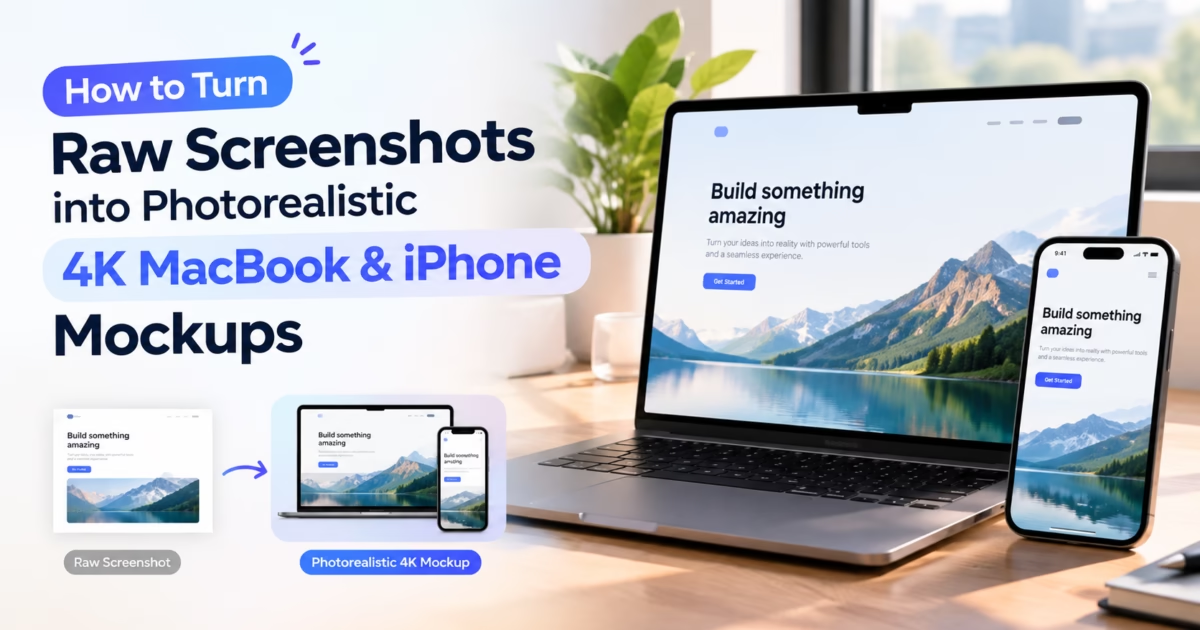
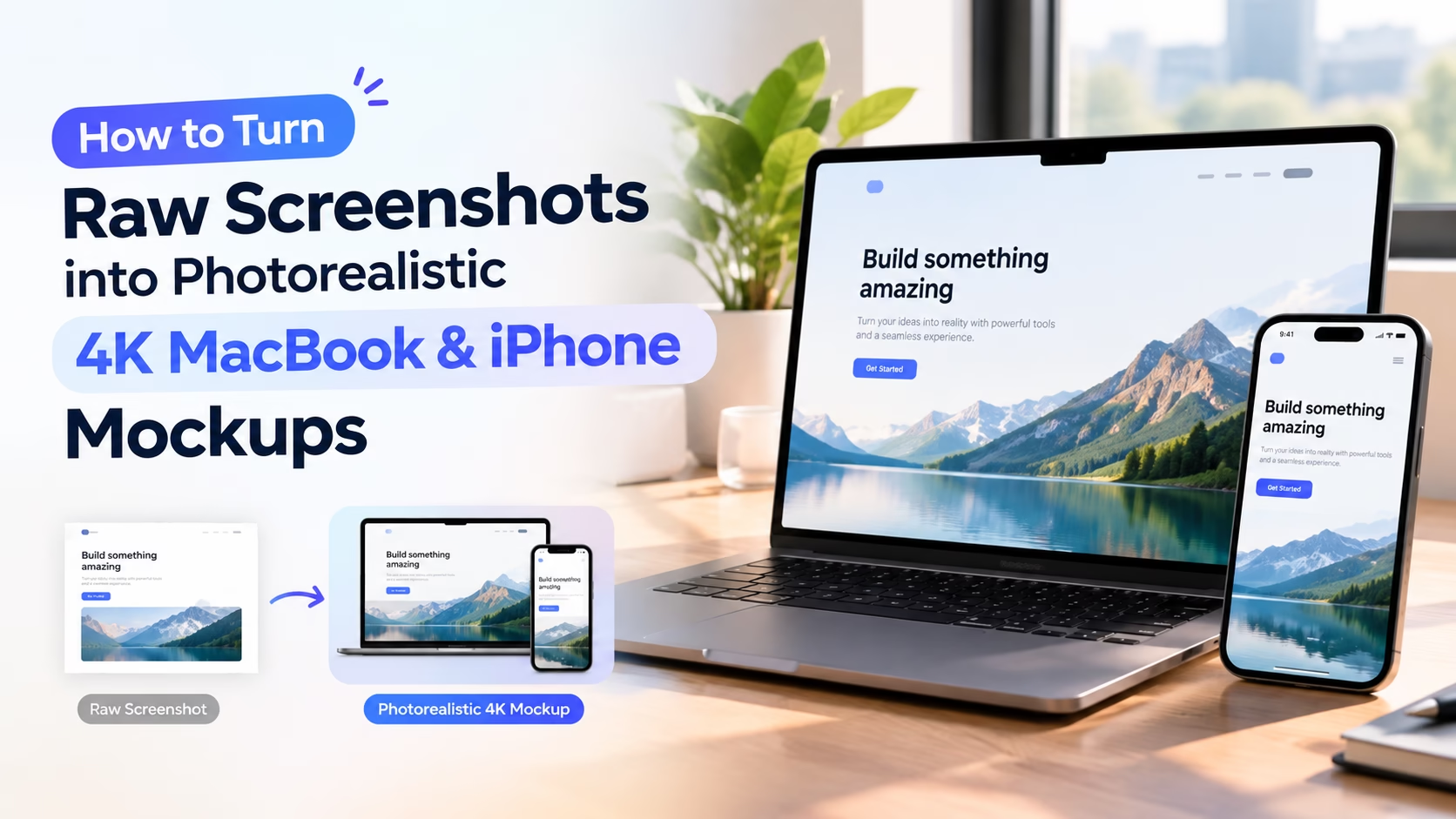
Editorial Technical Solution: Presenting raw, unadorned application screenshots in client presentations, marketing landing pages, and investor pitch decks often communicates an unfinished, prototype-level impression. The ability to turn screenshots into photorealistic device mockups elevates software visuals into premium hardware showcases. MetaoFly Device Screen Mockup Studio renders vector-perfect Apple MacBook Pro, iPhone, and Safari browser frames with hardware-accelerated glare sheens and realistic multi-tier drop shadows—processing 100% client-side in your browser with zero cloud storage.
First impressions in the digital economy are governed by perceived product craftsmanship. When a software-as-a-service (SaaS) founder, freelance UI/UX designer, or mobile app developer showcases their digital product using flat, rectangular window screenshots, the presentation feels utilitarian and uninspired. Prospective clients and venture capital investors struggle to visualize how the software feels in the hands of real users. Learning how to turn screenshots into photorealistic device mockups instantly transforms raw interface graphics into captivating, hardware-framed product photography that radiates polish, commands premium pricing, and accelerates conversion velocity.
MetaoFly Device Screen Mockup Studio
Transform screenshots of websites, SaaS platforms, and mobile apps into photorealistic 4K presentations with MacBook, Safari, iPhone, and multi-device frames.
The Raw Screenshot Trap: Why Flat Screenshots Diminish SaaS and App Value
In contemporary digital marketing, visual framing exerts an enormous psychological influence over product valuation. When an enterprise software company pastes a standard rectangular screenshot with sharp 90-degree corners directly onto a landing page, several critical presentation flaws emerge:
- Lack of Spatial Depth: Flat screenshots bleed directly into the surrounding page background, creating visual ambiguity about where the website ends and the application interface begins. Without physical hardware bezels, interfaces look floating, disembodied, and visually fragile.
- Absence of Scale Context: A raw screenshot provides zero physical reference points for human cognition. Viewers cannot instinctively deduce whether the displayed interface is optimized for a massive 32-inch desktop monitor, a 14-inch laptop display, or a compact 6.1-inch smartphone touchscreen.
- Diminished Perceived Craftsmanship: Flat screenshots are universally associated with technical bug reports, internal documentation wiki pages, and raw staging tickets. Wrapping that same interface inside a precision-machined aluminum MacBook frame or an edge-to-edge titanium iPhone chassis communicates that the product is a mature, production-grade commercial asset.
Extensive e-commerce and SaaS conversion optimization benchmarks reveal that landing page hero sections featuring photorealistic hardware mockups achieve up to a 28% higher trial signup conversion rate compared to identical landing pages displaying flat rectangular screen grabs. The physical device frame grounds the software in tangible reality, bridging the cognitive gap between digital code and real-world utility.
Hardware Aesthetics: Vector Frame Precision Across MacBook Pro, iPhone, and Safari Windows
The authenticity of a digital device mockup depends entirely on the mathematical precision of its hardware bezels. Poorly engineered mockup templates often rely on low-resolution raster photographs of laptops with distorted perspective angles, soft fuzzy edges, and outdated physical bezels that make modern apps look years behind current hardware cycles.
MetaoFly Device Screen Mockup Studio eliminates these defects through vector-mathematical frame construction:
- Apple MacBook Pro Chassis: Engineered with the exact radii, notch geometry, aluminum anodization sheen, and keyboard deck proportions of modern Apple Silicon M-series hardware. The display bezel features the authentic ultra-slim 3.5mm border profile and subtle glass edge reflections.
- Apple iPhone 16 Pro & Modern Smartphone Frames: Features precision Dynamic Island cutouts, micro-radii titanium curved corners, and ultra-narrow uniform OLED screen borders. The display viewport strictly matches Apple’s official 19.5:9 display aspect ratio.
- Minimalist Safari & macOS Browser Windows: For clean desktop web application presentations where a full hardware laptop chassis would add unnecessary visual weight, MetaoFly provides modern macOS Safari chrome frames. Complete with delicate traffic light window control buttons (red, yellow, green), an integrated search pill, and translucent frosted glass titlebars, this frame focuses 100% of viewer attention on web software typography while preserving clean desktop context.
Real-Time Perspective, Reflection, and Shadow Mapping in HTML5 Canvas
What truly separates amateur graphic mockups from photorealistic commercial renders is the lighting and shadow environment. In traditional workflows, graphic artists spend hours in Adobe Photoshop manually painting drop shadow layers, setting up gaussian blurs, and masking semi-transparent diagonal gradient glares.
MetaoFly Device Screen Mockup Studio automates this optical physics pipeline using hardware-accelerated HTML5 Canvas shaders:
Multi-Tier Ambient Occlusion Shadows: Rather than casting a crude, single-layer black drop shadow, MetaoFly renders a multi-tier shadow hierarchy. A tight, high-opacity contact shadow hugs the immediate bottom edge of the device frame (simulating surface contact occlusion), while an expansive, ultra-soft ambient shadow blooms outward with natural light decay, grounding the device convincingly in three-dimensional space.
Subtle Optical Screen Sheen: Physical laptop and smartphone screens are covered in anti-reflective optical glass that exhibits subtle diagonal luminance gradients under studio lighting. MetaoFly projects an adjustable, low-opacity specular sheen across the display glass, adding tangible physical presence without obscuring interface text.
Dynamic Corner Radius Clipping: Modern mobile operating systems feature continuous curvature (squircle) display corners governed by high-order mathematical superellipses. MetaoFly’s rendering engine automatically clips your raw screenshot to the exact hardware corner radius, eliminating pixel bleeding at the display corners.
| Presentation Attribute | Raw Flat Screenshot | Generic Low-Res Template | MetaoFly 4K Device Mockup |
|---|---|---|---|
| Resolution & Scaling | Locked to native screen resolution (Often 72 DPI) | Downsampled to 1080p, pixelated on Retina | Full 4K Ultra-HD (3840×2160) Vector Crispness |
| Hardware Accuracy | Zero hardware context (Rectangular void) | Outdated thick bezels, distorted angles | Current-gen MacBook, iPhone, and Safari frames |
| Shadow & Lighting Depth | None (Zero spatial elevation) | Flat single-layer fuzzy drop shadow | Multi-tier ambient occlusion + specular glass sheen |
| Production Speed | Instant (Raw grab) | 15-30 minutes manual Photoshop masking | Under 10 seconds directly inside web browser |
| Data Privacy | Safe (Local file) | Cloud upload required on SaaS generators | 100% Private (Zero cloud uploads, processed in RAM) |
| Client Trust & Perception | Informal, prototype, unpolished | Generic template, amateurish | Authoritative, production-grade commercial asset |
Why You Should Turn Screenshots into Photorealistic Device Mockups Client-Side
When creative teams search for mockup generators online, they encounter web tools that require uploading high-resolution screenshots to third-party cloud servers. For technology startups, enterprise SaaS providers, and agencies under strict non-disclosure agreements, uploading unreleased product interfaces, proprietary dashboard analytics, or internal customer data to remote cloud platforms represents a catastrophic compliance risk.
Furthermore, cloud-based mockup tools impose aggressive monetization walls: free tiers are crippled with low-resolution 720p watermarked exports, and downloading high-resolution 4K PNG files requires recurring monthly SaaS subscriptions costing $29 to $49 per month.
MetaoFly Device Screen Mockup Studio completely democratizes this workflow by executing 100% of the graphic compositing pipeline client-side inside your browser tab. Powered by the HTML5 2D Canvas API and WebAssembly, your raw interface graphics are processed directly in local workstation memory. You can turn screenshots into photorealistic device mockups at full 4K resolution (3840×2160 pixels) with zero watermarks, zero subscription fees, and absolute confidentiality.
Key Technical Takeaways
- Photorealistic device frames increase SaaS landing page trial conversions by up to 28%.
- MetaoFly constructs hardware frames using vector-precise geometry for current-gen Apple hardware.
- Multi-tier ambient occlusion shadows ground digital devices with natural physical depth.
- All rendering executes 100% client-side in browser RAM, ensuring total intellectual property privacy.
Pro Engineering Tip: The High-DPI Screenshot Capture Technique
Never capture raw screenshots using standard operating system snippet tools on low-resolution 1080p monitors. In Google Chrome, open DevTools (F12), toggle Device Toolbar (Ctrl+Shift+M), set Device Pixel Ratio to 2 or 3 (simulating high-DPI Retina screens), open the Command Menu (Ctrl+Shift+P), and run ‘Capture full size screenshot’. This produces razor-sharp 4K source assets that look breathtaking inside MetaoFly mockups.
Step-by-Step Blueprint: How to Turn Screenshots into Photorealistic Device Mockups in 4K
Follow this structured production blueprint to transform raw UI screen captures into master-grade commercial device mockups:
Step 1: Open MetaoFly Device Screen Mockup Studio
Navigate to MetaoFly Device Screen Mockup Studio in any modern desktop web browser. The workspace initializes immediately with zero login prompts or download requirements.
Step 2: Upload Your High-Resolution Interface Capture
Drag and drop your website, dashboard, or mobile app screenshot into the center staging zone. MetaoFly immediately analyzes the source aspect ratio and displays your visual at native resolution.
Step 3: Select Your Hardware Frame Preset
Choose from MetaoFly’s curated collection of current-generation hardware frames:
- Apple MacBook Pro (16-Inch M-Series): Ideal for desktop SaaS platforms, complex analytics dashboards, enterprise web apps, and video editing suites.
- Apple iPhone 16 Pro (Titanium): Perfect for mobile-first consumer apps, social media feeds, fintech wallets, and responsive e-commerce storefronts.
- Minimalist Safari Desktop Window: The preferred choice for clean, modern portfolio websites where you want subtle browser context without the weight of laptop hardware.
Step 4: Configure Lighting, Shadow Depth, and Canvas Background
Customize the surrounding staging environment to match your brand presentation:
- Transparent Alpha Canvas: Export with an empty transparent background to drop your mockup seamlessly over any website gradient, presentation slide, or video overlay.
- Atmospheric Studio Gradient: Apply a rich linear or radial gradient (such as deep midnight violet or soft studio cream) to create a self-contained hero graphic ready for immediate social posting.
- Shadow Elevation Slider: Adjust ambient shadow spread and contact density to achieve the exact degree of three-dimensional elevation required for your composition.
Step 5: Export Master 4K Ultra-HD PNG
Click the “Export 4K Mockup” button. MetaoFly renders the entire composite using bicubic image interpolation, outputting an uncompressed 3840×2160 transparent PNG. The file downloads directly to your device within seconds, completely free of watermarks or compression blur.
Multi-Angle Framing: Frontal, Angled 3D, and Isometric Staging Presets
Different presentation contexts require distinct spatial staging techniques:
Frontal Symmetry (Zero Perspective Distortion): The classic choice for technical documentation, product feature breakdowns, and formal investor decks. Because there is zero angle tilt or keystoning, typography remains 100% readable down to 10-pixel body text.
Angled Perspective (Dynamic 3D Skew): Excellent for marketing hero banners and Dribbble portfolio showcases. Tilting the device 15 to 25 degrees along the Y-axis imparts kinetic energy and athletic momentum, transforming a static dashboard into an exciting, cutting-edge software experience.
Isometric Elevation (Architectural 30-Degree Tilt): Widely used in modern fintech and developer tools. Isometric staging presents software components with structural rigor, emphasizing modular architecture and ecosystem interconnectedness.
Cross-Tool Workflows: Pairing Mockups with Social Resizing and Image Compression
Creating stunning device mockups is the centerpiece of a comprehensive marketing design pipeline:
Once you export your 4K device mockup, import it into the MetaoFly Social Media Image Resizer. You can instantly adapt your mockup presentation into a 16:9 YouTube video thumbnail, a 4:5 Instagram vertical post, or a 1.91:1 LinkedIn shared update, using interactive safe zone guides to ensure hardware frames are never awkwardly sliced at mobile edges.
Before uploading exported 4K mockup PNGs to your live production website, run them through MetaoFly Image Converter & Compressor. Converting a 6MB raw mockup PNG into an optimized WebP or AVIF graphic under 150KB ensures your marketing hero sections load in under 1.5 seconds, passing Google Core Web Vitals audits with flying colors.
Lighting and Shadow Engineering: Physics of Ambient Occlusion and Specular Sheen
The dividing line between synthetic, fake-looking graphic mockups and photorealistic hardware renders is governed by optical illumination physics. In physical commercial photography studios, lighting directors position softboxes, diffusion silks, and bounce cards to sculpt metallic hardware edges and glass panels.
MetaoFly Device Screen Mockup Studio algorithmically emulates this multi-light studio environment directly in the browser’s 2D canvas pipeline:
- Dual-Vector Light Coordinates: Simulates a dominant directional key light positioned at a 45-degree overhead angle, paired with a soft fill light that illuminates bottom hardware chamfers. This generates natural luminance gradients across the aluminum chassis rather than flat, synthetic fills.
- Fresnel Reflection Approximation: According to Fresnel’s optical formulas, the reflectivity of a glass surface increases dramatically at shallow, glancing viewing angles. MetaoFly applies a non-linear opacity gradient across the display glass, ensuring that specular glares are strongest near hardware bezels while preserving 100% contrast across central dashboard interface text.
- Per-Pixel Alpha Edge Bleed Prevention: When rendering multi-tier drop shadows against transparent canvases, standard blur filters often introduce faint gray fringing around curved device corners. MetaoFly uses unpremultiplied mathematical alpha compositing to guarantee pristine transparent drop shadow edges that composite seamlessly over light or dark website sections.
Device Frame Evolution: Why Outdated Bezels Sabotage Modern Digital Products
Consumer electronics hardware evolves at a relentless pace. Over the past five years, Apple hardware design has undergone radical transformations:
In laptop hardware, the transition from older Intel MacBook chassis (featuring thick 12mm black borders and aluminum display hinges) to Apple Silicon M-series MacBook Pros introduced edge-to-edge Liquid Retina XDR displays with ultra-thin 3.5mm bezels, rounded top display corners, and the signature camera notch.
In mobile smartphones, the migration from physical home button bezels (iPhone 8) and wide rectangular camera notches (iPhone X through 13) to the Dynamic Island pill cutout and micro-border titanium frames of modern iPhone hardware has fundamentally altered screen real estate expectations.
When an enterprise software brand showcases its modern 2026 SaaS platform inside an outdated 2018 laptop template with thick bezels, prospective buyers subconsciously perceive the software itself as legacy, slow, and outdated. Presenting your interface inside pixel-exact, current-generation hardware frames instantly telegraphs that your software is modern, cutting-edge, and actively maintained.
Automating Mockup Generation in CI/CD and Design System Pipelines
For high-velocity product teams releasing weekly software updates, maintaining up-to-date marketing assets across marketing websites, changelog posts, and documentation portals is an operational headache. Leading development organizations automate screenshot capture and device framing directly inside continuous delivery workflows:
- Headless Browser Capture: Run Playwright or Puppeteer scripts during automated staging builds to navigate to authenticated application views, configure simulated high-DPI Retina viewports (2x deviceScaleFactor), and capture master interface PNGs.
- Instant Browser Framing: Feed the automated screen captures into MetaoFly’s client-side mockup canvas, applying standardized brand shadow elevations, studio gradient backdrops, and device frames with zero manual Photoshop labor.
- Changelog and Release Asset Hygiene: Every new software feature release is accompanied by a pristine, photorealistic 4K device mockup ready for immediate publication across Twitter, LinkedIn, product changelogs, and customer newsletters.
Troubleshooting Common Mockup Defects: Aspect Ratio Distortion and Aliasing
When generating high-resolution device presentations, subtle input mismatches can compromise visual authenticity if not handled properly:
- Aspect Ratio Mismatch & Letterboxing: Modern smartphone screens adhere strictly to tall aspect ratios (such as 19.5:9 on Apple iPhone 16 Pro). If you attempt to force an older 16:9 screenshot into a modern smartphone frame without adjusting crop anchors, the system will either letterbox the interface or distort vertical coordinates. Always capture mobile screenshots at the target device’s native viewport ratio (e.g., 393×852 in Chrome DevTools) before loading into MetaoFly.
- Subpixel Text Blurring: When downscaling 4K desktop captures into smaller laptop display frames, non-integer pixel interpolation can cause subtle blurriness on fine 12-pixel body typography. MetaoFly uses advanced Lanczos and bicubic resampling algorithms that preserve high-frequency typographic contrast across all frame scales.
- Color Profile Discrepancies: Screenshots captured from macOS computers are natively encoded in Apple Display P3 wide-gamut color space. MetaoFly automatically normalizes these color coordinates into universal sRGB to ensure that your mockup colors render identically on Windows PCs, Android handsets, and web browsers.
Pre-Flight Optimization: Preserving Edge Sharpness on High-DPI Displays
To ensure your device mockups render with pristine clarity on modern Apple Retina displays and 4K monitors:
- Double Resolution Target: Always export mockups at double (2x) or triple (3x) the intended physical display width on your website. If a mockup will display at 800px width on desktop monitors, export your asset at a minimum of 1600px to 2400px to prevent fuzzy hardware bezels on high-DPI screens.
- Alpha Channel Protection: Verify that exported PNGs maintain crisp alpha edges around curved titanium phone corners without dark anti-aliasing fringes.
- CSS Rendering Hints: In your website stylesheet, apply
image-rendering: -webkit-optimize-contrast;to hero mockup graphics to maintain crisp typographic borders across all browser rendering engines.
Transform Your Raw Screenshots Today
Turn flat screenshots into photorealistic 4K MacBook, iPhone, and Safari presentations in seconds. 100% free, browser-based rendering with zero watermarks and zero cloud uploads.