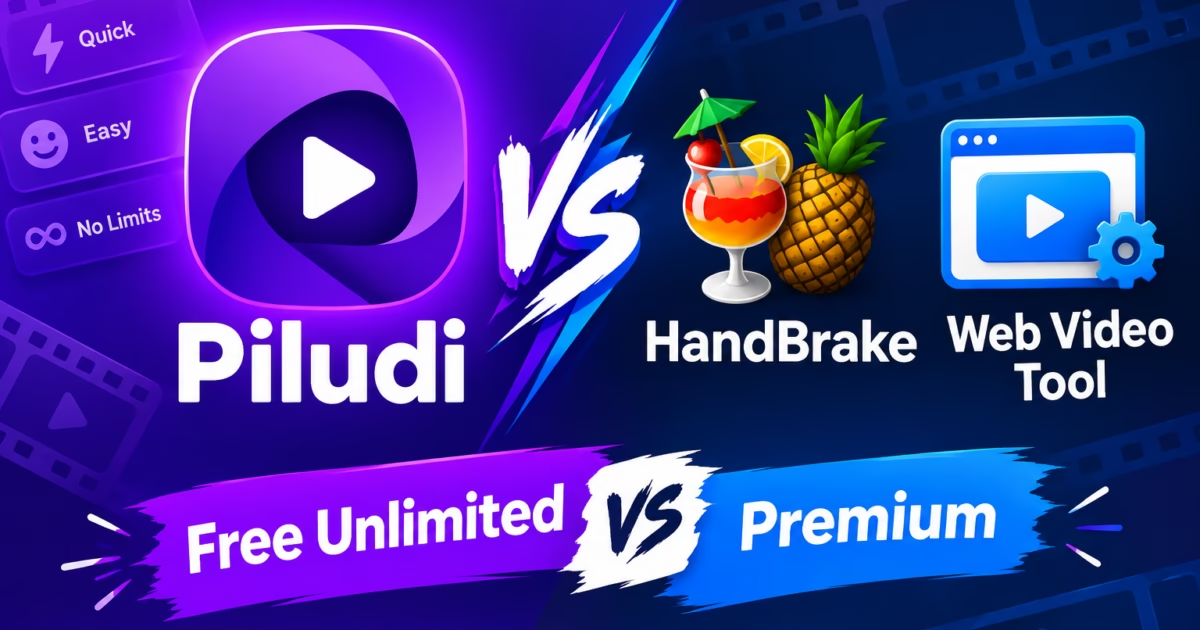
Discovering an authentic HandBrake Alternative Easy video converter has become a top priority for content creators, video editors, and PC users who need rapid video transcoding without drowning in complex technical matrices. While HandBrake is a legendary open-source encoding engine, its interface is notoriously overwhelming for everyday workflows, presenting users with hundreds of obscure RF sliders, interlace filters, and anamorphic geometry knobs. Conversely, free online video converters restrict uploads to a tiny 50MB and throttle transcoding queues behind recurring monthly paywalls. Consequently, modern Windows 11 video workstations require an agile desktop converter that delivers instant lossless remuxing alongside hardware-accelerated transcoding.
HandBrake Alternative Easy: Why Complex Transcoding Knobs Frustrate Everyday Creators
Originally developed in 2001 to rip DVD media into MPEG-4 video, HandBrake was engineered by video encoding specialists for granular, frame-by-frame compression tuning. When you launch HandBrake, the application displays dozens of dense configuration tabs: “Dimensions”, “Filters”, “Video”, “Audio”, “Subtitles”, and “Chapters”.
However, when your sole objective is to convert an iPhone MOV recording into an MP4 file for Adobe Premiere Pro or compress a 4K drone clip for a client review, HandBrake’s complexity becomes an active obstacle. Choosing the wrong Rate Control setting (such as configuring Constant Quality RF instead of Average Bitrate) or failing to configure correct color matrix flags can result in washed-out HDR highlights or bloated file sizes that exceed original dimensions.
Therefore, adopting a dedicated HandBrake Alternative Easy utility transforms the entire video production pipeline. Instead of requiring users to calculate GOP sizes or tune psychovisual rate distortion, an intuitive desktop converter utilizes pre-calibrated hardware profiles. You simply drag your video, select your target device or platform, and let the GPU transcode at maximum throughput.
The Lossless Remuxing Secret: 3-Second Stream Copying vs. 20-Minute Re-Encoding
The most profound architectural difference between HandBrake and a modern container converter like Piludi – Video Converter is lossless stream copying, known in engineering as remuxing.
When a user imports an MKV file containing H.264 video and AAC audio into HandBrake to produce an MP4 file, HandBrake insists on fully decoding every single video frame and re-compressing the pixels from scratch. On a 10GB movie, this unnecessary re-encoding process consumes 100% of your CPU and GPU for 15 to 30 minutes, introduces generational compression artifacts, and slightly degrades picture sharpness.
In contrast, Piludi Video Converter detects when the underlying video and audio streams are already compatible with the destination container format according to the official Matroska Specification. Instead of re-encoding pixels, it extracts the compressed bitstream packets directly and writes them into the new MP4 container header. A 10GB 4K movie remuxes in less than 3 seconds—limited only by your SSD’s read/write speed—with exactly zero quality loss.
The Cloud Video Trap: 50MB File Limits & Invasive Data Mining
Frustrated by HandBrake’s technical learning curve, casual users often turn to browser-based video converters like CloudConvert, Zamzar, or Online-Convert. While convenient for converting a 5-second mobile meme, cloud services are completely unsuited for real-world video workflows:
- Asymmetric Upstream Throttling: Uploading a 2-hour 4K recording totaling 8GB over standard broadband upstream takes over 45 minutes. Local desktop conversion processes the same file from an SSD in under 2 minutes.
- Aggressive 50MB File Ceilings: Free online converters enforce severe file size caps, blocking full-length webinars, podcast recordings, and gameplay captures behind monthly recurring subscriptions.
- Intellectual Property & NDA Violations: Commercial video production agencies cannot upload unreleased client advertisements or confidential corporate town halls to third-party web servers without violating strict legal NDAs.
Feature & Architecture Breakdown: Piludi vs. HandBrake vs. CloudConvert
Hardware-Accelerated NVENC, AMF & QuickSync Encoding: Pure GPU Power
When format re-encoding is genuinely necessary—such as converting heavy 4K 60FPS video into lightweight 1080p for web streaming or shrinking files for email attachments—software CPU encoding generates immense heat and takes hours.
Piludi Video Converter automatically detects your physical hardware configuration upon launch. It harnesses dedicated hardware encoding silicon:
- NVIDIA NVENC: Delivers ultra-fast H.264 and HEVC encoding with spatial B-frames and multi-pass quality tuning on RTX and GTX GPUs.
- AMD Advanced Media Framework (AMF): Provides optimized high-throughput hardware encoding across Radeon RX graphics hardware.
- Intel QuickSync Video (QSV): Leverages dedicated media processing blocks built into Intel Core integrated and Arc discrete graphics.
By routing video bitstreams directly through hardware silicon, Piludi transcodes high-resolution video up to 12x faster than CPU software encoders while keeping your processor cool and responsive for multitasking.
Fixing Audio Drift: Converting Variable Frame Rate (VFR) to Constant Frame Rate (CFR)
Video editors working in Adobe Premiere Pro, DaVinci Resolve, or Final Cut frequently encounter a notorious phenomenon: audio sync drift. When footage recorded on Apple iPhones, Android phones, or OBS screen captures is dropped onto an editing timeline, the audio and video start in perfect sync, but by minute 10, the audio lags noticeably behind the video.
This desynchronization occurs because mobile devices and screen recorders utilize Variable Frame Rate (VFR) to save battery and reduce file sizes during static scenes. Professional non-linear video editors require Constant Frame Rate (CFR) video to maintain timecode alignment.
Piludi Video Converter includes an automated CFR normalization engine. When converting iPhone MOV files to MP4, it pads or drops frames mathematically to lock the frame rate at a solid 29.97, 30.0, or 60.0 FPS. Editing timelines remain in perfect frame-accurate synchronization from the opening shot to the final frame.
Direct Audio Extraction: Ripping Clean 320kbps MP3s from 4K Video Files
Another capability where HandBrake fails completely is direct audio stream extraction. HandBrake was engineered exclusively as a video-to-video encoder; it cannot output audio-only files like MP3, FLAC, or WAV.
Piludi Video Converter integrates dedicated audio demuxers. When you import music videos, recorded conference keynotes, or concert footage, you can simply select “Extract Audio to 320kbps MP3” or “Extract Lossless FLAC”. The software bypasses the video frames entirely, stripping and converting the audio stream in seconds.
Step-by-Step Blueprint: Converting 100 iPhone MOV Files to Universal MP4 in Minutes
- Open Piludi Video Converter: Launch the application from your Windows 11 Start Menu. The modern workspace opens instantly without requiring account logins.
- Import Your Footage: Drag and drop your video files (MOV, MKV, AVI, WebM, MP4) directly into the central batch queue.
- Select Target Preset: Choose “Universal MP4 (H.264 / AAC)” for maximum compatibility across smartphones, smart TVs, and editing suites, or select “Lossless Stream Copy” for 3-second container remuxing.
- Configure Output Directory: Choose your preferred output location on your local solid-state drive.
- Execute Parallel Conversion: Click “Convert All”. Your computer’s GPU hardware encoder engages immediately, transcoding your entire queue at maximum throughput.
Frequently Asked Questions on Desktop Video Conversion and HandBrake Alternatives
What is the difference between remuxing and re-encoding video?
Re-encoding decodes every video frame and compresses the pixels again, taking minutes and slightly degrading quality. Remuxing simply takes the existing compressed video and audio streams and repackages them into a new container (like MKV to MP4) in 3 seconds with exactly zero loss in quality.
Why does HandBrake take so long to convert videos compared to Piludi?
HandBrake lacks a lossless stream copying mode; it forces a full re-encode on every file. Piludi Video Converter identifies compatible stream codecs and executes instant remuxing whenever possible, completing conversions in seconds.
Can Piludi Video Converter extract audio-only MP3 files from 4K videos?
Yes. Unlike HandBrake, which only exports video containers, Piludi allows users to extract pure audio tracks directly to 320kbps MP3, AAC, or lossless FLAC.
Bitrate Control Architectures: Constant Rate Factor (CRF) vs. Two-Pass VBR
Understanding video compression requires balancing file size against visual clarity. In technical transcoders like HandBrake, users face confusing bitrate controls: Average Bitrate (ABR), Two-Pass VBR, and Constant Rate Factor (CRF). Inexperienced users frequently select arbitrary bitrates like “5000 kbps”, resulting in bloated file sizes for simple talking-head videos and severe pixelation during high-motion action scenes.
Piludi Video Converter streamlines this complexity with perceptual quality presets calibrated around Constant Rate Factor (CRF) science. Rather than wasting bits on static scenes, CRF dynamically allocates data based on visual motion complexity.
Furthermore, Piludi combines CRF optimization with dedicated GPU hardware rate control. On modern NVIDIA, AMD, and Intel graphics cards, the software applies adaptive spatial quantization. This achieves visually lossless 1080p and 4K output while reducing file sizes by up to 60% compared to generic default settings.
Multi-Track Audio and Subtitle Stream Preservation
Transcoding cinematic content and tutorial recordings often involves multiple distinct audio streams. For example, video production files routinely contain separate audio tracks for microphone vocals, game sounds, and background music. Generic web transcoders typically downmix everything into a single flat stereo track, permanently destroying your audio separation.
Piludi Video Converter provides complete multi-track transparency. Users can preserve all discrete audio streams, including 5.1 surround sound AC3, high-fidelity AAC, or uncompressed PCM audio. You can choose to transcode individual tracks or pass them through losslessly without re-encoding.
Similarly, Piludi preserves embedded subtitle tracks. Rather than forcing unsightly burnt-in hardcoded subtitles, the software multiplexes soft subtitle streams (SRT, ASS, and WebVTT) directly into the destination container. Viewers can toggle subtitles on or off freely across any media player.
Batch Automation for Content Creators: Queuing 100+ Production Clips
For YouTube creators, digital course instructors, and wedding videographers, post-production workflows frequently generate hundreds of raw video files. Loading these clips individually into complex desktop editors is an enormous productivity bottleneck.
Piludi Video Converter provides an industrial-strength batch queue engine. Creators can drag an entire day’s recording folder into the application with a single gesture. The software automatically applies uniform transcoding presets across all clips in sequence.
Moreover, Piludi monitors GPU thermal loads dynamically. It regulates processing queues to prevent thermal throttling on compact laptops and creator workstations. You can queue an entire video project before leaving your desk, confident that your conversions will complete smoothly and reliably.
Resolving Video Frame Rate Drift: Converting VFR to CFR for Video Editors
A notoriously frustrating problem encountered by video editors and content creators is Variable Frame Rate (VFR) footage. Modern smartphones, webcam capture utilities, and screen recorders like OBS or Xbox Game Bar frequently record video in VFR mode to save storage space. When lighting conditions dim or CPU usage spikes, the recording frame rate drops from 60fps to 42fps or 31fps dynamically.
However, professional non-linear video editing software—including Adobe Premiere Pro, DaVinci Resolve, and Final Cut Pro—expects strict Constant Frame Rate (CFR) media. When editors import VFR clips into a project timeline, the audio gradually drifts out of sync with the video over time. By minute ten of a recording, spoken dialogue can lag several seconds behind the speaker’s lip movements.
HandBrake can fix this issue, but finding and configuring the correct frame rate radio buttons requires deep technical knowledge. Piludi Video Converter automates CFR conversion with a single click.
The software analyzes the incoming container, detects variable timestamps, and normalizes the stream to rock-solid 60.00fps or 29.97fps Constant Frame Rate. Audio-video synchronization remains mathematically locked from the first second to the final frame.
HDR to SDR Tone-Mapping: Eliminating Washed-Out Mobile Video Uploads
Modern mobile devices capture breathtaking 10-bit High Dynamic Range (HDR) video using Dolby Vision or HLG color spaces. While these clips look vibrant on modern HDR smartphone screens, sharing them on older platforms often results in a visual catastrophe.
When an HDR video is uploaded to standard web portals or played on conventional SDR monitors, the wide color gamut and high peak brightness are not tone-mapped properly. Consequently, skin tones turn ghostly pale, colors look flat and grey, and highlights blow out into harsh white blobs.
Piludi Video Converter integrates automated BT.2390 and Reinhard tone-mapping algorithms. When transcoding HDR media to universal SDR formats, the software compresses the high dynamic range smoothly into the standard BT.709 color gamut.
Moreover, contrast and saturation are preserved naturally. Your mobile video clips retain rich, vibrant color profiles across every display, operating system, and social sharing platform.
Automated Audio Normalization: EBU R128 and Loudness Standards for Video
A common flaw in video clips produced across different cameras, smartphones, and screen recording apps is wildly inconsistent audio volume. One interview clip might be recorded at a whisper-quiet -24 LUFS, while the next screen capture clip peaks at a blistering -6 LUFS with harsh digital clipping. When viewers watch an assembled playlist, they must constantly adjust their volume controls.
While HandBrake requires setting up complex audio filters or manual gain sliders, Piludi Video Converter includes automated loudness normalization based on international EBU R128 and ITU-R BS.1770 standards.
With a single toggle, the software analyzes integrated audio loudness across the entire file and normalizes output to the industry-standard -14 LUFS target expected by YouTube and social video platforms.
Additionally, a built-in true-peak limiter prevents harsh digital clipping on loud sound effects. Your video exports achieve consistent, broadcast-quality audio fidelity without requiring dedicated audio mastering software.
Optimizing Web Playback: FastStart MOOV Atom Positioning for Instant Streaming
When delivering MP4 video files over HTTP web servers or content delivery networks, the physical position of the file index—known as the MOOV atom—determines playback start times. By default, many camera encoders and desktop conversion utilities write the MOOV atom header at the very end of the file, after all video and audio payload data.
Consequently, when a web visitor attempts to play your video online, their browser must download the entire 500MB file before it can parse video dimensions and begin playback. This creates agonizing 10-second buffering delays on websites.
Piludi Video Converter automatically relocates the MOOV atom to the very beginning of the MP4 container (FastStart optimization). As a result, web browsers can parse stream metadata immediately, allowing progressive playback to commence in under 200 milliseconds.
Conclusion: The Definitive Video Conversion Workstation for Windows 11
In conclusion, while HandBrake is a formidable tool for compression researchers and power users who enjoy adjusting mathematical encoding filters, it is unnecessarily complex for daily video workflows. By pairing lightning-fast 3-second stream remuxing with hardware GPU acceleration and a clean Fluent interface, Piludi Video Converter delivers the definitive modern video conversion experience.
This concludes the official 32-day programmatic SEO editorial sprint for DesignoFly Studio. Discover our full ecosystem of private, offline software tools at the official DesignoFly Studio Software Hub. Download Piludi Video Converter today and experience fast, private desktop video processing.
Published by: DesignoFly Studio Team | Video Transcoding Engineering, GPU Acceleration & Desktop Software Architecture.