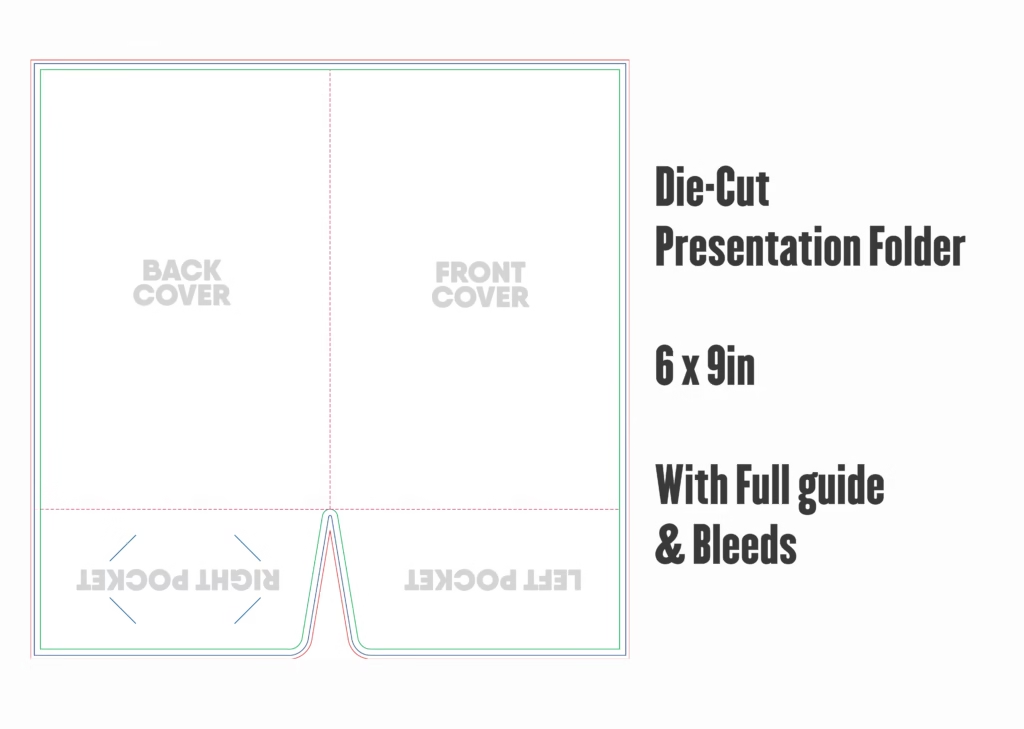
Looking for a compact, professional 6×9 presentation folder template for sales literature, boutique media kits, medical patient packets, or hotel welcome collateral? This 100% free vector dieline template is pre-calibrated to trade packaging standards. Built specifically to enclose standard 5.5″ × 8.5″ statement documents, half-letter pamphlets, invitations, and promotional inserts with clean balance and zero wasted space.
📐 6×9 Presentation Folder Size & Dimension Specifications
To ensure flawless commercial printing without white borders or cut-off graphics, follow the exact pre-calibrated print dimensions below. This template includes dual 3.00-inch deep pockets and calibrated glue flaps:
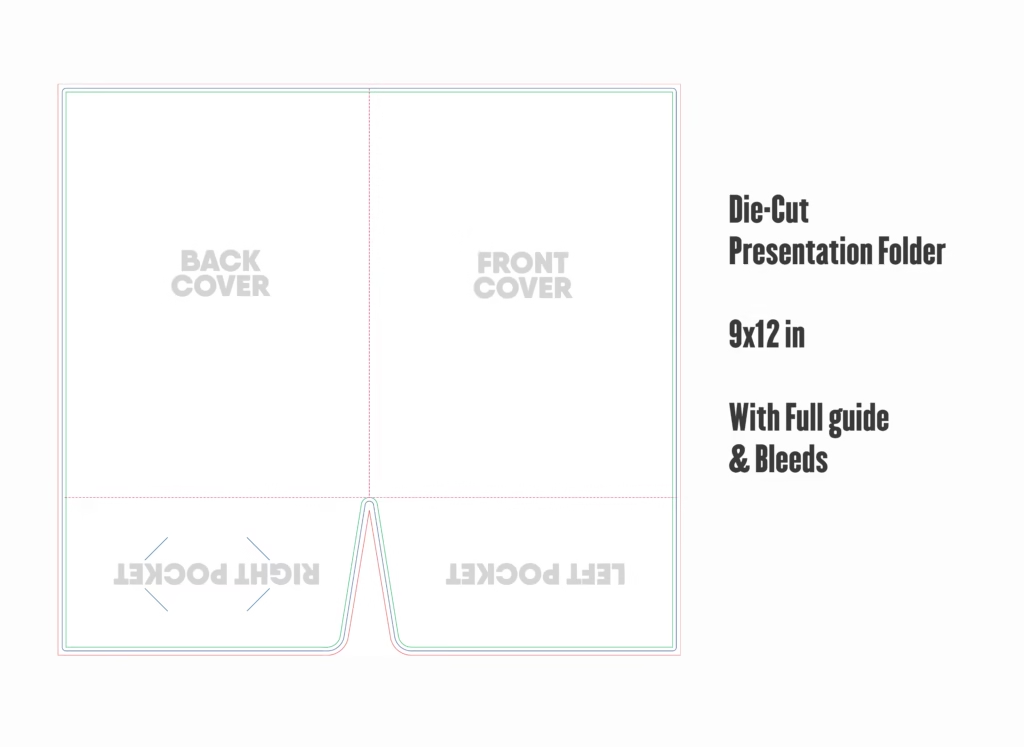
Outer Boundary
Extend your background colors and artwork out to this red guide boundary to prevent white unprinted paper edges after rotary die-cutting.
Die-Cut Blade
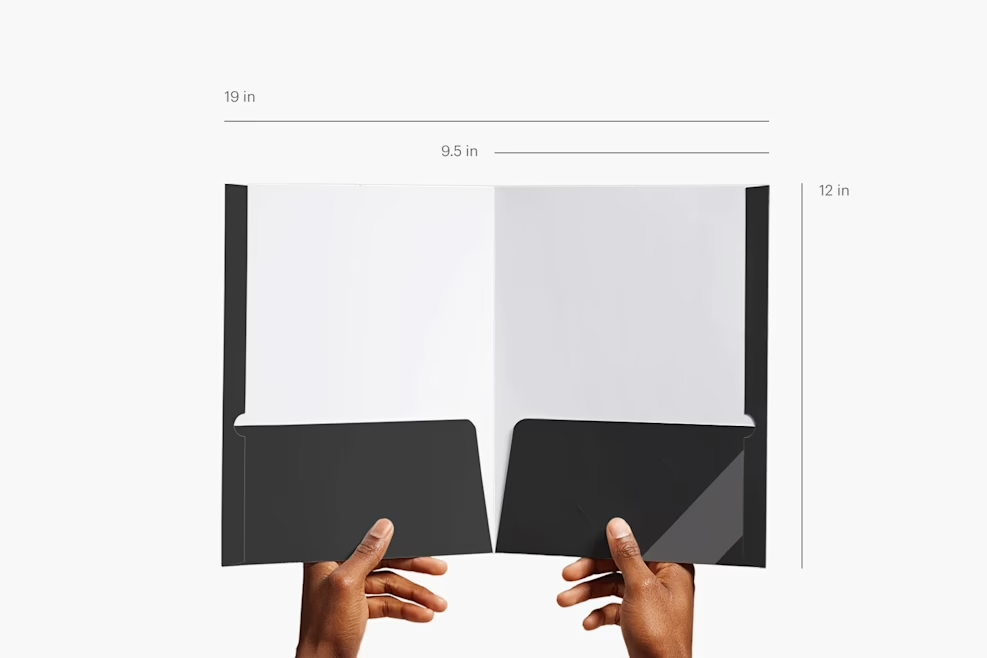
The physical cutting edge. When folded, the finished compact folder measures exactly 6.00″ wide by 9.00″ tall with twin 3.00″ high pockets.
Text & Logos
Keep all critical headlines, logos, contact details, and text at least 0.25″ inward from cut lines, spine score lines, and pocket edges.
📂 Template Layer Structure & Production Guidelines
Clean organization is critical when handing files over to automated print shops. This template features clearly isolated vector layers:
- DIELINE & CUT MARKS (DO NOT EDIT): Features the solid spot-color blade path for cutting and dashed lines for creasing and scoring. Set to Overprint Stroke so your artwork prints underneath seamlessly.
- GUIDES & DIMENSIONS: Displays safe margin visual guides, pocket boundary heights, and fold lines to speed up layout placement.
- ARTWORK (OUTSIDE SPREAD): Accommodates your Front Cover (Right Panel), Back Cover (Left Panel), and Spine.
- ARTWORK (INSIDE PANELS & POCKETS): Accommodates the interior spread and the dual 3.00″ folded pockets.
🛠️ Step-by-Step Tutorial: Customizing Your 6×9 Folder in Illustrator
Follow these four essential steps to create an immaculate 6×9 corporate folder layout:
Step 1: Verify Color Mode and Swatch Setup
Open 6x9-Presentation-Folder-Template.ai in Adobe Illustrator. Confirm that your color mode is set to CMYK (File > Document Color Mode > CMYK Color). For black backgrounds, use our calibrated packaging rich black (60% C, 40% M, 40% Y, 100% K). Never use RGB swatches on packaging dielines.
Step 2: Designing Front, Back, and Interior Panels
Place your visual assets on the dedicated artwork layers:
- Front Cover (Right 6″ × 9″ Panel): Position your company logomark, primary brand imagery, and project title. Keep all logos at least 0.25″ away from the top, right, and bottom cutting edges.
- Back Cover (Left 6″ × 9″ Panel): Ideal for office addresses, web URLs, certification badges, and social media icons.
- Interior Body Panels: Many designers leave the interior body unprinted white to save press costs, or apply a subtle tone-on-tone brand pattern that matches the pocket graphics.
Step 3: Styling the 3-Inch Pockets
The bottom flaps fold upward during assembly to form the 3.00″ interior pockets:
- The pocket faces appear at the bottom of the dieline spread. Ensure your typography is oriented right-side up.
- Keep graphics 0.25″ away from the side glue tabs to allow clean machine adhesive bonding.
- If adding business card slits, ensure standard 3.5″ × 2.0″ cards fit comfortably inside the 3.00″ pocket without protruding past the folder top edge.
Step 4: Converting Typography to Outlines
Before saving your final production PDF, select all text across all layers and press Ctrl + Shift + O (Windows) or Cmd + Shift + O (Mac) to convert all fonts into vector outlines. This guarantees that your typography will render exactly as intended on the printing press without font-loading errors.
🖨️ Commercial Pre-Press Specifications Checklist
- ✓ File Export Format: High-resolution PDF/X-1a:2001 with 300 DPI raster downsampling.
- ✓ Bleed Verification: Full bleed extension of 0.125″ on all outer edges (total flat size 12.25″ × 12.25″).
- ✓ Dieline Color: Dieline stroke formatted as 100% Spot Magenta set to Overprint.
- ✓ Ink Density Limit: Total ink coverage (TIC) kept below 300% across all color zones.
📦 Paper Stock, Weight & Coating Recommendations
- 14pt Heavy Cover Cardstock: Optimal rigidity for compact 6×9 folders, ensuring a firm, premium hand feel without excessive bulk.
- Matte Aqueous Coating: Shields the folder against scuffs and handling marks while maintaining a clean, anti-reflective executive appearance.
- Spot Gloss UV on Logos: Creates an eye-catching tactile contrast when applied over matte or velvet-laminated surfaces.
❓ Frequently Asked Questions (FAQ)
What sheet sizes fit inside a 6×9 presentation folder?
This folder is engineered for half-letter documents measuring 5.5″ × 8.5″ (standard letter sheets folded or cut in half), A5 flyers (5.83″ × 8.27″), trade show brochures, and custom sales cards.
Can I print on both the outside and inside of this folder?
Yes. The template supports both 4/0 (outside only) and 4/4 (full color outside and inside) printing configurations. Simply populate both the exterior and interior artwork layers in your Illustrator file.
Is this template compatible with Adobe InDesign and CorelDraw?
Yes. The package includes an editable vector EPS file that opens seamlessly in Adobe InDesign, CorelDraw, Affinity Designer, and other professional vector applications.
Can I use this dieline for commercial client packaging?
Yes. This template is 100% free for both personal and commercial production. You are free to design and manufacture folders for client branding projects without royalties or attribution.