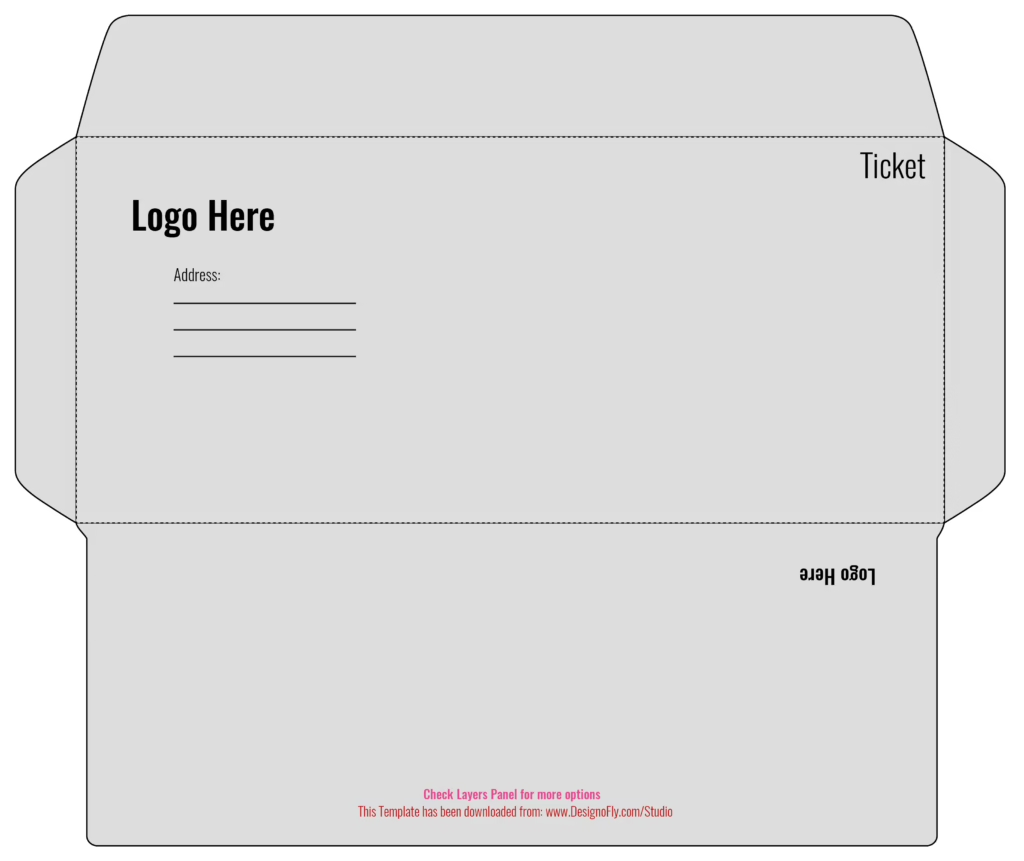
Looking for a precision-engineered dl envelope template for business correspondence, branded stationery, corporate invoicing, or direct mail marketing? This free vector template from DesignoFly Studio provides the exact commercial dieline blueprint for standard DL envelopes (9.0″ × 4.0″ / 220 mm × 110 mm). Specifically tailored to hold standard A4 or US Letter sheets folded neatly into thirds, delivering a polished corporate impression right out of the mailbox.
📐 DL Envelope Blueprint & Structural Dimensions
Envelopes require precise score lines and adhesive clearances to feed cleanly through automated mailing machines and insertion equipment. Review the exact dimensions below:
Outer Boundary
Extend all exterior background colors, security tints, and edge artwork out to this perimeter to ensure clean die-cutting without unprinted edges.
Commercial Size
The physical dimensions of the folded, sealed envelope. Features a standard commercial wallet flap and dual side seam glue flaps.
Postal Standards
Keep your return address and logo in the upper-left quadrant, leaving the center and lower-right zones clear for recipient addressing and postage automation.
📂 Structural Anatomy of the DL Envelope Dieline
When you open dl-envelope-template-9x4.ai in Adobe Illustrator, the vector dieline layout reveals all structural envelope components:
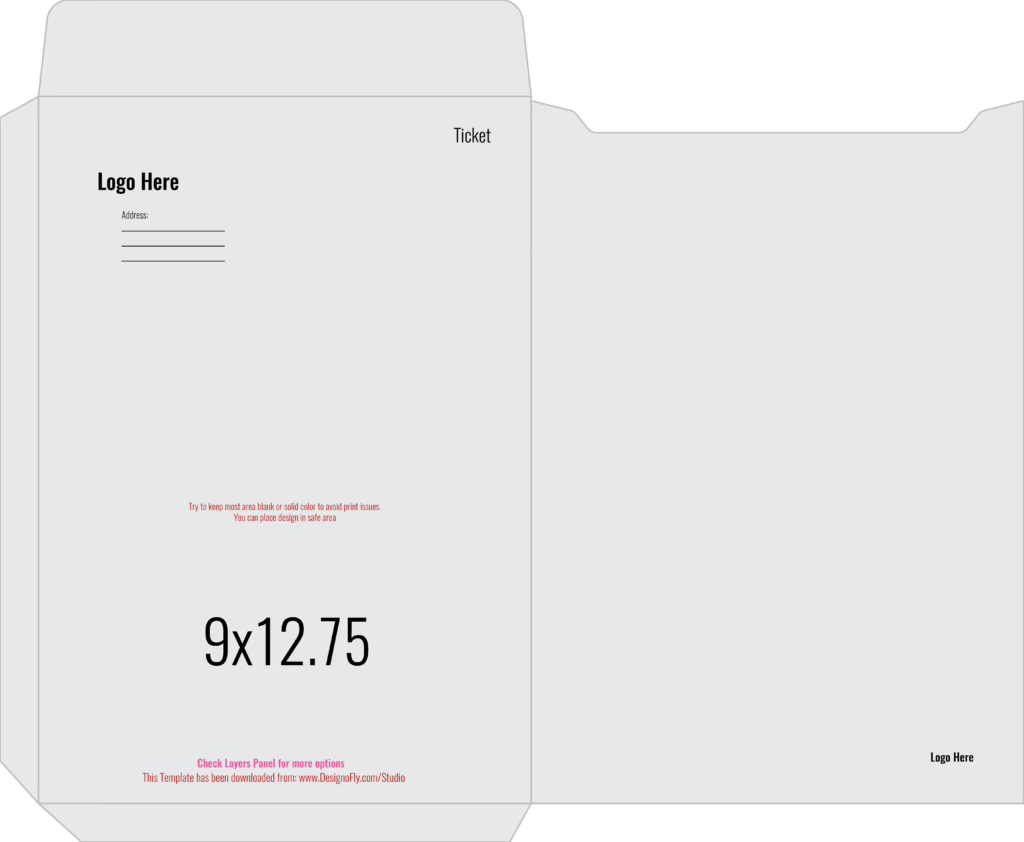
- Front Face Panel (9.0″ × 4.0″): The primary recipient-facing panel. Sized to hold return address marks in the upper left corner while reserving postal clear zones.
- Back Face Panel (9.0″ × 4.0″): Forms the rear of the envelope when folded upward along the bottom score line.
- Top Wallet Flap (1.50″ Depth): The sealing flap with tapered contour edges, pre-calibrated for moisture-activated gumming or peel-and-seal adhesive release liners.
- Side Seam Glue Flaps (0.50″ Each): Precision folding tabs on the left and right edges that adhere securely to the back panel during high-speed folding machinery assembly.
🛠️ Step-by-Step Tutorial: Customizing Your DL Envelope in Illustrator
Step 1: Open the Vector File & Verify CMYK Mode
Open the template in Adobe Illustrator. Confirm that File > Document Color Mode is set to CMYK Color. Commercial envelope converters run offset and flexographic printing on paper webs using CMYK inks.
Step 2: Adhering to Postal Clear Zones
To ensure your envelopes comply with USPS and international postal automated sorting machinery:
- Return Address: Position your company logo and return address in the upper-left corner, staying at least 0.25″ away from the top and left trim edges.
- Postage & Indicia Zone: Leave the top-right 1.5″ × 1.5″ area clear for physical postage stamps, meter strips, or printed postal permit indicia.
- Barcode Read Area: Keep the bottom 0.75″ of the envelope face free of heavy dark backgrounds, text, and decorative borders so postal barcode sorters can scan destination routing barcodes.
Step 3: Designing Interior Security Tints (Optional)
To prevent sensitive financial documents, checks, or legal correspondence from being readable through the paper, apply a repeating vector pattern or micro-text security tint to the interior layer of the dieline spread.
Step 4: Outlining Typography
Select all text objects across your artboard and press Ctrl + Shift + O (Windows) or Cmd + Shift + O (Mac) to convert all type into vector outlines before packaging the PDF.
🖨️ Commercial Pre-Press Specifications
- ✓ File Format: High-resolution PDF/X-1a:2001 with 300 DPI raster sampling.
- ✓ Bleed Setting: 0.125″ document bleed enabled across the flat spread.
- ✓ Spot Color Separation: Dieline strokes formatted as 100% Spot Magenta Overprint.
- ✓ Glue Flap Clearance: Zero heavy ink coverage on the side adhesive tab contact zones.
📦 Paper Stock Recommendations for Business Envelopes
- 70lb / 80lb Premium Uncoated Text: The commercial gold standard for executive corporate stationery, offering high opacity and smooth laser/inkjet printer compatibility.
- Linen or Laid Textured Stock: Imparts a distinguished, tactile weave pattern ideal for law firms, wealth management institutions, and luxury brands.
- 100% Recycled Kraft Paper: A rustic, eco-friendly option that communicates environmental stewardship.
❓ Frequently Asked Questions (FAQ)
What sheet size fits inside a DL envelope?
A DL envelope comfortably fits standard A4 paper (210 × 297 mm) or US Letter paper (8.5 × 11 inches) folded horizontally into thirds (tri-fold), holding up to 4–5 folded sheets easily.
Can I print on pre-converted envelopes using this template?
Yes. If your local print shop prints on pre-assembled blank DL envelopes rather than flat dieline sheets, you can use the Front Face and Flap artwork layers directly to align your corner logo and return address.
Can I add a clear address window to this template?
Yes. You can easily add standard window dieline guides (typically 4.0″ × 1.125″ positioned 0.75″ from the left edge and 0.50″ from the bottom) on the dieline layer for automated window-patching equipment.
Is this DL envelope dieline royalty-free for commercial use?
Yes. DesignoFly Studio provides this template under a 100% free commercial license. You may use it for client stationery designs, corporate branding packages, and direct mail campaigns without royalty fees.