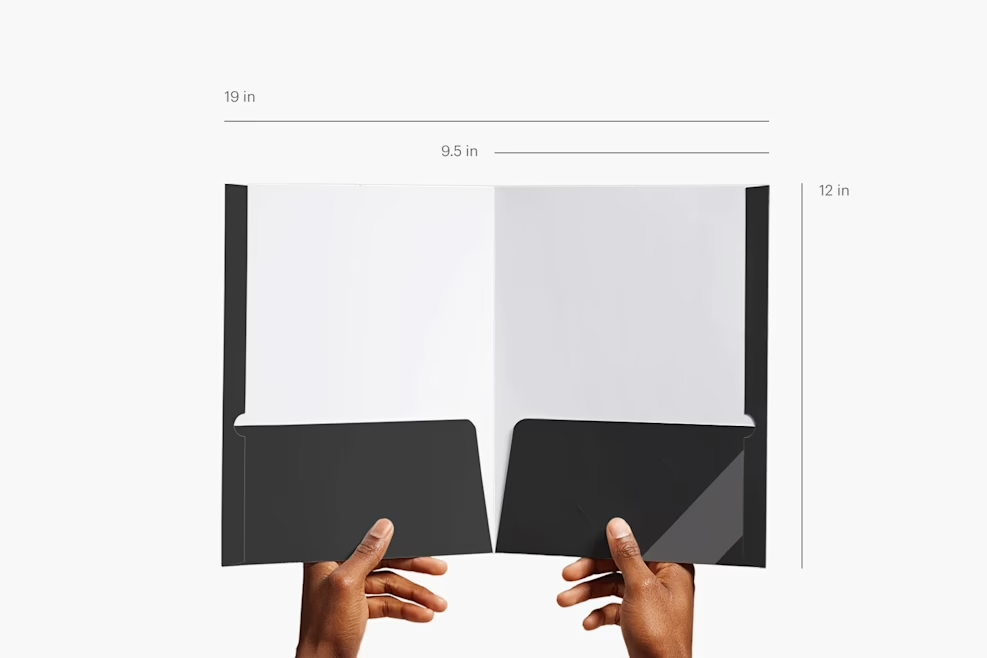
Looking for a spacious, professional presentation folder template 9.5×12 engineered to hold bulky multi-page contracts, corporate proposals, client portfolios, and glossy brochures? This free vector template from DesignoFly Studio delivers extra width (9.5″ × 12.0″ folded) to prevent insert page overhang, complete with twin 4.25-inch deep curved pockets, horizontal and vertical business card die-cut slits, and commercial score guides.
📐 9.5×12 Presentation Folder Blueprint & Dimensions
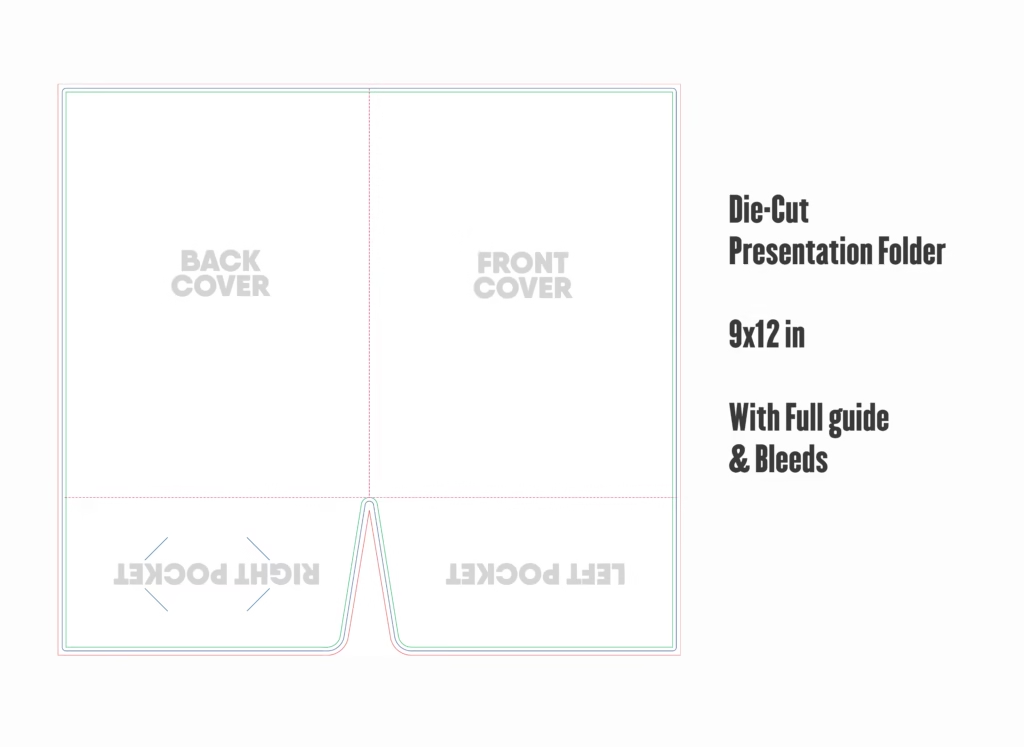
The extra 0.5-inch width ensures that stepped tab inserts, index dividers, and bulky bound booklets sit flush inside the folder without protruding past the trim edge:
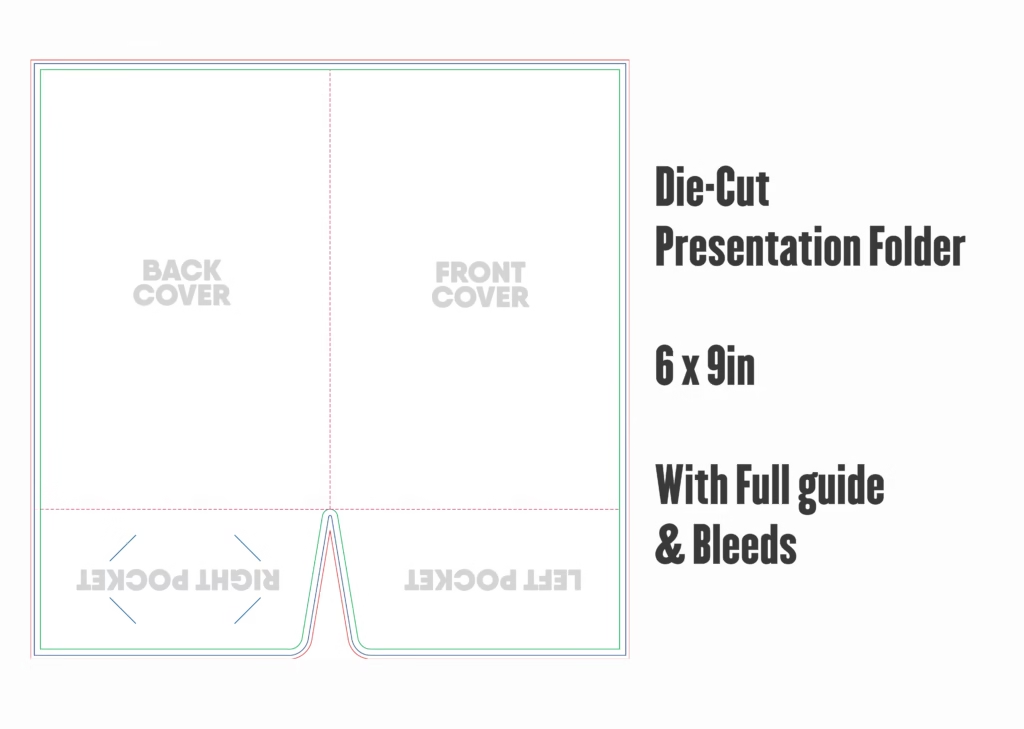
Outer Boundary
Extend all edge-to-edge background colors, photographs, and textures out to this boundary to prevent unprinted white edges during die-cutting.
Die-Cut Blade
The physical cutting edge before folding. When assembled, the closed folder measures 9.50″ wide by 12.00″ tall with twin 4.25″ internal pockets.
Critical Content
Keep all primary headlines, logos, corporate contact info, and legal disclaimers at least 0.25″ inward from all outer trim edges and pocket crease lines.
📂 Template Layer Structure & Pocket Anatomy
This vector package is organized into dedicated layers to streamline pre-press flight-checking:
- [DO NOT PRINT] DIE-LINE & CREASE GUIDES: Contains solid magenta cutting strokes and cyan dashed score/fold paths. Pre-set to Overprint Stroke so your background color prints underneath smoothly.
- SAFETY MARGIN GUIDES: Non-printing visual guides demarcating safe text areas and dual business card slit positions on the right pocket.
- ARTWORK (OUTSIDE SPREAD): Accommodates the Front Cover (Right Panel), Back Cover (Left Panel), and Center Spine.
- ARTWORK (INSIDE PANELS & POCKETS): Accommodates the interior spread and the twin 4.25″ deep folded pockets.
🛠️ Step-by-Step Tutorial: Customizing Your 9.5×12 Folder in Illustrator
Step 1: Open Template & Confirm CMYK Settings
Open 9.5x12-Presentation-Folder-Template.ai in Adobe Illustrator. Navigate to File > Document Color Mode > CMYK Color. Commercial printing presses operate in 4-color process; designing in RGB will cause severe color shifts when plates are imaged.
Step 2: Designing Front and Back Exterior Panels
The unfolded folder lays flat as one continuous spread:
- Front Cover (Right 9.5″ × 12″ Panel): Position your primary corporate logo, hero photography, and project title within the safe artwork boundary.
- Back Cover (Left 9.5″ × 12″ Panel): Place office locations, client testimonials, web URLs, and social media handles.
- Spine Transition: Ensure your background artwork or color fills span continuously across the center fold line to prevent cracked edges when folded.
Step 3: Styling the 4.25-Inch Pockets & Card Slits
The bottom flaps fold upward during finishing to create the pockets:
- Pocket artwork must be positioned right-side up on the dieline spread so it displays correctly after folding.
- Keep graphics clear of the side glue flaps: excessive coatings prevent packaging adhesives from bonding securely.
- The right pocket includes pre-calibrated die-cut slits that accept both horizontal and vertical standard 3.5″ × 2.0″ business cards.
Step 4: Outlining Fonts Before Press
Select all text across your artboard (Ctrl + A / Cmd + A) and press Ctrl + Shift + O (Windows) or Cmd + Shift + O (Mac) to convert fonts into vector shapes before packaging your print file.
🖨️ Commercial Pre-Press & Export Guidelines
- ✓ File Format: Export as PDF/X-1a:2001 with 300+ DPI raster sampling.
- ✓ Bleed Setting: 0.125″ document bleed enabled across the 19.25″ × 16.50″ flat spread.
- ✓ Dieline Attributes: 100% Spot Magenta Overprint verified in the Attributes panel.
- ✓ Ink Coverage: Total ink limit kept below 300% across all heavy background zones.
📦 Cardstock & Premium Finishing Recommendations
- 16pt Heavy Cover Cardstock: The optimal paperboard weight for 9.5×12 presentation folders, ensuring rigid support for thick document packages without drooping.
- Soft-Touch Velvet Lamination: Delivers a luxurious, fingerprint-resistant matte feel that protects the spine from cracking during heavy handling.
- Spot Gloss UV & Metallic Foil: Apply high-gloss Spot UV over logos or geometric patterns for striking visual contrast against matte backgrounds.
❓ Frequently Asked Questions (FAQ)
Why use a 9.5″ × 12″ folder instead of standard 9″ × 12″?
The extra 0.5-inch width provides essential breathing room for tabbed index dividers, multi-page spiral-bound booklets, and thick proposal stacks, preventing inserts from sticking out past the outer edge.
Does this template include business card slits on both pockets?
The default dieline includes business card slits on the right pocket. You can easily duplicate the vector slit paths onto the left pocket if you wish to showcase cards for multiple team members.
Can I print in full color on both the outside and inside?
Yes. This dieline supports full-color 4/4 printing. You can apply an interior color flood or repeating brand pattern across the inside spread for an elevated client experience.
Is this presentation folder template free for commercial client work?
Yes. DesignoFly Studio provides this vector template under an unrestricted 100% free commercial license. You can customize, print, and sell folders for corporate clients worldwide without royalty fees.