

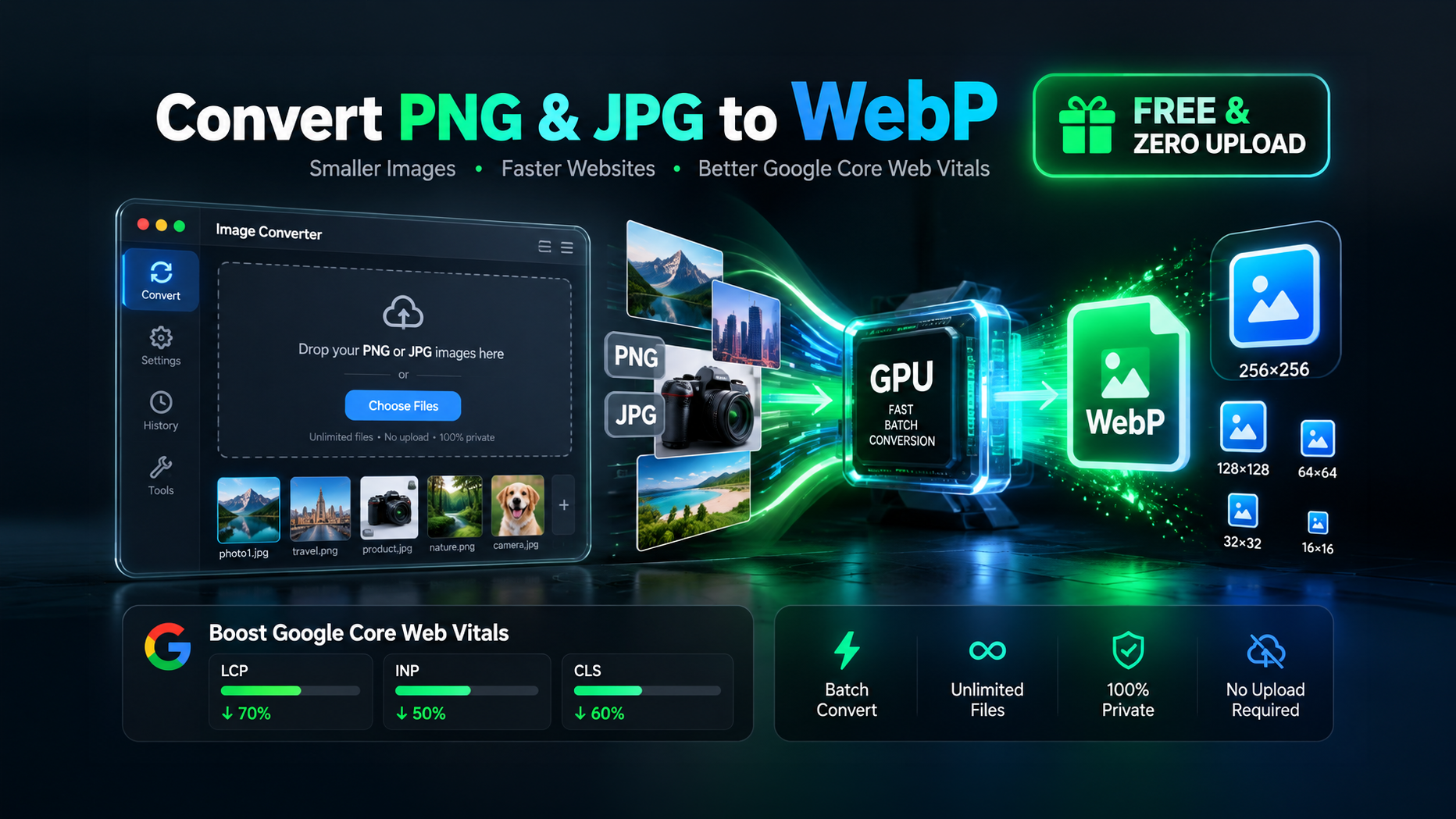
To convert PNG and JPG images to WebP in bulk and pass Google’s Core Web Vitals Largest Contentful Paint (LCP) threshold of ≤ 2.5 seconds, re-encode your entire image folder locally at 80%–85% WebP quality using a hardware-accelerated browser converter. Switching from uncompressed PNGs and legacy JPEGs to WebP cuts image payload weight by 30% to 85% at identical perceptual quality—shaving 0.5 to 1.8 seconds off mobile 4G load times without paying for image CDNs or uploading proprietary assets to cloud servers.
- Pass LCP at the 75th Percentile (p75): Keep above-the-fold hero images between 50 KB and 150 KB and in-content visuals between 20 KB and 80 KB to stay firmly in Google’s green zone.
- True Unlimited Batch Processing: Convert 50, 100, or 300+ PNG, JPG, AVIF, SVG, TIFF, and BMP files simultaneously and download a single clean ZIP archive with original filenames preserved.
- 100% Client-Side GPU Speed: Uses an offscreen HTML5 Canvas 2D and WebGL GPU rasterizer directly inside your local browser RAM—zero upload queues, zero daily quotas, and zero cloud retention.
Why Most “Free” Bulk Image Converters Break Real-World SEO Workflows
If you run a WordPress blog, a WooCommerce or Shopify store, or a headless Next.js site, you already know the drill. You export 65 product photos or blog screenshots from Photoshop or Figma, open Google Search Console, and get hit with a red “LCP issue: longer than 4s (mobile)” warning. You search for an image compressor online free to run a fast jpg to webp bulk pass—and immediately run into three frustrating walls built by the top-ranking incumbents:
- TinyPNG’s 20-File / 5MB Paywall (
tinypng.com): TinyPNG built tremendous developer goodwill over the last decade, which is why it ranks near the top of Google. In practice, however, the free web interface hard-caps you at 20 images per batch and rejects any file over 5 MB. If you are optimizing a 120-photo eCommerce catalog or high-resolution camera exports, you are forced to slice your folder into six separate uploads or pay for Web Pro. - Squoosh’s Single-File Bottleneck (
squoosh.app): Google Chrome Labs built Squoosh to showcase modern WebAssembly codecs, and its visual quality comparison is great for testing one hero banner. The fatal flaw? Squoosh processes only one single image at a time. There is no drag-and-drop batch queue, no folder processing, and no ZIP export. Trying to optimize 40 blog images one by one in Squoosh will burn an entire afternoon. - Cloud Upload Queues & Daily Minute Quotas (
cloudconvert.com,convertio.co,iloveimg.com): Programmatic converter giants rank for thousands of{format-A}-to-{format-B}pages, yet they force every single photo to travel over your uplink to remote servers. CloudConvert throttles free accounts to 25 conversion minutes per day, Convertio enforces a strict 100 MB ceiling and only 2 concurrent conversions, and iLoveIMG wraps free batch jobs in server queues and display ads.
When you are trying to ship a fast website—or optimize unreleased client product photography—uploading 150 images to a remote server just to run a lossy WebP quantization pass is slow, restrictive, and an unnecessary privacy leak. A modern client side image converter eliminates all three bottlenecks by moving the entire rasterization and compression pipeline onto your own computer’s GPU.
Core Web Vitals Math in 2026: Why WebP Is Your Fastest LCP Lever
Google evaluates Core Web Vitals using real-user field data from the Chrome User Experience Report (CrUX) measured at the 75th percentile (p75) over a rolling 28-day window. To pass, all three metrics must be green simultaneously across both mobile and desktop:
Notice how strict the p75 rule is: even if your site loads fast on your office fiber connection, if 26% of your visitors are browsing on mid-range smartphones over throttled 4G mobile networks, your entire URL group fails Core Web Vitals. And the business cost is measurable—published field studies show Vodafone lifted sales by 15% after cutting LCP by 31%, NDTV slashed bounce rates by 50% after cutting LCP by 55%, and Google’s own data shows 24% fewer page abandonments on sites passing all three metrics.
The Exact Download-Time Equation Behind LCP Failure
You do not need to guess why a 1.8 MB PNG hero banner ruins your mobile LCP score. Run the payload through the basic network transfer equation on a standard throttled mobile 4G connection (4,000 kbps, or roughly 500 KB/s effective throughput after TLS/TCP overhead):
Now compare the exact same 1920 × 1080 px hero graphic exported in four different formats:
Look at that math: simply running a raw 1,840 KB PNG through a png to webp converter at 82% quality drops transfer time from 3.68 seconds down to 0.28 seconds. You recover 3.4 seconds of your LCP budget before touching a single line of CSS or JavaScript.
Under the Hood: Hardware-Accelerated HTML5 Canvas 2D & WebGL GPU Rasterization
Why does the MetaoFly Image Converter & Compressor process a folder of 50 high-resolution files in seconds while cloud converters make you stare at a spinning upload progress bar?
MetaoFly executes a hardware accelerated webgl image pipeline entirely inside your browser’s local memory:
- Zero-Copy Local Blob Ingestion: When you drag a folder onto the canvas, the browser’s native File API maps each image directly into local RAM as an object URL without touching your network card.
- Offscreen GPU Decoding & Rescaling: An offscreen HTML5 Canvas 2D / WebGL surface decodes the source bitmap (
JPG,PNG,WebP,GIF,BMP,SVG,AVIF,TIFF,ICO) using your computer’s dedicated or integrated GPU. If you select a proportional scale (75%, 50%, 25%) or a maximum width constraint (e.g.,1200pxfor blog content), the GPU executes high-quality bicubic downsampling in parallel. - VP8 / VP8L WebP Quantization: The local encoder applies VP8 predictive intra-frame coding (for lossy WebP) or VP8L entropy coding (for lossless webp compression), discarding imperceptible high-frequency chroma noise while keeping sharp typography and edges intact.
- Multi-Layer Binary
.ICOContainer Packing: When you switch the output format to.ICO, the engine does not merely rename a PNG file. It rasterizes your transparent logo into four distinct embedded bitmaps (16×16, 32×32, 48×48, and 64×64) and packs them into a single standards-compliant Windows binary icon directory (ICONDIR+ICONDIRENTRYheaders). - Local DEFLATE ZIP Assembly: All converted blobs are packaged into a single downloadable ZIP file in RAM with your original SEO filenames preserved (
product-shoe.png→product-shoe.webp).
Step-by-Step: How to Batch Convert PNG & JPG to WebP in Under 60 Seconds
MetaoFly is engineered with a clean 2-Column Desktop / 1-Column Mobile Layout (Live Interactive Stage on the left, Fine-Tuning Controls on the right) and a Zero-Popup In-Field Download. Here is the exact practitioner workflow to reduce photo size in kb across an entire folder:
Step 1: Open the Workspace & Drop Your Image Batch
Launch the MetaoFly Image Converter & Compressor ↗. Drag and drop your entire folder of PNG, JPG, AVIF, SVG, TIFF, or BMP files onto the Left Interactive Stage. There is no 20-file limit and no 5 MB file cap—even 100+ mixed-format files mount immediately at local SSD speed.
Step 2: Select WebP Output & Dial In the Quantization Slider
In the Right Fine-Tuning Panel, set your Target Format to WebP. Adjust the Quality Slider (10% to 100%) based on your asset type while watching the live estimated byte savings update:
- 80% – 85% (The SEO Sweet Spot): Visually indistinguishable from the original for photographs, product shots, and hero banners while cutting file weight by 70%–85%.
- 90% – 100% (Near-Lossless / Lossless): Ideal for crisp UI screenshots with small 11px text, financial charts, or technical diagrams where JPEG-style ringing artifacts would look messy.
- 65% – 75% (Aggressive Mobile Compression): Best for background textures, blurred hero backdrops, or secondary gallery thumbnails where sub-40 KB weight matters most.
Step 3: Right-Size Oversized Dimensions (Stop Shipping 4000px Images to Phones)
One of the biggest hidden LCP killers is uploading a 4032 × 3024 px smartphone photo into an 800 px-wide blog container. Inside the Right Panel, toggle Dimension Rescaling to lock a sensible maximum width (e.g., 1600px for full-bleed hero images, 1200px for standard blog images, or 800px for eCommerce thumbnails) or apply a quick proportional step (75%, 50%, 25%).
Step 4: Execute GPU Conversion & Download Your Clean ZIP Archive
Click Convert All. Your browser’s local GPU rasterizer processes the entire queue in milliseconds and reveals an In-Field Download Card right on the stage. Download individual converted images or click “Download All as ZIP” to pull your entire batch image converter zip package with filenames intact—ready to upload straight to WordPress, Shopify, or your Git repo.
The 30-Second F12 DevTools Privacy Verification Test
If you are optimizing unreleased client brand assets, private ID scans, medical imagery, or NDA product prototypes, you should never blindly trust a website’s privacy policy. Verify that MetaoFly executes 100% locally in 30 seconds:
- Open MetaoFly Image Converter & Compressor ↗ in Chrome, Edge, Brave, or Firefox.
- Press
F12(Windows/Linux) orCmd + Option + I(Mac) to launch Developer Tools and switch to the Network tab. - Check Preserve log and click the clear icon (
🚫) to wipe initial page-load requests. - Drag 10 PNG or JPG files onto the stage, set output to WebP (82%), convert them, and download the ZIP.
- Inspect the Network Log: You will see zero outbound
POSTupload requests and 0 bytes transmitted to any external server. You can even switch your browser to Offline mode in DevTools after the page loads and continue converting unlimited batches locally.
Head-to-Head Competitor Comparison Matrix (2026)
How does MetaoFly perform as a tinypng unlimited alternative, squoosh batch alternative, and iloveimg alternative?
3 Real-World Industry Use Cases & Recommended Parameter Presets
1. eCommerce Store Owners (Shopify, WooCommerce & Etsy)
- The Challenge: Product category pages frequently load 24 to 48 high-res gallery thumbnails at once. Unoptimized 1.5 MB supplier PNGs push mobile page weight over 30 MB, crushing conversion rates and Google Shopping Quality Scores.
- Recommended Preset (
ecommerce product image optimizer): Drop the entire SKU folder into MetaoFly → Output Format: WebP → Quality: 82% → Max Width:1200px(for zoomable product shots) or600px(for collection grid thumbnails) → Export as ZIP. Expect a 75% to 88% reduction in total catalog weight with crisp fabric and product textures intact.
2. Frontend Developers, WordPress Admins & Technical SEOs
- The Challenge: Passing core web vitals image optimization audits while simultaneously needing legacy browser/app icon compatibility and clean asset conversions.
- Recommended Preset:
- Blog & Landing Page Assets: Convert hero PNGs/JPGs to WebP at 82% (target 50 – 150 KB hero; 20 – 80 KB body images).
- Multi-Resolution Favicons: Drop your transparent brand mark into MetaoFly as a png to ico favicon generator and transparent favicon maker 16×16 32×32 to export a crisp multi size windows ico (16×16, 32×32, 48×48, 64×64) in one click.
- Legacy Format Rescue: Quickly convert avif to png for older CMS uploads, run a svg to png high resolution raster pass for Open Graph social cards, or use it as a tiff to jpg converter and bmp to png converter for legacy client files.
3. Photographers, Print Studios & Creative Agencies
- The Challenge: Delivering lightweight web preview galleries to clients without exposing unapproved shoots to third-party cloud servers, while keeping master print files strictly at 300 DPI.
- Recommended Preset: Use MetaoFly’s browser tool to batch-generate sub-150 KB WebP proofs for web portfolios locally in seconds. When your workflow requires decoding heavy DSLR Camera RAW dumps (
CR2,NEF,ARW), multi-layerPSDfiles, or stamping exact 300 DPI print metadata offline, switch to our companion desktop piludi image converter raw and 300 dpi print converter app.
Pro Troubleshooting: 3 Image Mistakes That Still Ruin Core Web Vitals After WebP Conversion
Converting to WebP solves 80% of image bloat, but even a 90 KB WebP file will fail Google Search Console’s Core Web Vitals assessment if you make these three common HTML mistakes:
- Lazy-Loading Your Above-the-Fold Hero (LCP) Image: WordPress and many page builders automatically attach
loading="lazy"to everyloading="lazy"on your primary hero banner forces the browser to delay fetching your LCP element until layout finishes—adding 400 ms to 1,200 ms of artificial lag. Fix: Removeloading="lazy"from your hero image and addfetchpriority="high"(plus atag in). - Omitting Explicit
widthandheightAttributes (The CLS Killer): Even a tiny WebP loads asynchronously. If your HTML omitswidth="1200" height="630"(or CSSaspect-ratio), the browser renders text at the top of the screen and violently shoves it downward once the image arrives, spiking CLS above 0.1. Fix: Always declare native pixelwidthandheightattributes on every - Re-Compressing an Already Heavily Compressed JPG at Low Quality: Running a 60% quality JPEG through a 60% WebP pass creates double-quantization artifacts (“mosquito noise” around text and edges). Fix: Always start from your cleanest master file (original PNG, SVG, or 95% JPG) before running a single clean WebP pass at 80%–85%.
Complete Your Image Performance Stack (Internal Tools & Piludi Desktop Bridge)
- Need Platform-Exact Dimensions Before Compressing? Frame your visuals with live 2026 Instagram, YouTube, TikTok, and LinkedIn UI safe-zone overlays first in our Social Media Image Resizer & Cropper ↗, then compress the batch to WebP.
- Publishing Original Camera Photos to Your Blog? Strip hidden GPS home coordinates and bloated camera header bytes locally before compressing using our EXIF Metadata Viewer, GPS Stripper & Privacy Blur Studio ↗.
Frequently Asked Questions (FAQ)
How much does converting PNG and JPG to WebP actually improve Google Core Web Vitals?
Converting uncompressed PNGs to 82% quality WebP typically cuts file sizes by 70% to 90%, while converting standard JPEGs to WebP saves an additional 25% to 35% at identical visual quality. On a 4G mobile connection, shrinking a hero image from 1.8 MB to 140 KB shaves over 3 seconds off Largest Contentful Paint (LCP), moving failing pages cleanly under Google’s ≤ 2.5 s green threshold.
Does WebP support transparent backgrounds like PNG?
Yes. Unlike JPG, WebP natively supports a full 8-bit alpha transparency channel in both lossy and lossless modes. You can convert transparent logos, UI icons, and eCommerce product cutouts from PNG to WebP and slash file weight by 60% to 80% while keeping razor-sharp transparent edges.
What is the best WebP quality percentage for websites in 2026?
For photographs, blog thumbnails, and eCommerce product images, 80% to 85% is the optimal sweet spot—delivering massive byte savings with zero perceptible compression artifacts on Retina screens. For UI screenshots containing small text, diagrams, or logos, use 90% to 95% or lossless WebP compression.
Can I batch convert 50 or 100 images to WebP at once for free?
Yes. Unlike TinyPNG (capped at 20 files / 5 MB) or Squoosh (1 file at a time), MetaoFly Image Converter & Compressor uses your local browser’s WebGL GPU and RAM to process unlimited batches of PNG, JPG, AVIF, SVG, TIFF, and BMP files simultaneously and exports everything in a single ZIP archive.
Is WebP supported by all modern browsers in 2026?
Yes. WebP has over 97% global browser support across Chrome, Safari (macOS and iOS), Firefox, Edge, and Opera, as well as native upload support in WordPress, Shopify, Webflow, and modern headless frameworks like Next.js and Astro. You can safely deploy WebP as your primary web image format.