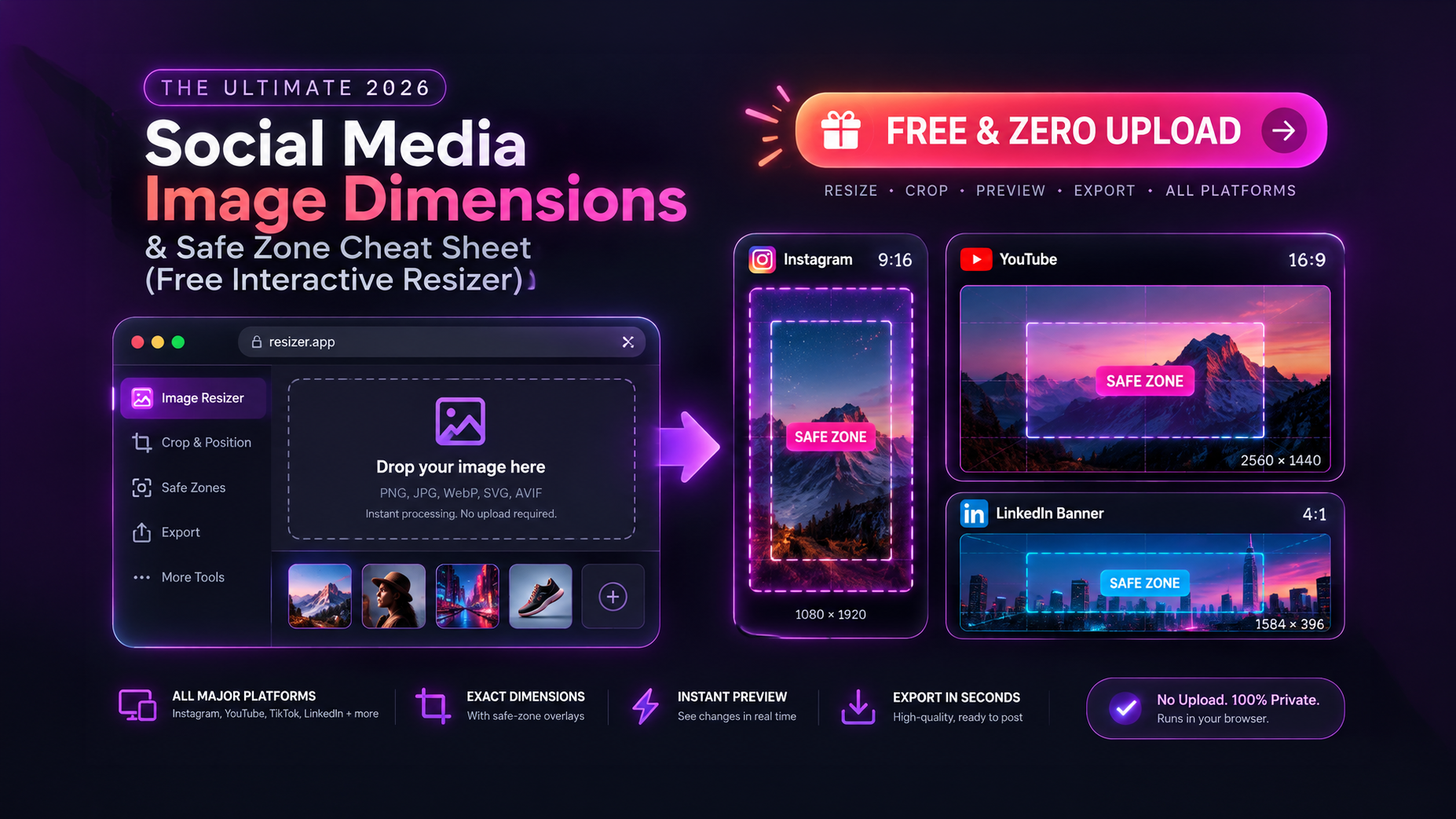
To resize a single image for Instagram, YouTube, TikTok, LinkedIn, and X in under 60 seconds without paying for Canva Pro Magic Resize or chopping off crucial text, load your graphic into a client-side multi-platform resizer with live 2026 UI safe-zone overlays and Gaussian blur background padding. Instead of destructively cropping a 16:9 landscape banner into a 9:16 vertical Reel, smart canvas padding preserves 100% of your original artwork while previewing exact button, caption, and avatar dead zones before you export.
- Zero Subscription Lockout: Get instant one-click multi-platform resizing without paying $120/year for Canva Pro or accepting Kapwing watermarks.
- Live 2026 Safe-Zone HUD: Toggle interactive overlays that show the exact coordinates where TikTok right-rail icons, Instagram Reel captions, YouTube duration badges, and LinkedIn profile avatars cover your design.
- No Awkward Cropping: Fit widescreen 16:9 graphics into 4:5 portrait posts or 9:16 vertical stories using Gaussian blur background padding, solid brand fills, or precision pan-and-zoom framing—processed 100% locally in your browser RAM.
The “Canva Pro & Cropped Caption” Trap: Why Generic Resizers Ruin Social Graphics
Every creator, social media manager, and performance marketer runs into the exact same distribution bottleneck every week. You spend forty minutes designing a sharp 1920 × 1080 px (16:9) YouTube thumbnail or campaign hero graphic. Now you need to distribute that exact same visual across an Instagram 4:5 feed post, an Instagram Reel cover (9:16), a TikTok promo slide (9:16), a LinkedIn company banner (1584 × 396), and an X/Twitter header (3:1).
When you search Google for a social media image resizer or a canva magic resize free alternative, the top-ranking pages fall into two frustrating traps:
- Aggressive Paywalls & Watermarks (
canva.com,kapwing.com,fotor.com): Canva built massive search authority around multi-channel design, yet its Magic Switch / Magic Resize button is locked behind a $120/year Canva Pro paywall. If you turn to Kapwing (kapwing.com/tools/resize), the free tier stamps an intrusive Kapwing watermark onto your export unless you sign up and pay $16/month. Fotor (fotor.com) lets you preview crops, then gates high-resolution downloads and batch exports behind paid credits. - Blind Dimension Croppers (
iloveimg.com,birme.net,imageresizer.com): Legacy utility sites treat resizing as a dumb pixel-stretching or center-cropping math problem. They have zero awareness of platform UI occlusion. You export a technically “correct” 1080 × 1920 px image, upload it to TikTok or Instagram Reels, and immediately discover that your bold headline is buried behind the creator’s profile handle at the bottom or covered by the Like/Comment/Share buttons on the right rail.
Worse still, almost all of these web utilities upload your unreleased campaign creative to remote cloud servers. A dedicated client side image cropper and multi platform aspect ratio tool solves both problems at once: it keeps your unpublished brand visuals inside local browser RAM while rendering a creator safe zone hud directly over your canvas before you export a single pixel.
The Master 2026 Social Media Image Dimensions & Safe-Zone Cheat Sheet
Before touching a slider, you need the exact pixel specifications and UI dead-zone margins enforced by major social algorithms in 2026. Bookmark this social media image sizes 2026 reference table—every preset below is built directly into MetaoFly’s viewport engine:
Why Safe-Zone Math Matters: The Area Loss Calculation
Consider what happens when you take a standard 1920 × 1080 px (16:9) YouTube thumbnail and force-crop it to fill a 1080 × 1920 px (9:16) TikTok or Instagram Reel canvas without padding:
Force-cropping a 16:9 graphic to 9:16 discards 68.36% of your horizontal artwork. Any speaker standing on the left third of the frame or any headline on the right third is sliced completely off-screen. By contrast, using Gaussian blur background padding inside a multi platform aspect ratio tool scales your full 16:9 graphic to fit the 1080 px width (1080 × 608 px centered vertically inside the safe zone) and fills the top and bottom 656 px bands with a color-matched, hardware-blurred replica of the same image. You retain 100% of your original visual information while delivering native full-screen vertical immersion.
Under the Hood: Interactive Multi-Platform Viewport Canvas & Gaussian Blur Engine
The MetaoFly Social Media Image Resizer & Cropper eliminates server queues and subscription walls by running an Interactive Multi-Platform Viewport Canvas Engine directly inside your browser’s local RAM and GPU:
- Non-Destructive Source Mounting: When you drop a high-resolution PNG, JPG, or WebP onto the stage, the browser mounts the original pixel buffer in local memory. Switching between 16:9, 4:5, 9:16, 3:1, and 1:1 presets recalculates viewport matrices non-destructively—you never lose image sharpness when testing multiple layouts.
- Real-Time Safe-Zone HUD Compositor: Selecting any social preset renders a vector Heads-Up Display (HUD) mask directly over the interactive canvas. The HUD highlights exact forbidden zones (such as YouTube’s bottom-right timestamp box, LinkedIn’s bottom-left avatar circle, and TikTok’s bottom caption/right engagement stack) in translucent red/amber guides that appear only in your editor and never burn into your final exported file.
- Dual-Layer Gaussian Blur Canvas Synthesis: When you want to resize image for instagram without cropping or adapt a horizontal photo to 9:16, the canvas draws a scaled, GPU-accelerated Gaussian-blurred base layer (
filter: blur(28px)) to fill the target aspect ratio, then composites your crisp, uncropped foreground graphic centered inside the safe area—or lets you switch to solid brand hex colors or a transparent alpha canvas. - Zero-Watermark Retina Export: Clicking export serializes the exact target pixel dimensions (1080 × 1350, 2560 × 1440, 1584 × 396, etc.) directly from the offscreen HTML5 Canvas to your downloads folder with zero watermarks.
Step-by-Step: How to Resize One Image for Instagram, YouTube & TikTok in Under 60 Seconds
MetaoFly follows a clean 2-Column Desktop / 1-Column Mobile Layout—with your live interactive canvas and safe-zone HUD on the Left Stage and platform presets, padding modes, and transform sliders on the Right Panel—plus a Zero-Popup In-Field Download. Here is the exact workflow to generate pixel perfect social graphics across every channel:
Step 1: Open the Studio & Drop Your Master Graphic
Launch the MetaoFly Social Media Image Resizer & Cropper ↗. Drag and drop your master PNG, JPG, or WebP file onto the Left Interactive Stage. Even large 4K (3840 × 2160 px) campaign files load instantaneously from your local disk without any internet upload wait time.
Step 2: Select Your First Platform Preset & Toggle the Safe-Zone HUD
In the Right Fine-Tuning Panel, click your target platform preset (for example, Instagram Portrait 4:5 (1080 × 1350), TikTok / Reels 9:16 (1080 × 1920), or YouTube Thumbnail 16:9 (1280 × 720)). Toggle the Safe-Zone HUD Overlay switch ON. Immediately inspect whether your headline, product, or face sits cleanly inside the unobstructed green safe area.
Step 3: Choose Between Precision Crop or Gaussian Blur Padding
Depending on your layout, pick the framing mode that protects your composition:
- To Resize Without Cropping (
gaussian blur background padding): Select Fit / Blur Backdrop. Your entire graphic scales cleanly to fit inside the frame with zero edge loss, surrounded by a smooth, color-harmonized Gaussian blur border (or a custom solid brand color). - To Fill the Frame (
freeform online image cropper): Select Fill / Crop, then drag directly on the Left Stage to pan your subject horizontally or vertically and use the zoom slider to frame the focal point while keeping text clear of the Safe-Zone HUD. You can also apply instant 90° rotation or horizontal/vertical mirroring.
Step 4: Export Pixel-Perfect Assets One-by-One or in a Batch
Click the In-Field Download button beneath the Left Stage to save your finished graphic immediately—no account registration, no popups, and no watermarks. Need all formats at once? Use the batch social media resizer export option to generate your 1:1, 4:5, 9:16, and 16:9 variants in one pass.
The 30-Second F12 DevTools Privacy Verification Test
Marketing agencies, SaaS founders, and creators frequently resize unannounced product launch banners, embargoed pricing graphics, and unreleased YouTube thumbnails before go-live dates. Uploading those files to cloud design tools exposes confidential assets to external servers. Verify that MetaoFly processes everything 100% locally in 30 seconds:
- Open MetaoFly Social Media Image Resizer & Cropper ↗ in Chrome, Edge, Brave, or Firefox.
- Press
F12(Windows/Linux) orCmd + Option + I(Mac) to open Developer Tools and click the Network tab. - Check Preserve log and click the clear icon (
🚫) to wipe existing entries. - Drop a high-resolution image onto the canvas, switch presets to TikTok 9:16, enable Gaussian Blur Padding, and click Download.
- Inspect the Network Log: You will see zero outbound
POSTupload requests and 0 bytes transmitted over the internet. Every pixel transformation, blur pass, and canvas export runs strictly inside your computer’s local RAM.
Head-to-Head Competitor Comparison Matrix (2026)
How does MetaoFly compare as a no watermark photo resizer and canva magic resize free alternative against the top social media image tools?
3 Real-World Creator & Marketing Playbooks (With Exact Presets)
1. Multi-Channel Creators & Social Media Managers (1 Graphic → 4 Feeds)
- The Challenge: Turning a single 16:9 podcast or blog promo graphic into native posts for Instagram Feed, Instagram Stories/Reels, TikTok, and X without hiring a designer to rebuild four separate artboards.
- Exact Workflow:
- Load your 1920 × 1080 px graphic into MetaoFly.
- Export Instagram Portrait (4:5 — 1080 × 1350 px) using Gaussian Blur Background Padding so the full headline stays readable and claims 25% more vertical scroll space than a square post.
- Switch to TikTok / Reels (9:16 — 1080 × 1920 px), turn on the tiktok safe zone overlay, and verify your graphic sits centered between the top 220 px and bottom 480 px UI bars.
- Export X / Twitter Post (16:9 — 1600 × 900 px) at native framing. Total elapsed time: under 45 seconds.
2. YouTubers Optimizing Channel Banners & High-CTR Thumbnails
- The Challenge: Designing a 2560 × 1440 px YouTube channel banner that looks cinematic on a 65-inch Smart TV without having your upload schedule or social handles sliced off on an iPhone screen.
- Exact Workflow: Select the YouTube Banner (2560 × 1440 px) preset and activate the Safe-Zone HUD. Position your channel name, tagline, and core icon strictly inside the highlighted 1546 × 423 px center safe zone while letting your background texture bleed out to the full 2560 × 1440 px edges. For individual videos, switch to YouTube Thumbnail (1280 × 720 px) and keep critical faces or numbers out of the bottom-right timestamp corner.
3. LinkedIn Founders & B2B Agencies Fixing Profile Avatar Overlap
- The Challenge: Uploading a sleek 1584 × 396 px LinkedIn header banner only to realize your company value proposition on the bottom left is completely hidden behind your circular headshot on mobile screens.
- Exact Workflow: Load your header into the linkedin banner resizer 1584×396 preset. With the Safe-Zone HUD enabled, shift your typography and call-to-action to the center-right two-thirds of the banner, leaving the bottom-left 400 × 220 px zone clear for your profile avatar across both desktop and mobile viewports.
Pro Troubleshooting: 3 Social Media Cropping Mistakes That Ruin Engagement
- Ignoring Instagram’s Profile Grid Aspect Ratio Shift: Even when you upload a 1080 × 1350 px (4:5) portrait image to the Instagram feed, Instagram’s profile grid displays a tighter centered crop of that post. Fix: Keep your primary subject and any headline text centered vertically inside the middle 1080 × 1080 (or 3:4) core zone shown by the Safe-Zone HUD so your profile grid looks clean and intentional.
- Leaving Empty Black Bars on 9:16 Vertical Conversions: Placing a 16:9 landscape graphic inside a 9:16 canvas with harsh black bars triggers “low-effort cross-post” fatigue and causes viewers to swipe past immediately. Fix: Always toggle Gaussian Blur Background Padding or match your brand’s primary hex color so the full 1080 × 1920 px screen feels cohesive and native.
- Uploading Bloated 6 MB PNGs That Trigger Platform Compression Artifacts: If you upload an oversized 6 MB PNG directly to Facebook, LinkedIn, or X, their server-side transcoders aggressively crush the file with heavy JPEG chroma subsampling, making sharp text look fuzzy. Fix: After resizing your exact dimensions in MetaoFly, run your exported images through our Image Converter & Compressor ↗ at 85% quality so you control the compression math before uploading.
Complete Your Social Media Visual Stack (Internal Tools & Piludi Desktop Bridge)
- Compress Your Resized Social Graphics Without Blurring Text: After exporting your platform-sized PNGs/JPGs, optimize file weight for fast mobile feed loading in our Image Converter & Compressor ↗.
- Turning a Wide Panorama into a Swipeable Multi-Slide Post? Slice wide photos into 2 to 10 seamless 4:5 carousel slides or a 3×3 profile grid using our Custom Image Grid Maker & Seamless Carousel Splitter ↗.
Frequently Asked Questions (FAQ)
What is the best image size for Instagram posts in 2026 to maximize screen space?
The best dimension for Instagram feed posts in 2026 is 1080 × 1350 pixels (4:5 portrait aspect ratio). Compared to a traditional 1080 × 1080 px (1:1) square post, a 4:5 vertical image occupies 25% more vertical screen real estate on smartphones, increasing dwell time and scroll-stopping engagement.
How can I resize a horizontal 16:9 photo to 9:16 for TikTok or Reels without cropping out the sides?
Use Gaussian blur background padding inside MetaoFly Social Media Image Resizer. Instead of zooming in and cutting off 68% of your horizontal image, the tool scales your full 16:9 photo to fit the 1080 px width and fills the top and bottom areas with a color-matched, blurred version of your photo.
Why do TikTok and Instagram Reels cover up text at the bottom and right side of my image?
Mobile short-form players overlay transparent UI elements directly on top of your 1080 × 1920 px canvas—specifically the profile handle, caption text, and audio ticker along the bottom 420–480 px, plus the Like, Comment, and Share icons along the right 140–160 px. Toggling MetaoFly’s Safe-Zone HUD shows these exact dead zones before you export.
Is MetaoFly Social Media Image Resizer completely free without watermarks?
Yes. Unlike Canva Pro’s $120/year Magic Resize paywall or Kapwing’s free-tier watermark, MetaoFly lets you resize, crop, pad, and export full-resolution graphics for Instagram, YouTube, TikTok, LinkedIn, X, and Facebook 100% free with zero watermarks and zero account signups.
Does MetaoFly upload my unreleased campaign graphics or photos to a cloud server?
No. All image resizing, cropping, Gaussian blur rendering, and safe-zone previews execute 100% locally inside your browser’s RAM using HTML5 Canvas 2D. Zero bytes ever leave your computer, making it completely safe for embargoed brand launches and confidential client work.