⚡ 100% In-Browser Execution
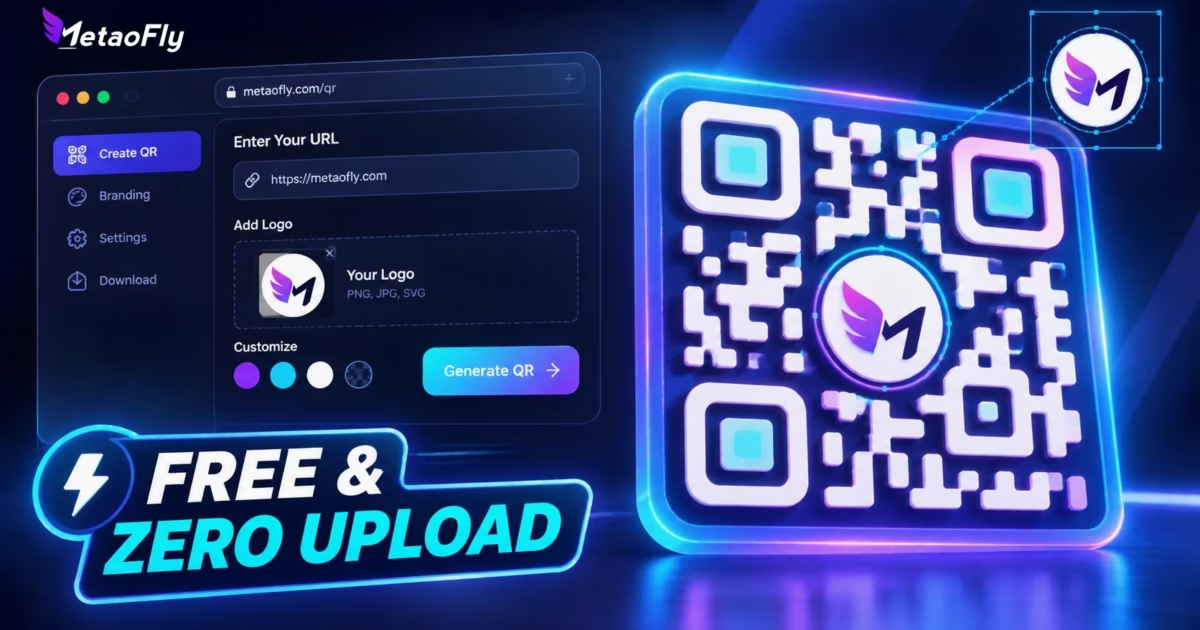
To create a permanent, custom branded QR code with your logo for free, use MetaoFly Pro QR Code Studio. Select your payload type (URL, vCard, Wi-Fi, or plain text), set Reed-Solomon Error Correction to Level H (30%) to preserve scannability when overlaying an icon, upload your PNG or SVG brand logo, customize dot shapes and gradient colors, and export directly as an infinitely scalable vector SVG or 4K PNG. Zero file uploads, zero paywalls, zero scan expiration.
The Hidden Trap Behind Most “Free” Online QR Code Generators
If you have ever printed marketing flyers, packaging labels, or restaurant menus using popular online QR generators, you may have fallen victim to one of the most predatory business models on the internet: the expiring redirect trap.
Many commercial QR services advertise “Free QR Code Maker” across search engines. However, instead of generating a direct static barcode, they covertly encode a dynamic tracking URL hosted on their own servers (e.g., https://brand-qr.io/x891j) that forwards visitors to your final destination.
⚠️ The 14-Day Paywall Extortion Scenario
You spend $1,200 printing 10,000 product boxes or business cards. Two weeks later, the service deactivates your code and displays a landing page: “This QR code has reached its scan limit. Upgrade to Pro for $35/month to re-enable.” Your printed materials are effectively held hostage.
At MetaoFly, we engineered Pro QR Code Studio with a strict architectural standard: 100% Client-Side Static Sovereign Barcodes. The actual destination URL, Wi-Fi credentials, or vCard details are rendered directly into the binary matrix using client-side mathematical algorithms. There is no cloud middleman, no redirect server, no user account required, and zero expiration dates—your QR codes will scan flawlessly today, next year, and twenty years from now.
Under the Hood: Canvas 2D & Vector SVG Rasterization Architecture
MetaoFly’s QR generator operates directly inside your browser’s V8 or JavaScriptCore runtime using high-precision HTML5 Canvas 2D matrix transformation alongside an algorithmic SVG DOM builder.
- Reed-Solomon Level H Error Correction: Embeds Galois Field polynomial mathematics \(GF(2^8)\) providing 30% bidirectional byte recovery. This allows up to nearly one-third of the central QR matrix to be replaced by your custom brand logo without loss of decodable information.
- Proportional Quiet Zone Padding: Automatically calculates the mandatory 4-module clearance border (\(QZ \ge 4 imes m\)) required by ISO/IEC 18004 to prevent optical scanner interference from neighboring graphic elements.
- True Infinite Vector Output: Compiles bezier curves and rect coordinates into an XML-compliant
.svgpayload that never pixelates when scaled to billboard dimensions.
Step-by-Step Guide: Designing a Branded Vector QR Code in MetaoFly
MetaoFly Pro QR Code Studio utilizes a desktop 2-column workspace (Left: Live High-Resolution Preview Canvas; Right: Control & Customization Drawer). Follow these steps to produce your print-ready asset:
Choose Payload & Input Destination
In the right control panel, select your data payload: Website URL, vCard Contact Details (Name, Phone, Email, Company, Job Title), Wi-Fi Network (SSID, WPA/WPA2/WPA3 password with instant connect protocol), or Plain Text. Ensure your web links include the full secure protocol prefix (https://) to guarantee native browser opening on iOS and Android camera apps.
Configure Reed-Solomon Error Correction to Level H (High)
Under the Error Correction tab, select Level H (30%). While Level L (7%) generates smaller module densities, it offers zero margin for logo occlusion. Level H reconstructs missing matrix sectors mathematically, ensuring optical smartphone lenses read the code instantly even with an opaque center emblem.
Upload Center Brand Logo & Set Quiet Cutout
Click Upload Logo to import your corporate icon (PNG, JPG, or SVG). Adjust the logo size slider to keep its area within 20% to 26% of the total matrix. Check the Logo Background Clearance toggle to render a solid circular or rounded-rectangular white safety halo around your logo, isolating it from neighboring data dots.
Customize Brand Colors, Eye Frames & Export SVG
Style your QR code using smooth dual-color gradients (Linear or Radial) or crisp solid brand hex colors (you can pick colors using the Color Palette Extractor). Choose eye frame styles (Classic Square, Smooth Rounded, Leaf, or Circular). When satisfied, click Download Vector SVG for commercial CMYK offset printing or Download 4K PNG for web and digital presentations.
Print Sizing, Scanning Distance & Error Correction Specifications
A common failure in QR code deployment is printing barcodes too small for optical smartphone autofocus to resolve at average scanning distances. Use the standard optical formula below to determine the minimum physical size required for your medium:
Minimum QR Size = Expected Scanning Distance / 10
For complex URLs with Level H error correction, a ratio of Distance / 8 is strongly recommended.
| Medium / Application | Typical Scan Distance | Minimum Print Size | Recommended Error Correction | Optimal Format |
|---|---|---|---|---|
| Standard Business Cards | 10 – 15 cm (4 – 6 in) | 20 mm × 20 mm (0.8 in) | Level M (15%) or H (30%) | Vector SVG (300 DPI) |
| Restaurant Table Tents & Menus | 30 – 50 cm (12 – 20 in) | 40 mm × 40 mm (1.6 in) | Level H (30% + Center Logo) | Vector SVG / EPS |
| A4 Posters & Trade Show Roll-Ups | 1.0 – 1.5 m (3.3 – 5 ft) | 120 mm × 120 mm (4.7 in) | Level H (30%) | Vector SVG |
| Outdoor Billboards & Bus Shelters | 5.0 – 10.0 m (16 – 33 ft) | 600 mm – 1000 mm (24 – 39 in) | Level H (30%) | Pure Vector SVG |
Ready to Build Your Permanent Branded QR Code?
Skip the paywall traps and download clean, print-ready SVG files with embedded logos directly from your browser memory right now.
MetaoFly vs. Top Commercial QR Code Tools
How does MetaoFly Pro QR Code Studio measure up against traditional alternatives? Here is a direct breakdown of technical capabilities, privacy models, and pricing:
| Feature & Policy | MetaoFly Pro QR | QR Code Monkey | Canva QR Maker | Bitly / QR Tiger |
|---|---|---|---|---|
| Pricing / Subscription | 100% Free Forever | Freemium ($12–$35/mo) | Requires Canva Account | $15 – $49/mo Paywall |
| Scan Expiration Risk | Never (Zero Redirects) | High on dynamic campaigns | Permanent (Static only) | Disabled upon plan lapse |
| Print-Ready Vector SVG | Unlimited Free SVG | Supported with ads | Locked behind Canva Pro | Paid Tier Only |
| Privacy / Data Security | 100% In-Browser Memory | Server-side logging | Stored on Canva cloud | Cloud tracking database |
| Custom Logo & Error Correction | Full Level H (30%) + Halos | Available | Basic / Fixed Level | Available on paid tiers |
Real-World Case Studies & Persona Applications
Scenario 1: Restaurant & Hospitality Contactless Dining
A regional bistro with 45 tables needed contactless digital menus. In previous seasons, they relied on a third-party generator whose QR codes suddenly stopped forwarding when the credit card on file expired. By switching to MetaoFly’s Pro QR Code Studio, they created static direct-destination QR codes routing straight to their menu PDF hosted on their own server. Using Level H error correction with their gold insignia in the center, they printed durable acrylic table stands with total peace of mind that their guests would never see a broken redirect.
Scenario 2: Packaging & Industrial Product Designers
When printing consumer packaged goods (CPG) or pharmaceutical boxes, offset printing plates require exact vector contours. Standard 72 DPI PNG exports cause raster fuzziness at plate exposure, causing bar code scanners at checkout or warehouses to fail. With MetaoFly’s pure SVG export, agencies import native vector paths directly into Adobe Illustrator or InDesign, converting black fills to 100% Process Black (K:100) for pristine press reproduction.
Scenario 3: Corporate Executives & vCard Networking
Traditional paper business cards get misplaced, but digital vCard QR codes printed on matte metal NFC hybrid cards allow instant contact exchange. Because MetaoFly formats vCard 3.0 payloads compliant with both iOS Contacts and Android Contact Manager, scanning the card prompts the phone’s native address book to save the person’s phone number, job title, company, and LinkedIn URL without requiring internet connectivity.
Pro Troubleshooting: 3 Critical Mistakes That Break Scannability
1. Low Optical Luminance Contrast
Smartphone camera decoders binarize video frames into pure 1-bit black and white pixels before interpreting code words. Light gray dots on white backgrounds, or dark navy dots on black backgrounds, fail binarization under dim restaurant lighting. Always maintain a minimum 4.5:1 luminance contrast ratio between foreground modules and the quiet zone background.
2. Excessive Center Logo Size
Even under Level H error correction (30% recovery), placing a logo that covers more than 28% of the barcode’s surface area leaves zero tolerance for physical scratches, paper folds, or lens reflections. Keep your center logo under 25% of the total canvas width and height.
3. Truncating the Quiet Zone Margin
Crop marks placed too tightly against the QR code boundary will confuse optical edge detectors. Always preserve a minimum 4-module blank margin on all four sides. If your QR code module is 2 mm wide, provide at least 8 mm of solid background clearance on every edge.
Explore Related Free Creative & Utility Studios
Combine your QR codes with MetaoFly’s zero-upload client-side design and media tool suite:
- Photo QR Code Generator: Blend artistic portrait photos and halftone artwork seamlessly into scannable QR matrices.
- Color Palette Extractor: Extract exact HEX, RGB, and HSL color values from brand photos to style your QR gradients.
- Device Screen Mockup Studio: Showcase your QR landing pages inside realistic 3D iPhone and MacBook studio mockups for client presentations.
- MetaoFly PDF Suite: Merge, organize, and convert digital brochures and restaurant menus before linking them to your QR codes.
Frequently Asked Questions (FAQ)
Do MetaoFly QR codes ever expire or have scan limits?
No. MetaoFly generates 100% static standard QR codes. The destination URL or data is hardcoded directly into the geometric black and white modules. Because there are no intermediate server redirects, the QR code functions perpetually without scan limits, subscription renewals, or account requirements.
What is the best file format for printing QR codes on merchandise?
Vector SVG (Scalable Vector Graphics) is the gold standard for physical merchandise, apparel, product boxes, and billboards. Unlike raster formats (PNG or JPG), SVG scales to infinite dimensions without pixelation, ensuring razor-sharp edges on industrial offset, flexographic, and screen printers.
Why is Reed-Solomon Level H essential when adding a logo?
Standard QR codes use Level L (7%) or Level M (15%) error correction. Placing an opaque logo over the center destroys the underlying data modules. Level H (30%) injects enough redundant parity polynomials into the binary matrix to reconstruct the obscured information completely, allowing the camera to read the barcode instantly.
Can mobile devices scan a Wi-Fi QR code without typing a password?
Yes. MetaoFly encodes Wi-Fi connection strings using the standard WIFI:T:WPA;S:Network_Name;P:Network_Password;; protocol. When scanned by the native camera app on iOS (iOS 11+) or Android (Android 10+), the operating system displays a one-tap banner to automatically join the network without manual credential entry.
Is my private data or Wi-Fi password safe when using MetaoFly?
Yes, completely. MetaoFly Pro QR Code Studio executes 100% locally in your client device’s browser memory. Your URLs, passwords, vCard entries, and uploaded brand logos are never transmitted across the network or stored on any remote cloud server.
#Vector SVG
#Logo QR Maker
#Reed Solomon Level H
#Zero Cloud Upload
#Wi-Fi QR Code
#vCard QR Code
#No Watermark Free