
The Pain of Manual Eyedroppers and Inaccessible Color Schemes
Building a digital product palette from inspirational photography or client branding is a standard design milestone. Yet, most developers and designers still rely on manual desktop eyedroppers or generic online palette generators like Coolors and Adobe Color.
This traditional workflow introduces three major failure points:
⚠️ The Accessibility Trap & Freemium Export Lockout
First, sampling random pixels with an eyedropper captures lighting artifacts and compression noise rather than the photograph’s true dominant harmonic signature. Second, mainstream generators produce pretty color cards that completely fail WCAG 2.1 accessibility laws—leading to legal ADA compliance liabilities when text placed on buttons lacks sufficient contrast. Third, commercial palette tools lock format exports (Tailwind CSS, SCSS, Design Tokens) behind recurring subscriptions.
MetaoFly engineered Color Palette & Contrast Studio as an all-in-one, developer-first solution. It executes mathematically rigorous color clustering directly in your browser, tests contrast accessibility automatically, and formats your tokens directly into ready-to-paste Tailwind CSS configuration files.
Under the Hood: Median Cut Color Quantization & WCAG Contrast Math
MetaoFly’s extraction pipeline operates on raw RGB buffer data using established computer graphics principles:
- Median Cut Algorithm: The engine plots every image pixel into a 3D RGB color space cube. It recursively splits the box along its longest axis (Red, Green, or Blue) at the median point until \(2^N\) distinct bounding boxes are formed. The average color of each box represents a true dominant harmonic cluster.
- Relative Luminance Formula: Compliant with W3C guidelines, luminance \(L\) is computed as \(L = 0.2126 R_{lin} + 0.7152 G_{lin} + 0.0722 B_{lin}\), accounting for the human eye’s heightened sensitivity to green wavelengths.
- Contrast Ratio Calculation: Contrast between foreground text and background color is calculated as \((L_1 + 0.05) / (L_2 + 0.05)\), providing immediate binary Pass/Fail verdicts for WCAG AA (4.5:1) and AAA (7:1) criteria.
Step-by-Step Guide: Extracting & Exporting Brand Palettes in MetaoFly
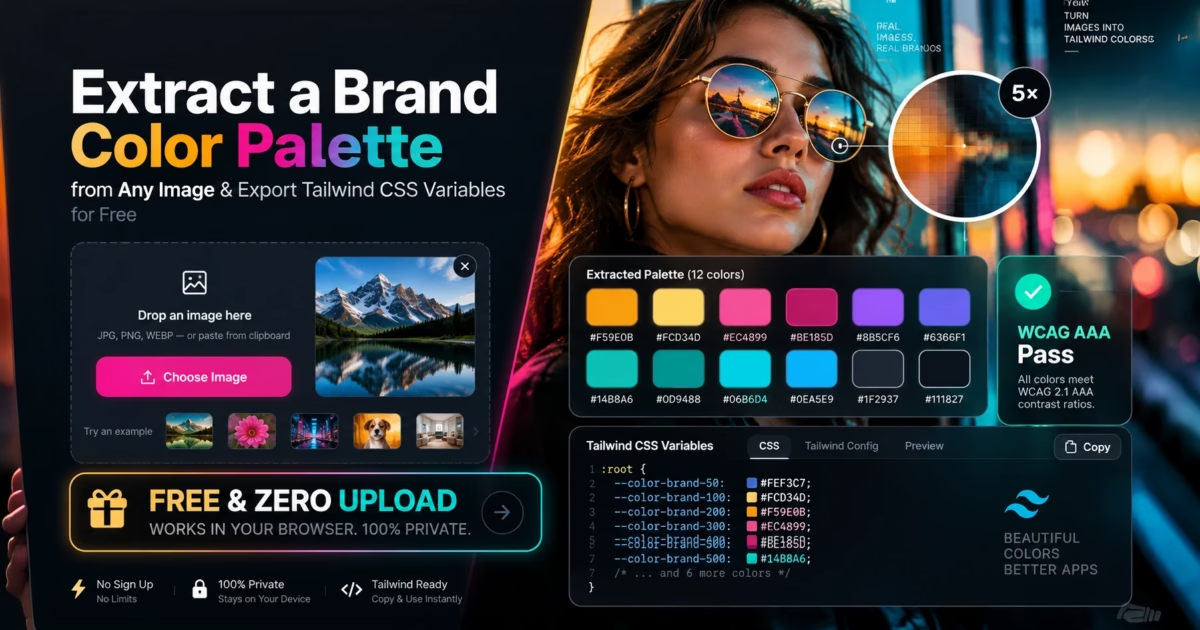
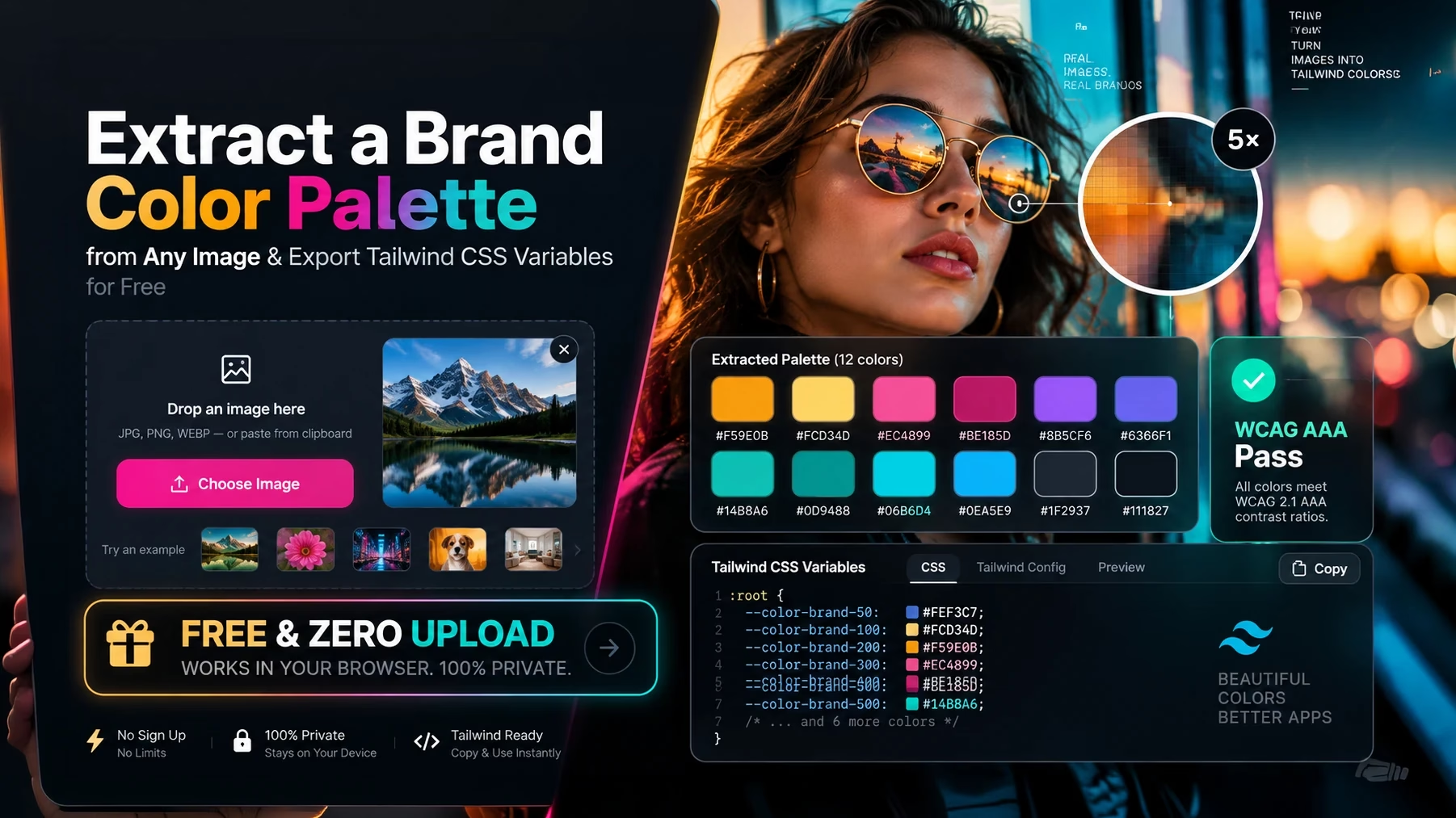
MetaoFly Color Palette Studio features a specialized 2-column workspace (Left: High-DPI Image Viewer with Interactive Precision Loupe; Right: Extracted Swatches, WCAG Contrast Grid & Developer Export Drawers).
Drop Image into the In-Memory Inspection Stage
Drag your photograph, graphic asset, or website screenshot into the left workspace stage. The client-side engine parses pixel buffers in milliseconds without server latency or data transmission.
Configure Palette Size (5 to 12 Swatches) & Clustering Mode
In the right control panel, select your target palette count (e.g. 5 essential brand colors or an expanded 10-color design system). Choose between Dominant Quantization (mathematical prevalence) or Vibrant Chromatic (highlighting energetic accent hues).
Test WCAG 2.1 Contrast & Accessibility Compliance
Review the live Accessibility Matrix below the color swatches. The system tests every extracted hue against pure white (#ffffff) and dark charcoal (#0f172a) typography, displaying instant AA and AAA badges. Adjust brightness or saturation with precision sliders if contrast falls below 4.5:1.
One-Click Export to Tailwind CSS, CSS Variables, or JSON
Click Copy Tailwind Config to copy a ready-to-paste theme.extend.colors object. You can also export vanilla CSS Custom Properties (:root { --color-primary: #...; }), SCSS variables, or a complete JSON design token file.
WCAG 2.1 Web Accessibility Contrast Standards
To ensure your website complies with international digital accessibility laws (Section 508, ADA, European Accessibility Act), use these official contrast ratios:
Extract Brand Colors & Build Accessible Tokens
Generate accessible color systems from any photo and export instant Tailwind CSS variables without paywalls or subscriptions.
MetaoFly vs. Popular Color Palette Tools
A feature-by-feature comparison between MetaoFly and traditional online color tools:
Real-World Persona Workflows
Scenario 1: Frontend Developers & Tailwind CSS Engineers
When kickstarting a new Next.js or Vite web project from Figma mockups, developers need to translate visual branding into code. Instead of manually inspecting individual frames and copying hex values one-by-one, engineers drag the hero screen into MetaoFly. With a single click on Copy Tailwind Config, they paste a complete color object directly into tailwind.config.js, complete with semantic color names (primary, secondary, accent, surface).
Scenario 2: Brand Identity Designers Creating Style Guides
During brand discovery workshops, agencies collect photographic moodboards representing client brand ethos (e.g., luxury sustainable fashion or rugged outdoor equipment). Using MetaoFly’s Median Cut clustering, designers extract the natural color harmony of these images, complete with exact HEX, RGB, and HSL values, ready to embed into brand guideline PDFs.
Scenario 3: Corporate Accessibility Auditors & QA Teams
Digital accessibility lawsuits have increased by over 300% in recent years. Companies risk significant fines if button text fails WCAG AA contrast against background cards. MetaoFly’s instant contrast matrix lets QA testers verify that call-to-action buttons meet the mandatory 4.5:1 ratio before shipping to production.
Pro Troubleshooting: 3 Color Sampling Mistakes to Avoid
1. Sampling JPEG Compression Halos
Lossy JPEG compression creates subtle color shifts around sharp graphic edges (chroma subsampling ringing). If you sample pixels near text borders with a 1px eyedropper, you frequently capture muddy intermediate artifacts. Use MetaoFly’s 5x Magnifier Loupe with multi-pixel averaging to ensure pure chromatic sampling.
2. Overlooking Dark Mode Inversion
A dark navy brand color (#1e293b) that passes WCAG AAA with white text in light mode will become completely illegible if used as a text color in dark mode. Always verify contrast against both light (#ffffff) and dark (#0f172a) surfaces in the MetaoFly accessibility matrix.
3. Neglecting Pure Neutrals in Design Systems
A complete UI color system requires neutral background and border shades that subtly inherit the brand’s primary undertone. Rather than using sterile generic gray (#808080), use MetaoFly to sample subtle tint variations from shadows and highlights for a cohesive interface aesthetic.
Related Creative Studios on MetaoFly
- Glassmorphism CSS Generator: Create modern frosted glass UI components using your newly extracted palette.
- Pro QR Code Studio: Style custom branded QR codes with gradients matching your brand hex values.
- Device Screen Mockup Studio: Apply your custom color palette to realistic 3D device mockup backdrops.
- Image Converter & Compressor: Optimize photography before extracting color tokens.
Frequently Asked Questions (FAQ)
How does the Median Cut algorithm extract color palettes?
Median Cut is a mathematical color quantization method. It groups image pixels into a 3D RGB box and recursively splits the box along its widest color dimension at the median point. The average RGB value of each final cluster produces an authentic harmonic color swatch.
What is the minimum WCAG contrast ratio for website text?
Under WCAG 2.1 Level AA, normal body text must have a minimum contrast ratio of 4.5:1 against its background. Large headings (≥ 18pt or ≥ 14pt bold) require at least 3.0:1. For enhanced Level AAA compliance, normal text requires 7.0:1.
Can I export the extracted palette directly to Tailwind CSS?
Yes. MetaoFly includes a 1-click Tailwind export button that outputs a clean JavaScript object formatted for your tailwind.config.js file, as well as CSS Custom Properties (:root variables).
Can I pick individual specific colors with an eyedropper?
Yes. In addition to automatic palette clustering, MetaoFly features an interactive 5x Magnifier Loupe tool that lets you hover over any exact pixel in your image to inspect and copy its HEX, RGB, or HSL code instantly.
Are my proprietary images or logos uploaded to your servers?
No. MetaoFly Color Palette & Contrast Studio runs 100% locally in your web browser. Images are processed entirely within client-side memory without network transmission or cloud storage.
#Tailwind CSS Config
#WCAG 2.1 Contrast
#Median Cut Algorithm
#Hex Color Picker
#ADA Compliance
#Design Tokens
#Free Coolors Alternative
Standards documentation: Built in compliance with the W3C Web Content Accessibility Guidelines (WCAG 2.1) and Tailwind CSS Color Customization Architecture.