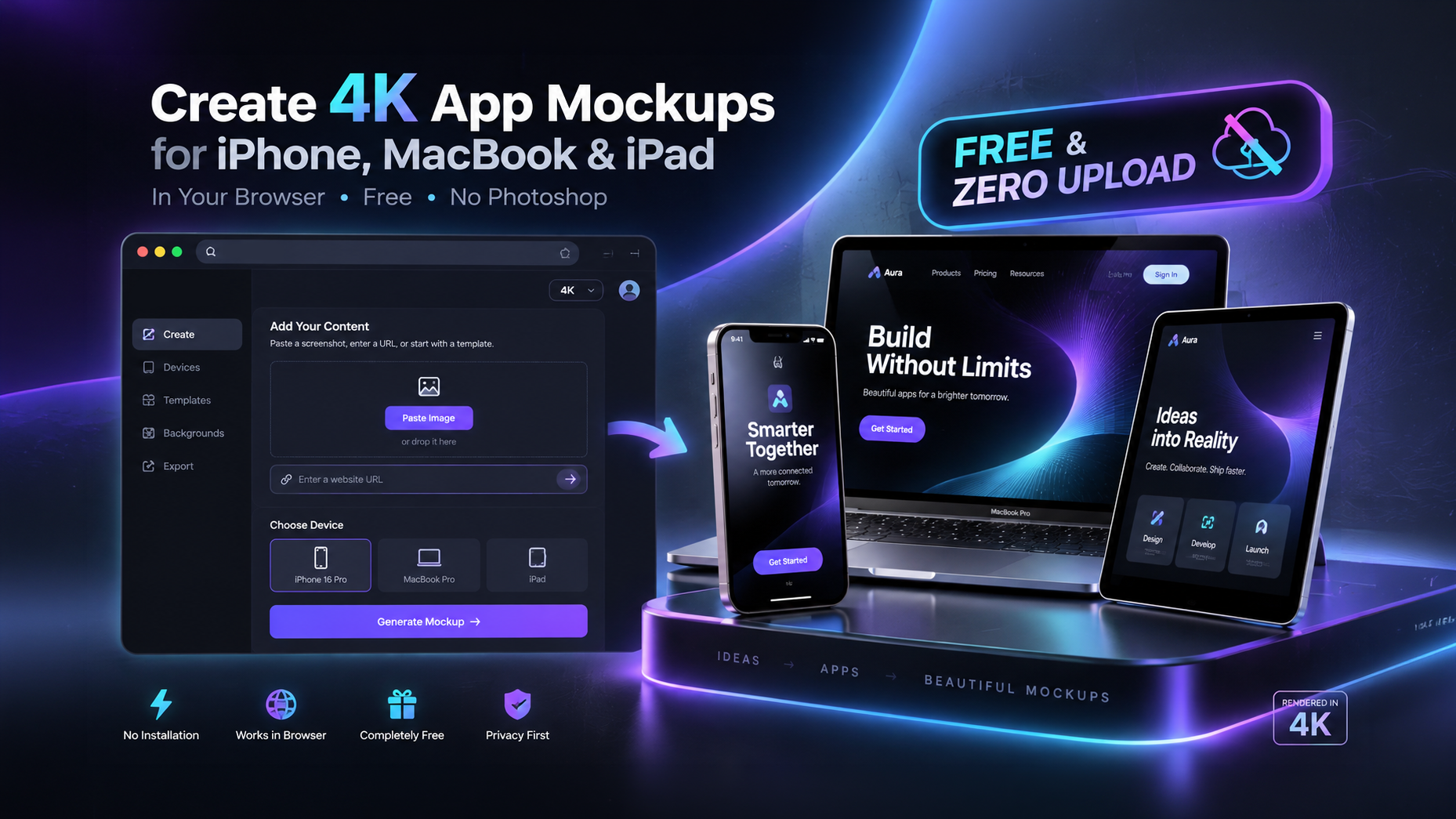
To create crisp, 4K App Store screenshots, Product Hunt gallery slides, and SaaS landing page hero graphics without Photoshop, drop your raw UI screenshots into a client-side procedural vector device renderer. Unlike raster PSD templates that pixelate when scaled or cloud mockup sites that slap watermarks over your export unless you pay $15 to $59, MetaoFly Device Screen Mockup Studio frames your screens inside flagship iPhone 16 Pro, Google Pixel, iPad Pro, MacBook Pro, and browser bezels with 3D isometric tilt, mesh gradients, and glass reflections—exporting up to 4K Ultra HD PNGs 100% free in your browser RAM.
- Zero Watermarks & Zero Subscriptions: Export full 4K Ultra HD (3840 × 2160 px) transparent PNGs or mesh-gradient marketing graphics with zero fees, zero account signups, and zero watermarks.
- Procedural Vector Bezels: Every Dynamic Island, camera punch-hole, unibody aluminum curve, and macOS browser traffic light is drawn mathematically at high DPI—never stretched from blurry low-res stock photos.
- Stealth-Startup Privacy: Unreleased app screens and NDA client prototypes never leave your computer’s local memory, making it a completely private client side mockup studio.
The PSD & Watermark Paywall Trap: Why Mockup Sites Ruin Launch Day
You have spent months shipping your MVP, polishing every pixel of your onboarding flow, and preparing for your Product Hunt launch or App Store submission. Now you just need five clean indie hacker marketing graphics showing your interface inside an iPhone 16 Pro and a MacBook Pro.
When you search Google for a device mockup generator free or an app store screenshot generator, the top-ranking platforms hit you with four predictable roadblocks:
- The Checkout Watermark Ambush (
placeit.net,previewed.app): Envato’s Placeit ranks for thousands of device keywords with a massive catalog, yet 100% of downloads are locked behind a $14.95/month subscription or stamped with a giant watermark. Previewed (previewed.app) caps free exports at blurry 720p with visible branding. - OS Lock-In & Desktop Price Tags (
rotato.app): Rotato produces gorgeous 3D SaaS renders, but it is a Mac-only desktop application costing $59+, leaving Windows and Linux founders stranded or stuck with watermarked web previews. - Canva Pro Paywalls & Email Gates (
smartmockups.com,mockuphone.com): Smartmockups was absorbed into Canva, locking high-resolution transparent mockups behind a $120/year Canva Pro plan. Meanwhile, Mockuphone (mockuphone.com) forces email registration or slow server rendering queues and lacks modern mesh gradients, directional glare, and multi-device compositions. - Bloated 500MB Photoshop PSD Smart Objects: Downloading “free” PSD mockup packs from design blogs means wrestling with massive 500 MB files, broken Smart Object perspective warps, outdated iPhone 12 bezels, and blurry raster edges the moment you scale up for a 4K hero section.
When you are moving fast toward a launch deadline, you need a true rotato free alternative, smartmockups free alternative, and placeit no watermark alternative that renders crisp vector frames directly inside your browser in seconds.
Official 2026 App Store, Product Hunt & SaaS Hero Resolution Specifications
Shipping a great mockup starts with exporting the exact pixel dimensions required by each launch platform so your typography stays razor-sharp and never gets distorted by automated platform scaling. Use this 2026 Launch & Store Resolution Lookup Table when configuring your exports:
The Retina DPR Scaling Formula Behind Crisp UI Mockups
Why do screenshots inside ordinary web mockups often look fuzzy on MacBook Retina screens and modern iPhones? Because standard CSS pixels (1×) fail to account for Device Pixel Ratio (DPR) on high-density displays (2× and 3× OLED screens). To guarantee crystal-clear 11px dashboard typography inside a saas landing page hero mockup, your exported asset width W_{export} must satisfy:
For example, if your SaaS hero image sits inside a 1200 px-wide desktop container and you want zero sub-pixel blur on a 2× Retina MacBook Pro or 3× iPhone display, you must export at least 2400 px to 3840 px (4K Ultra HD)—and then compress the final file to WebP so page load speed remains fast.
Under the Hood: Procedural Vector Device Rendering vs. Raster PSD Smart Objects
Most online mockup generators rely on static, pre-rendered JPEG photographs of a phone lying on a desk and attempt to warp your screenshot onto a skewed quadrilateral. That approach creates three permanent flaws: you cannot change the camera angle, you cannot export a transparent png device frame without jagged green-screen fringes, and zooming in reveals blurry raster bezel edges.
The MetaoFly Device Screen Mockup Studio uses a High-DPI Procedural Vector Device Frame Renderer built directly on HTML5 Canvas:
- Mathematical Vector Bezel Geometry: Instead of stretching bitmap photos, the renderer constructs device hardware using resolution-independent Bezier paths and vector primitives. Whether you select an iPhone 16 Pro (complete with Dynamic Island, titanium side buttons, and super-ellipse corner radii), a Google Pixel (with centered punch-hole camera), an iPad Pro, a MacBook Pro unibody chassis, or a macOS Browser Window (with authentic red-yellow-green traffic lights and URL bar chrome), every curve is calculated mathematically at your exact export resolution (1080p, 2K, or 4K Ultra HD).
- Real-Time 3D Perspective & Affine Compositing: When you switch from a front-facing flat studio view to an isometric 3d ui mockup or a floating dual device mockup, the Canvas engine computes perspective transformation matrices in real time while applying mipmapped image sampling so small UI text inside the screen stays sharp rather than aliased.
- Multi-Layered Ambient Occlusion & Specular Glass Glare: Flat screenshots look pasted-on because they lack physical depth. MetaoFly’s drop shadow glare mockup shader synthesizes multi-pass Gaussian ambient shadows beneath the chassis plus a controllable diagonal specular glass reflection across the screen bezel—giving your UI instant studio lighting without Blender or Cinema 4D.
- Zero-Server Canvas Serialization: When you click export, the offscreen buffer serializes the 3840 × 2160 px composite directly into a lossless PNG or optimized JPG blob in local RAM.
Step-by-Step: How to Create 4K App Store & Product Hunt Mockups in Under 60 Seconds
MetaoFly is engineered with a clean 2-Column Desktop / 1-Column Mobile Layout—displaying your live interactive 3D/flat stage on the Left and device models, perspective angles, lighting sliders, and background controls on the Right—paired with a Zero-Popup In-Field Download. Here is how to build launch-ready visuals in four fast steps:
Step 1: Open the Studio & Drop Your Raw UI Screenshots
Navigate to the MetaoFly Device Screen Mockup Studio ↗. Drag and drop your raw app screenshot or website capture onto the Left Interactive Stage (or upload two screenshots if you are building a dual-device mobile + laptop hero composition). Files mount instantaneously from your local disk in milliseconds.
Step 2: Choose Your Device Frame & Perspective Mode
In the Right Fine-Tuning Panel, select the hardware frame that matches your product:
- Mobile Apps: Flagship iPhone 16 Pro (Dynamic Island) or Google Pixel frame.
- Tablet & Productivity Apps: Edge-to-edge iPad Pro bezel.
- Web Apps, SaaS & Chrome Extensions: Unibody MacBook Pro, Desktop Monitor, or clean Browser Window with macOS Traffic Lights.
Next, toggle your Perspective Mode between Front-Facing Flat Studio (best for clean App Store vertical slots), 3D Isometric Tilt (best for Product Hunt slides and Dribbble shots), or Floating Dual-Device Composition (pairing MacBook + iPhone side by side).
Step 3: Customize Backdrop Mesh Gradients, Shadows & Glass Glare
Dial in your visual presentation without touching a separate design app:
- Backdrop Mode: Choose from vibrant mesh gradients, clean solid studio colors, a custom uploaded wallpaper, or a transparent png device frame (ideal for dropping straight onto an existing Webflow, Framer, or Next.js hero section).
- Shadow & Glare Tuning: Adjust soft ambient drop-shadow depth, border radius, and directional glass reflection intensity until the device pops naturally off the canvas.
Step 4: Select Resolution (1080p, 2K, or 4K Ultra HD) & Export In-Field
Choose 1080p, 2K, or 4K Ultra HD in the export selector and click the In-Field Download button directly beneath the Left Stage. Your full-resolution mockup downloads immediately with zero watermarks, zero login prompts, and zero popup ads.
The 30-Second F12 DevTools Privacy Verification Test
If you are a stealth-mode startup founder, a product manager preparing an embargoed feature launch, or a UX agency working under strict client NDAs, uploading unannounced product screenshots to cloud mockup generators is an unnecessary IP leak. Prove that MetaoFly runs 100% locally in your browser RAM in 30 seconds:
- Open MetaoFly Device Screen Mockup Studio ↗ in Chrome, Edge, Brave, or Firefox.
- Press
F12(Windows/Linux) orCmd + Option + I(Mac) to open Developer Tools and click the Network tab. - Enable Preserve log and click the clear icon (
🚫) to wipe initial page-load entries. - Drop a confidential UI screenshot onto the canvas, apply a 3D isometric iPhone 16 Pro frame with a mesh gradient, and export a 4K PNG.
- Inspect the Network Log: You will see zero outbound
POSTupload requests and 0 bytes transmitted to any external server. Every bezel curve, shadow pass, and pixel composite executes strictly on your local machine.
Head-to-Head Competitor Comparison Matrix (2026)
How does MetaoFly stack up against Rotato, Smartmockups (Canva), Placeit, and Shots.so for ui ux portfolio presentation and launch graphics?
3 Real-World Launch & Portfolio Playbooks (With Exact Presets)
1. Product Hunt Launch Gallery & Maker Comment Visuals
- The Goal: Stop voters scrolling through the daily Product Hunt feed in under 1.5 seconds by showcasing both your desktop dashboard and mobile companion app in one cohesive visual story.
- Exact Workflow: Open MetaoFly → Select Floating Dual-Device Composition (MacBook Pro + iPhone 16 Pro) → Load your core dashboard screenshot into the laptop and your mobile view into the phone → Apply a 3D Isometric Tilt with a subtle diagonal Glass Glare → Set backdrop to a high-contrast Mesh Gradient matching your brand’s primary color → Export at 2K / 4K for your Product Hunt gallery slides.
2. Apple App Store & Google Play Store Conversion Screenshots
- The Goal: Maximize store listing conversion rates with clean, edge-to-edge vertical device mockups that highlight your core user value proposition without bezel distortion.
- Exact Workflow: Capture native Retina screenshots directly from the iOS Simulator or Android Emulator (1290 × 2796 px for iPhone 16 Pro Max). Drop each screen into MetaoFly’s iPhone 16 Pro (or Google Pixel) preset using Front-Facing Flat Studio mode (or a subtle 8° tilt), add soft ambient drop shadows over a clean brand-colored backdrop, and export at 4K Ultra HD with zero watermarks.
3. SaaS Landing Page Hero & UI/UX Case Study Presentations
- The Goal: Embed a lightweight, floating browser or laptop mockup directly over your landing page’s existing CSS background without boxy rectangular edges.
- Exact Workflow: Load your web app UI into the Browser Window with macOS Traffic Lights or MacBook Pro preset → Switch Backdrop Mode to Transparent PNG Device Frame → Dial up Soft Ambient Shadow so the window floats naturally over your page → Export at 4K Ultra HD → Run the exported PNG through MetaoFly’s WebP converter so your hero section loads in under 0.3 seconds.
Pro Troubleshooting: 3 Mockup Mistakes That Hurt Conversion & Page Speed
- Dropping a Desktop Screenshot Inside a Smartphone Bezel (Aspect Ratio Mismatch): Squeezing a 16:9 widescreen web screenshot into a vertical 9:19.5 iPhone frame either crops off 70% of your interface or squashes text illegibly. Fix: Always match the screenshot’s native aspect ratio to the device—capture mobile responsive views (390 × 844 pt at 3×) for iPhone/Pixel mockups, and reserve widescreen 16:9 captures for MacBook Pro, Desktop Monitor, and Browser Window frames.
- Using Dark Device Bezels on a Pitch-Black Background: Placing a Space Black iPhone 16 Pro or Dark Mode MacBook frame directly onto a
#000000background makes the hardware chassis disappear completely, leaving your screenshot floating awkwardly in space. Fix: Add a subtle radial studio spotlight, a contrasting mesh gradient, or a soft outer glow behind dark bezels so the aluminum edge contour remains clearly defined. - Uploading Uncompressed 6 MB 4K PNG Mockups Straight to Your Landing Page: A raw 3840 × 2160 px transparent PNG mockup can easily weigh 4 MB to 7 MB, which will destroy your website’s Google Core Web Vitals Largest Contentful Paint (LCP) score on mobile connections. Fix: Always export at 4K PNG first to lock in maximum sharpness, then run the file through our Image Converter & Compressor ↗ to convert it to 85% quality WebP—shrinking the file from 5 MB down to \sim 220 KB while keeping full alpha transparency.
Complete Your Launch & Asset Pipeline (Internal Tools & Piludi Desktop Bridge)
- Compress Your 4K Mockups to Fast-Loading WebP: Shrink heavy 4K transparent PNG mockups by up to 85% without losing alpha transparency or Retina sharpness in our Image Converter & Compressor ↗.
- Extract Matching Mesh Gradient Colors from Your App UI: Pull exact HEX and CSS variables straight from your product screenshot to color-match your mockup backdrop using our Color Palette & Contrast Studio ↗.
Frequently Asked Questions (FAQ)
Can I export transparent PNG device mockups for free without a watermark?
Yes. MetaoFly Device Screen Mockup Studio lets you select Transparent PNG as your canvas backdrop and export at up to 4K Ultra HD (3840 × 2160 px) completely free, with zero watermarks, zero credits, and zero account signups.
Which device frames are supported in MetaoFly Device Screen Mockup Studio?
You can frame screenshots inside flagship iPhone 16 Pro (with Dynamic Island), Google Pixel smartphones, iPad Pro tablets, MacBook Pro laptops, Desktop Monitors, and clean macOS Browser Windows with authentic traffic-light controls—available in flat, 3D isometric tilt, and floating dual-device compositions.
What is the best image size for a Product Hunt launch gallery mockup?
Product Hunt recommends 1270 × 760 pixels (or a 1.67:1 landscape aspect ratio) for gallery images. Using a floating dual-device mockup (MacBook Pro paired with an iPhone 16 Pro) over a clean mesh gradient fills this frame effectively and showcases cross-platform polish immediately.
How does procedural vector rendering keep mockups sharp at 4K resolution?
Unlike traditional PSD templates that stretch raster images, MetaoFly draws device bezels, corners, Dynamic Islands, and browser chrome using resolution-independent vector geometry on HTML5 Canvas. This ensures razor-sharp hardware edges and crisp UI typography when exporting at 2K or 4K Retina resolutions.
Are my unreleased app screenshots uploaded to a cloud server?
No. All screenshot loading, 3D perspective transforms, shadow/glare shaders, and 4K exports execute 100% locally inside your browser’s RAM. Zero bytes ever leave your device, protecting stealth startups and NDA client projects.