
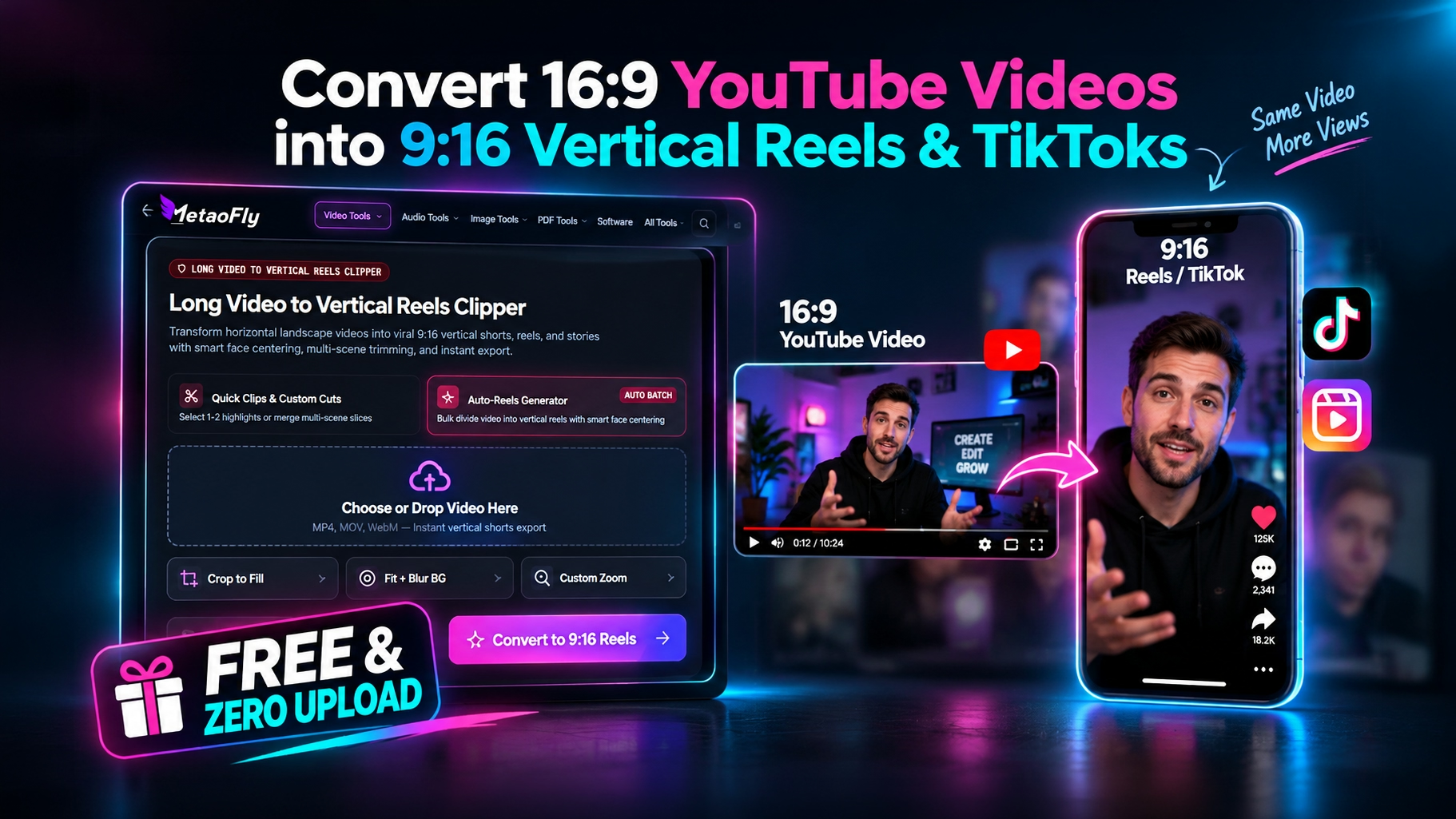
To repurpose a horizontal 16:9 YouTube video, podcast, or webinar into a 1080 × 1920 px (9:16) vertical TikTok, Instagram Reel, or YouTube Short without paying $29/month or getting hit with corner watermarks, mount your local video file into a client-side HTML5 Canvas compositor. By trimming your highlight timestamp range, selecting either interactive pan-and-scan framing or a Gaussian blurred video backdrop, and recording locally via MediaRecorder, MetaoFly Long Video to Vertical Reels Clipper exports watermark-free vertical videos in seconds—100% inside your browser RAM.
- Zero Subscriptions & Zero Watermarks: Bypass the $15–$49/month credit paywalls and free-tier watermarks enforced by OpusClip, Klap, Vidyo.ai, and Veed.io.
- Three Native Framing Modes: Switch between Auto/Pan Crop, Letterbox with Gaussian Blurred Video Duplicate, and Solid Brand Color Canvas across 9:16, 4:5, and 1:1 aspect ratios.
- Zero Cloud Upload Queues: Even a 3 GB one-hour podcast recording mounts instantaneously from your SSD into local browser memory—making it a completely private podcast clipper and client side video reframer.
The $29/Month AI Clipper & Cloud Queue Trap
If you produce long-form YouTube videos, two-host podcasts, gaming streams, or B2B webinars, you already know that short form video repurposing is the highest-leverage distribution channel in 2026. Posting daily 15-to-60-second vertical clips drives discovery back to your main channel without forcing you to film separate vertical shoots.
Yet the moment you search Google to convert 16×9 to 9×16 online free or repurpose podcast to shorts free, the top-ranking SaaS tools trap you in three expensive bottlenecks:
- Predatory Credit Quotas & Watermarks (
opus.pro,klap.app,vidyo.ai,vizard.ai): AI clipping platforms rank aggressively on creator keywords by advertising “free trials,” only to cap free accounts at a tiny handful of processed minutes, stamp a large brand watermark across the center or corner of your clip, and demand $19 to $49 per month to unlock clean 1080p exports. - Slow Multi-Gigabyte Cloud Upload Queues (
munch.com,choppity.com,veed.io): Uploading a 2.5 GB raw 1080p or 4K podcast recording over residential Wi-Fi takes 15 to 30 minutes before you can even preview a single frame—and Veed’s free tier enforces a strict 10-minute cap alongside an intrusive watermark. - ByteDance Cloud Sync & Pro Feature Locks (
capcut.com): CapCut’s web editor requires mandatory account login, uploads your unreleased footage to remote cloud storage, and increasingly locks key reframing and export controls behind CapCut Pro.
You do not need an expensive cloud subscription just to slice a 45-second highlight out of a widescreen video and reframe it cleanly for mobile screens. A dedicated youtube to tiktok converter no watermark and no watermark reels maker running directly inside your local browser executes the exact same framing in seconds at zero cost.
Aspect Ratio Math & Why Gaussian Blurred Letterboxing Beats Black Bars
Understanding the geometry between widescreen 16:9 video (1920 × 1080 px) and vertical 9:16 mobile viewports (1080 × 1920 px) is the secret to keeping viewers watching past the first two seconds.
When you drop a horizontal 16:9 video onto a vertical 1080 × 1920 px canvas without scaling, the video fills the 1080 px width at a height of:
That leaves 1,312 vertical pixels (656 px at the top and 656 px at the bottom—over 68.3% of the smartphone screen) completely empty. If you leave those top and bottom regions as harsh #000000 black letterbox bars, your clip immediately signals “lazy horizontal repost” to mobile viewers scrolling TikTok, Instagram Reels, and YouTube Shorts, causing them to swipe away instantly.
Conversely, if you blindly crop widescreen video to 9×16 to fill the full 1920 px height, your horizontal field of view shrinks to just 31.64% of the original frame—slicing off co-hosts sitting on opposite sides of a table or cutting out software UI menus during a screen-share tutorial.
The 3 Vertical Framing Modes Decision Matrix
The MetaoFly Long Video to Vertical Reels Clipper gives you instant control over all three professional framing geometries so you can match the layout to your exact footage:
Notice why horizontal to vertical video blurred background compositing performs so well on two-person podcasts and screen recordings: the blurred background moves and shifts color in real time with your primary video, giving the viewer a native full-screen vertical experience while keeping 100% of the widescreen frame visible inside the mobile safe zone.
2026 Short-Form Aspect Ratio & Safe-Zone Reference Table
MetaoFly supports all three core social video aspect ratios inside one unified studio:
Under the Hood: 1080 × 1920 HTML5 Canvas Compositor & Local MediaRecorder Pipeline
How does the MetaoFly Long Video to Vertical Reels Clipper reframe, blur, trim, and export crisp vertical MP4/WebM clips in your browser without sending a single megabyte to a cloud rendering farm?
MetaoFly executes a real-time dual-stream browser pipeline:
- Zero-Copy Local Disk Mounting: When you drop an
MP4,MOV,MKV, orWebMfile onto the canvas,URL.createObjectURL()mounts the local file handle directly into an internal HTML5decoder buffer in browser RAM. A 4 GB podcast file opens in less than half a second. - Dual-Layer HTML5 Canvas 9:16 Compositor: For every frame between your selected
StartandEndtimestamps, the offscreen 1080 × 1920 px Canvas executes a two-pass draw cycle: - Pass 1 (Background Layer): In Gaussian Blur Backdrop mode, the compositor draws a zoomed, aspect-filled copy of the active video frame through a hardware-accelerated GPU blur shader (
ctx.filter = 'blur(28px)'), creating live motion-matched ambience across the top and bottom 656 px bands. - Pass 2 (Foreground Subject Layer): The compositor draws your crisp, unblurred video frame—either full-width centered (1080 × 608 px) or cropped to your exact pan-and-scan coordinates.
- Synchronized Web Audio &
MediaRecorderStream Capture: Simultaneously,canvas.captureStream()merges the composited 1080 × 1920 px video track with the original sample-accurate audio stream from your source video. The browser’s nativelocal mediarecorder mp4 exporthardware encoder serializes the combined stream directly into a downloadable video file with zero pitch drift and zero watermarks.
Step-by-Step: How to Repurpose Long YouTube Videos into Viral TikToks & Reels in 3 Steps
MetaoFly is built on a clean 2-Column Desktop / 1-Column Mobile Layout—displaying your live 9:16 vertical preview stage and timeline scrubber on the Left and aspect ratio presets, framing modes, and export controls on the Right—paired with a Zero-Popup In-Field Download. Here is the exact 3-step workflow:
Step 1: Load Your Widescreen Video & Choose Your Vertical Aspect Ratio
Open the MetaoFly Long Video to Vertical Reels Clipper ↗. Drag and drop your horizontal 16:9 MP4, MOV, MKV, or WebM file onto the Left Interactive Stage. In the Right Fine-Tuning Panel, confirm your target aspect ratio preset—9:16 Vertical (1080 × 1920) for TikTok/Reels/Shorts, 4:5 Portrait, or 1:1 Square (instagram reels aspect ratio converter).
Step 2: Select Framing Mode (Auto-Crop vs. Gaussian Blurred Background) & Trim the Highlight
Use the Left Stage timeline scrubber to dial in your exact Start and End timestamps (e.g., isolating a punchy 25-to-45-second hook or story segment). Next, select your framing layout in the Right Panel:
- Click Fit with Blurred Background if your clip features two podcast speakers, a gaming HUD, or a widescreen software walkthrough where nothing on the left or right edges can be cut off.
- Click Fill / Auto-Crop and drag horizontally on the Left Stage to center a solo speaker inside the vertical frame.
Step 3: Render & Download Your Watermark-Free Vertical Clip In-Field
Click Export Vertical Clip. Your browser’s local Canvas compositor and MediaRecorder pipeline render your reframed video with full audio synchronization and reveal an In-Field Download Card right beneath the stage—no waiting in server queues, no account login walls, and zero watermarks.
The 30-Second F12 DevTools Privacy Verification Test
Podcasters, corporate communications teams, and creators routinely clip unreleased interviews, internal town-hall keynotes, and embargoed product announcements before public release. Uploading confidential raw footage to cloud AI clippers places private video on third-party servers. Prove that MetaoFly is a 100% local free tiktok video resizer in 30 seconds:
- Open MetaoFly Long Video to Vertical Reels Clipper ↗ in Chrome, Edge, Brave, or Firefox.
- Press
F12(Windows/Linux) orCmd + Option + I(Mac) to open Developer Tools and click the Network tab. - Check Preserve log and click the clear icon (
🚫) to empty existing entries. - Drop a local
16:9video file onto the stage, set a 10-second trim range with Gaussian Blurred Background, and export your9:16clip. - Inspect the Network Log: You will see zero outbound
POSTvideo-upload requests and 0 bytes transmitted over the internet. Every frame composite and audio sync runs strictly inside your computer’s local RAM.
Head-to-Head Competitor Comparison Matrix (2026)
How does MetaoFly perform as an opus clip free alternative, klap app free alternative, and veed vertical video alternative?
3 Real-World Short-Form Creator Playbooks & Exact Presets
1. Video Podcasters & Interview Channels (repurpose podcast to shorts free)
- The Challenge: Turning a 60-minute two-person widescreen Zoom or studio podcast into 5 punchy vertical Shorts without cutting off either speaker or paying monthly per-minute AI fees.
- Exact Studio Preset: Mount your full episode MP4 directly into MetaoFly → Select 9:16 Vertical (1080 × 1920) → Choose Fit with Gaussian Blurred Background → Scrub to your strongest 35-second insight or debate exchange → Export cleanly with zero watermarks. Both speakers remain clearly visible in the center widescreen frame while the live blurred backdrop fills the mobile screen.
2. B2B SaaS Founders & Webinar Marketers (webinar to social clips tool)
- The Challenge: Repurposing a recorded product demo or customer webinar—where slides and dashboard charts span the full 16:9 width—for LinkedIn mobile video and YouTube Shorts without cropping off charts.
- Exact Studio Preset: For LinkedIn feeds, select 4:5 Portrait (1080 × 1350) with Solid Brand Color Canvas (matching your company’s dark slate
#0F172Aor off-white#F8FAFCbrand hex) so viewers can read every slide metric clearly. For YouTube Shorts, switch to 9:16 Vertical with Gaussian Blurred Backdrop.
3. Gaming Streamers & Solo YouTubers (crop widescreen video to 9x16)
- The Challenge: Converting a 16:9 gameplay clutch or solo talking-head commentary into a full-screen vertical TikTok where your facecam or character fills the entire 9:16 viewport.
- Exact Studio Preset: Select 9:16 Vertical (1080 × 1920) → Switch framing mode to Fill / Auto-Crop → Drag the horizontal pan slider on the Left Stage to center your face or crosshair action → Trim to a tight 15-to-25-second loop and export locally.
Pro Troubleshooting: 3 Vertical Video Framing Mistakes That Kill Mobile Watch Time
- Placing Faces or Key Visuals in the Bottom Third of a 9:16 Frame: When you use Auto-Crop mode and tilt or frame your subject too low, TikTok’s 4-line video description, sound ticker, and Instagram Reels’ caption overlay cover the speaker’s mouth and chin. Fix: Keep your subject’s eyes aligned along the upper-third line (33% from the top edge) of the 1080 × 1920 px canvas, leaving the bottom 450 px clear for platform UI elements.
- Exporting a Vertical Clip Without Burned-In Open Captions: Over 85% of mobile users scroll Instagram Reels and LinkedIn feeds with their phone speakers muted. Even a perfectly reframed 9:16 clip loses silent scrollers if there are no on-screen captions. Fix: After exporting your reframed 9:16 clip from MetaoFly, drop it directly into our free Video Watermark, Logo Overlay & Subtitle Burner ↗ to hardcode high-contrast
.SRTcaptions in seconds. - Trying to Load an Unplayable
.MKVOBS Stream Recording Directly: If you record your podcasts or streams in OBS Studio using.MKV(for crash protection) and your browser struggles to seek smoothly across a 2-hour file, swap the container first. Fix: Run your.MKVthrough our 2-second MOV / MKV / WebM to MP4 Instant Converter ↗ for lossless container remuxing before clipping your vertical highlights.
Complete Your Short-Form Repurposing Stack (Internal Tools & Piludi Desktop Bridge)
- Hardcode Styled
.SRTCaptions & Your Brand Watermark onto Your New 9:16 Clip: Boost silent-scroll retention by burning open captions and a corner logo onto your exported vertical video in our Video Watermark, Logo Overlay & Subtitle Burner ↗. - Hit Exact Discord (25 MB) or WhatsApp (16 MB) Limits for Client Approvals: Need to send your newly clipped vertical video to a client or team channel over chat? Shrink the file size without watermarks in our Target Size Video Compressor ↗.
Frequently Asked Questions (FAQ)
How do I convert a horizontal 16:9 YouTube video to 9:16 vertical without cropping the sides?
Open MetaoFly Long Video to Vertical Reels Clipper, load your 16:9 video, select the 9:16 (1080 × 1920) preset, and choose Fit with Gaussian Blurred Background. This keeps 100% of your widescreen video visible in the center while filling the top and bottom screen space with a live, color-matched blurred version of your video.
Is MetaoFly Long Video to Vertical Reels Clipper completely free without watermarks?
Yes. Unlike OpusClip, Klap, and Veed.io—which either stamp watermarks on free downloads or require $19–$49/month subscriptions—MetaoFly lets you trim, reframe, and export unlimited 1080 × 1920 px vertical clips 100% free with zero watermarks and zero account logins.
Can I trim a specific 30-second highlight out of a 1-hour podcast video?
Yes. Use the interactive timeline scrubber on the Left Stage to set your exact start and end cut points (such as a 15s, 30s, or 60s highlight). Because MetaoFly mounts your video locally from disk into browser RAM, even multi-gigabyte 1-hour recordings load immediately without slow cloud uploads.
Which aspect ratios are supported besides 9:16?
In addition to 9:16 Vertical (1080 × 1920 px) for TikTok, Instagram Reels, and YouTube Shorts, you can switch in one click to 4:5 Portrait (1080 × 1350 px) for Instagram and LinkedIn mobile feeds, or 1:1 Square (1080 × 1080 px) for X/Twitter and standard social grids.
Does MetaoFly upload my unreleased podcast or webinar videos to a cloud server?
No. All video decoding, 1080 × 1920 HTML5 Canvas compositing, Gaussian blur rendering, and MediaRecorder encoding happen 100% locally inside your browser’s memory. Zero bytes ever leave your computer.